In this release, there have been several updates to the Xero process.
- On the Administration -> Interface -> External Financial Connections -> Mapping Configuration screen:
- The Outbound tab has been renamed to ‘Charge Code Mapping’
- The Inbound tab has been renamed to ‘Bank Account Mapping’
- Two new fields have been added:
- Send Exchange Rate
- When set to ‘Yes’, the exchange rate of foreign invoices in Expedient will be sent outbound to the third-party provider
- When set to ‘No’, the exchange rate of foreign invoices in Expedient will not sent outbound to the third party provider, and the exchange rate will instead default as per the third-party provider
- Debtor Overpayment Account
- This is the account that will be used for credit notes made as the result of an overpayment in Xero
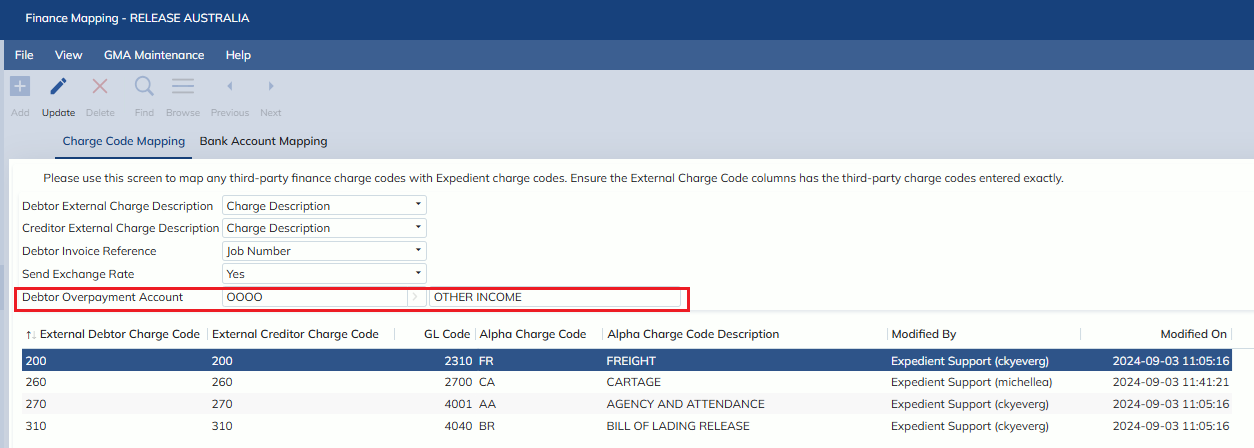
Example:
When an invoice is overpaid in Xero, the difference between the invoice amount and the additional payment amount creates a credit in Xero
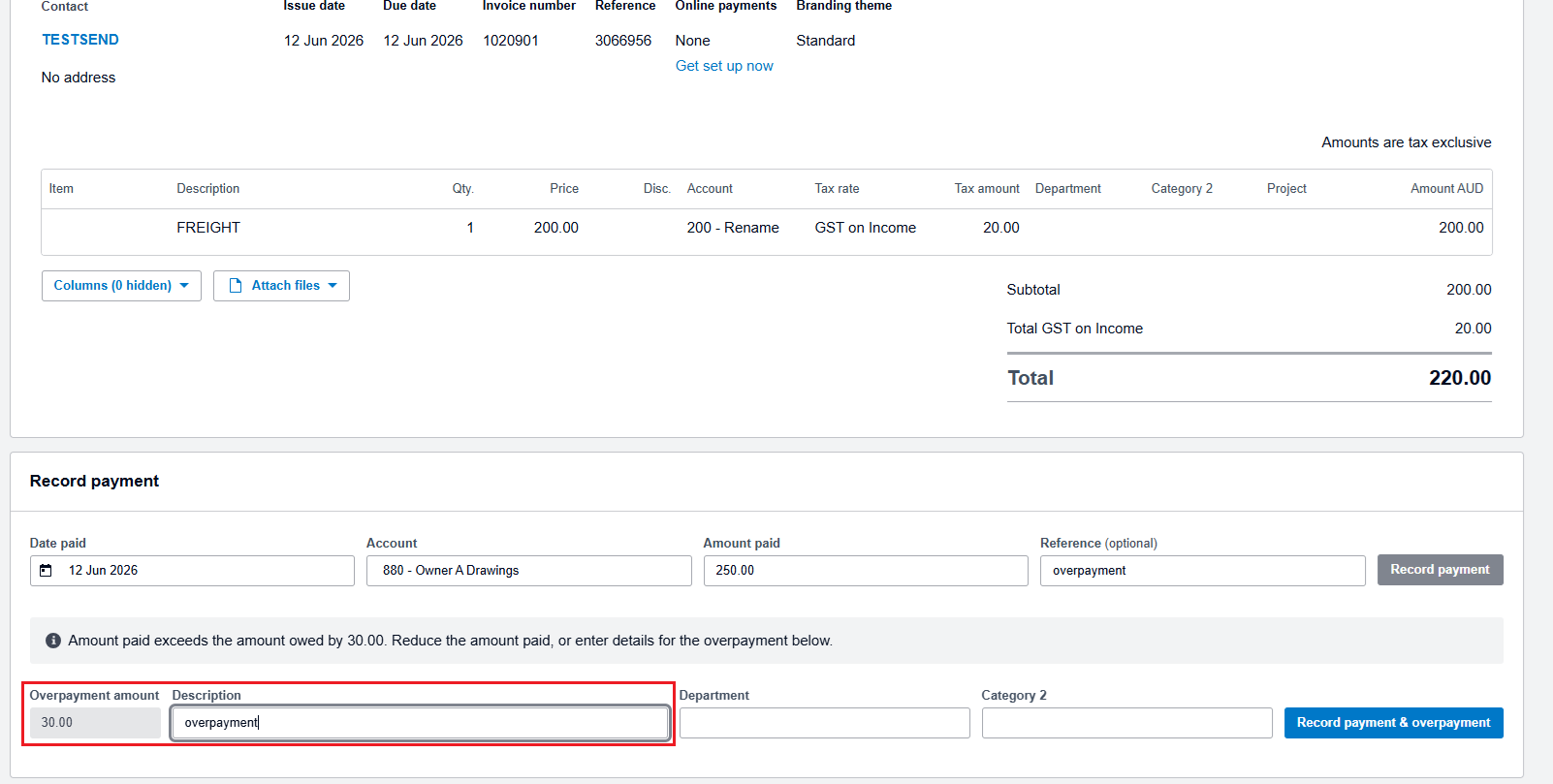
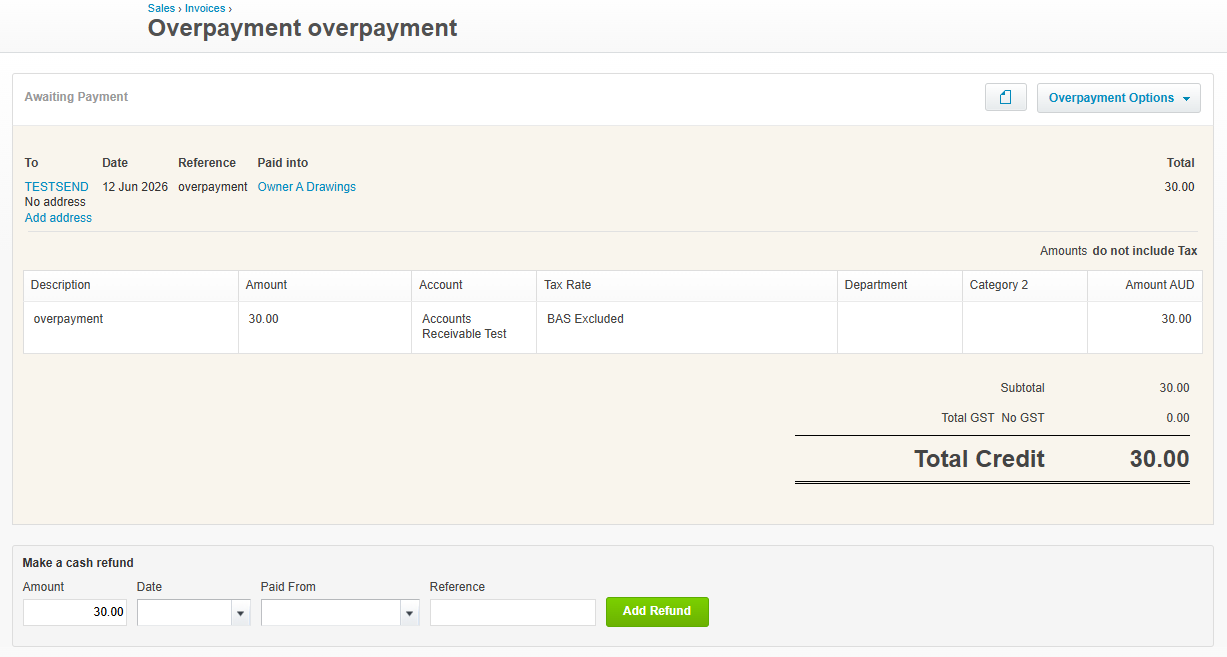
The corresponding invoice in Expedient will be full paid for the full invoice amount
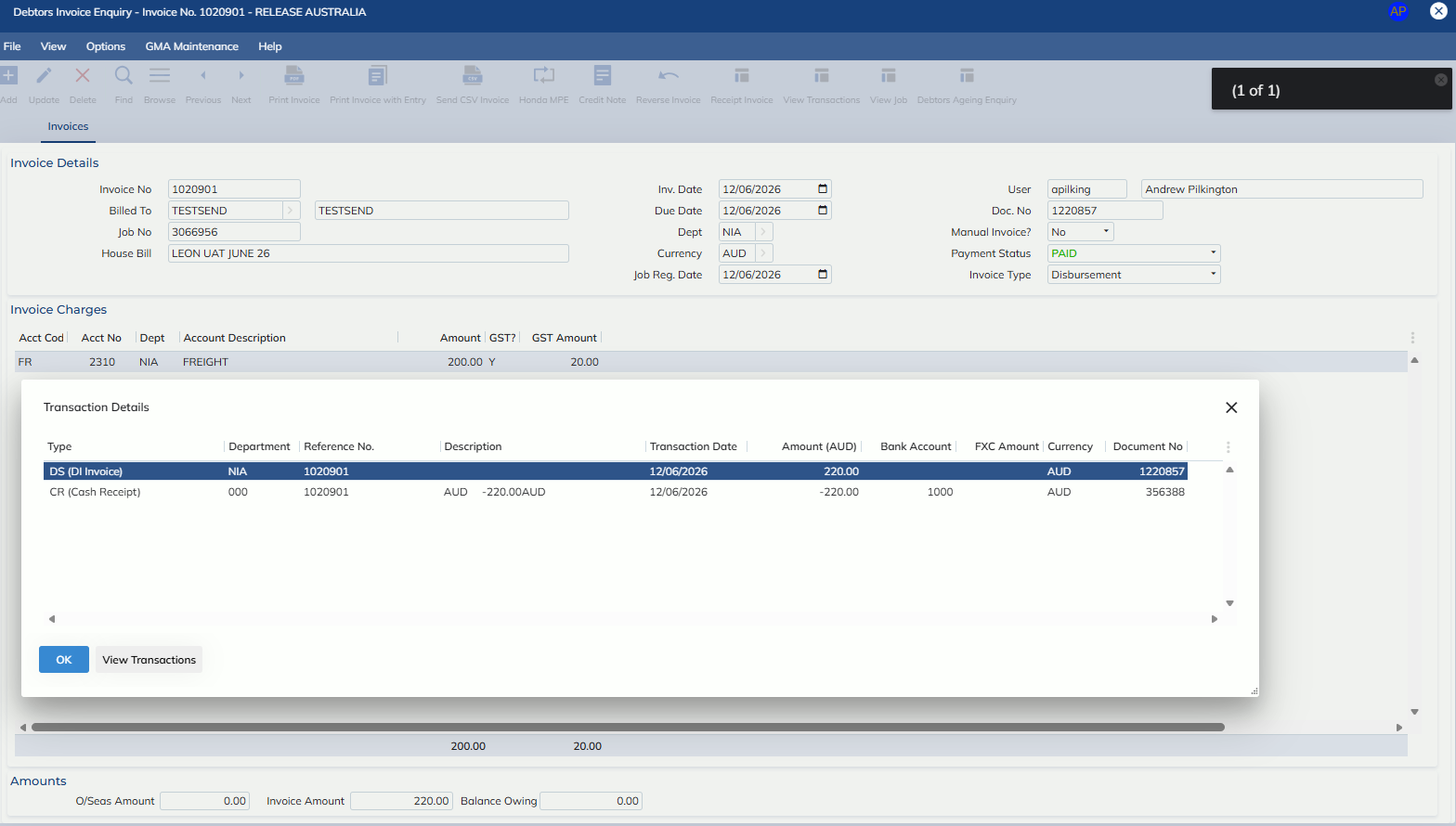
And a credit note will be created for the $30.00 overpayment using the ‘Debtor Overpayment Account’
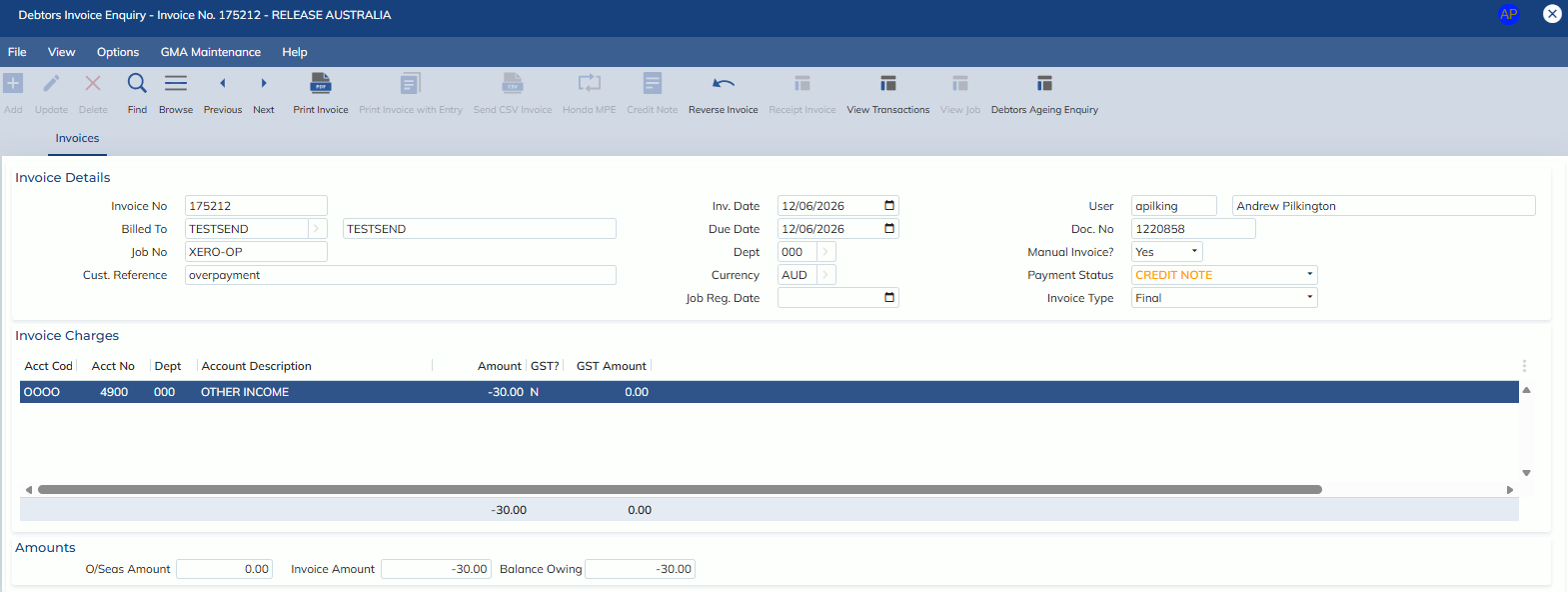
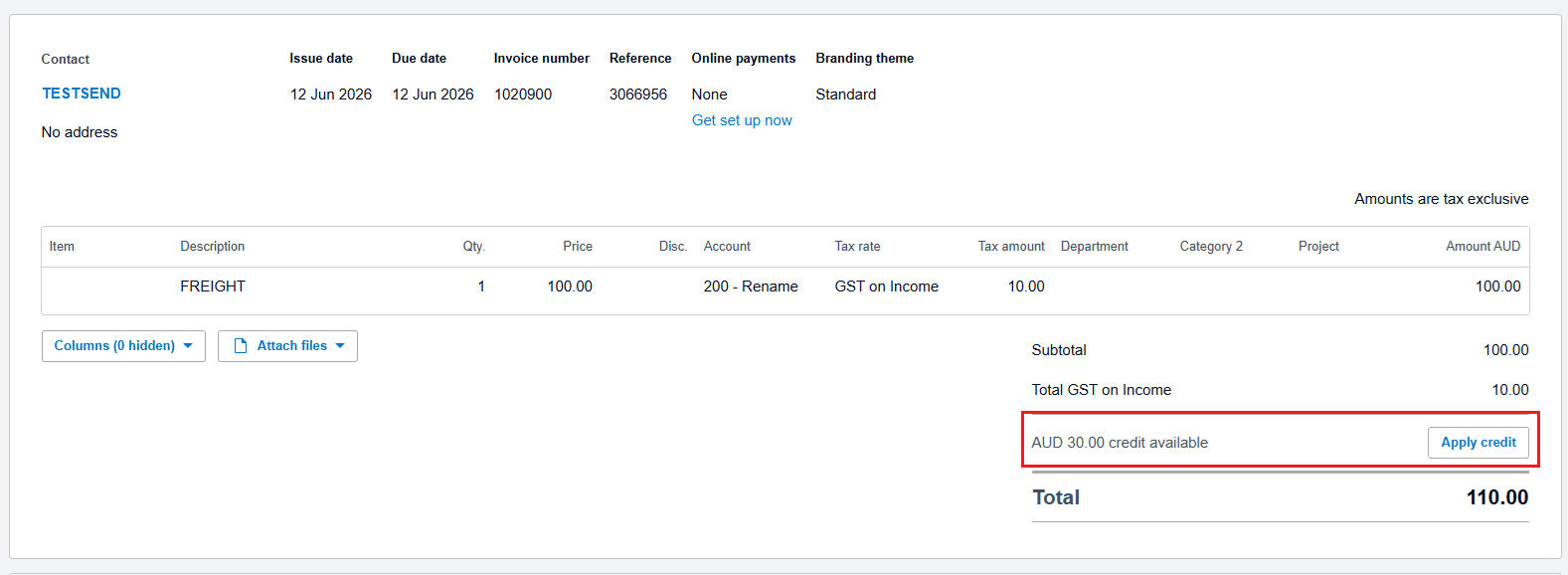
When the credit note is applied in Xero
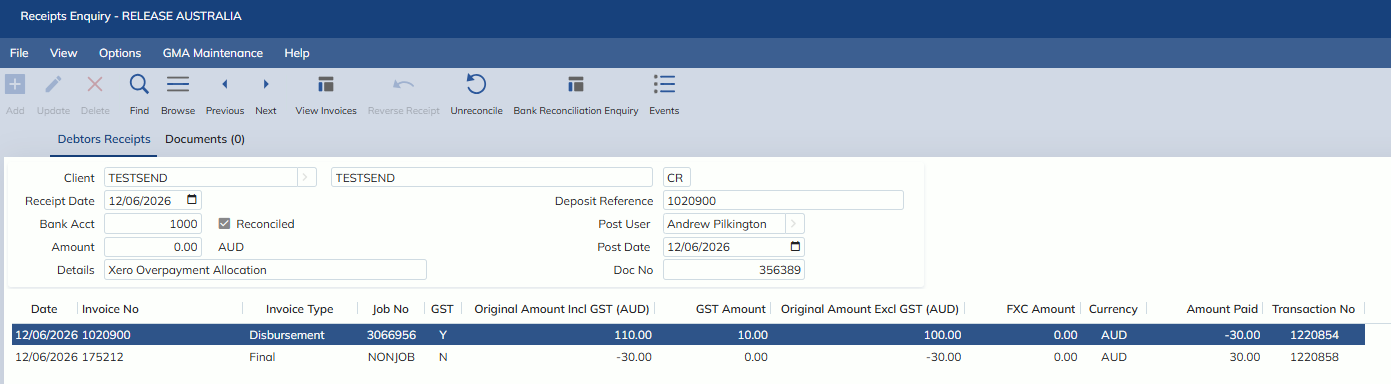
A Xero Overpayment Allocation receipt will be created, against the invoice in Expedient
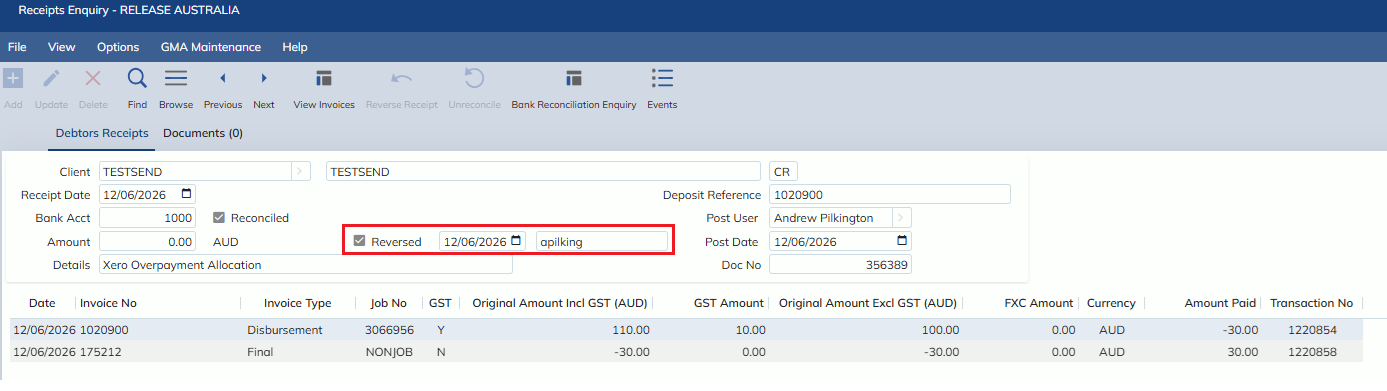
If the credit note is unallocated in Xero
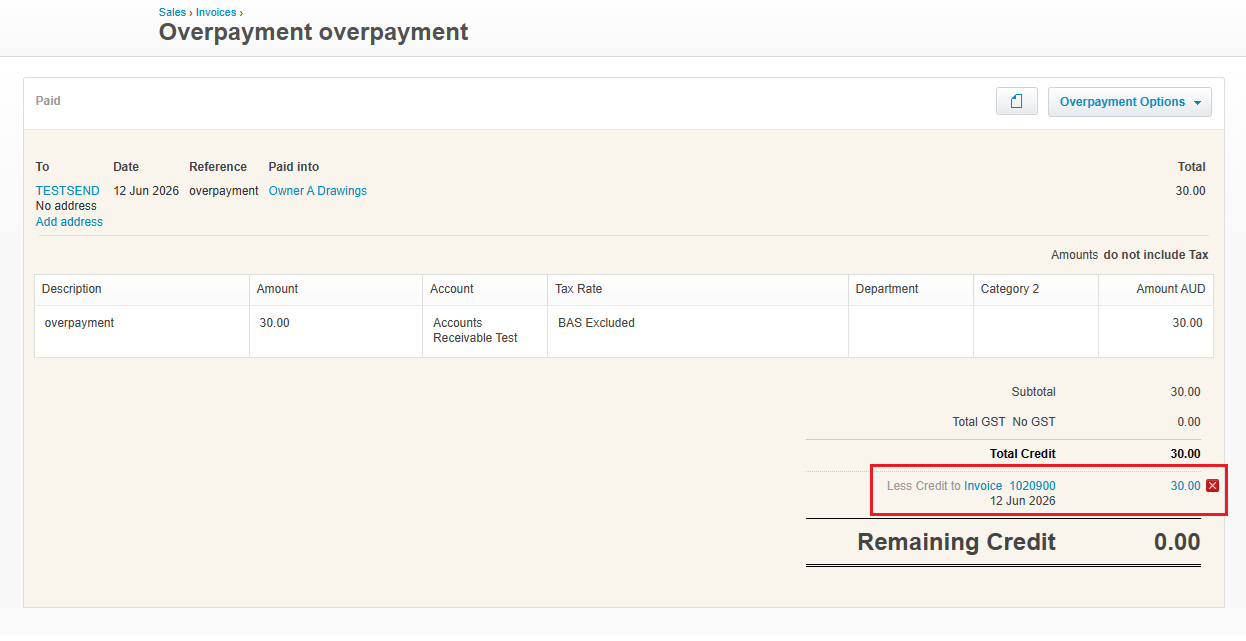
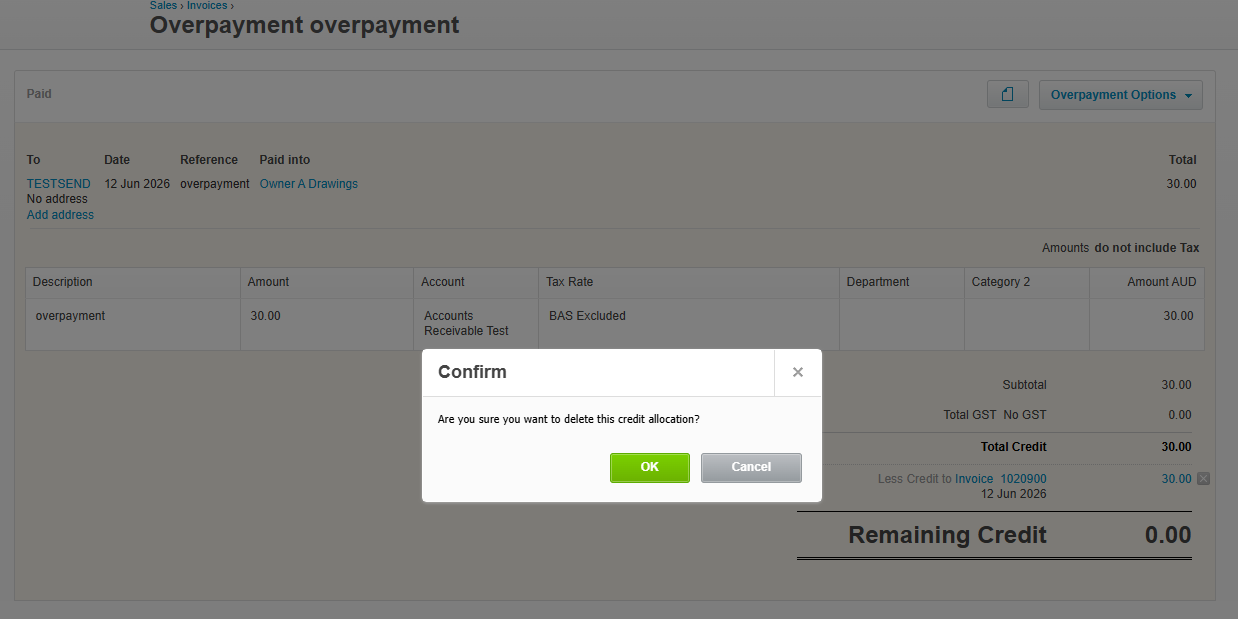
The allocation receipt will be reversed in Expedient
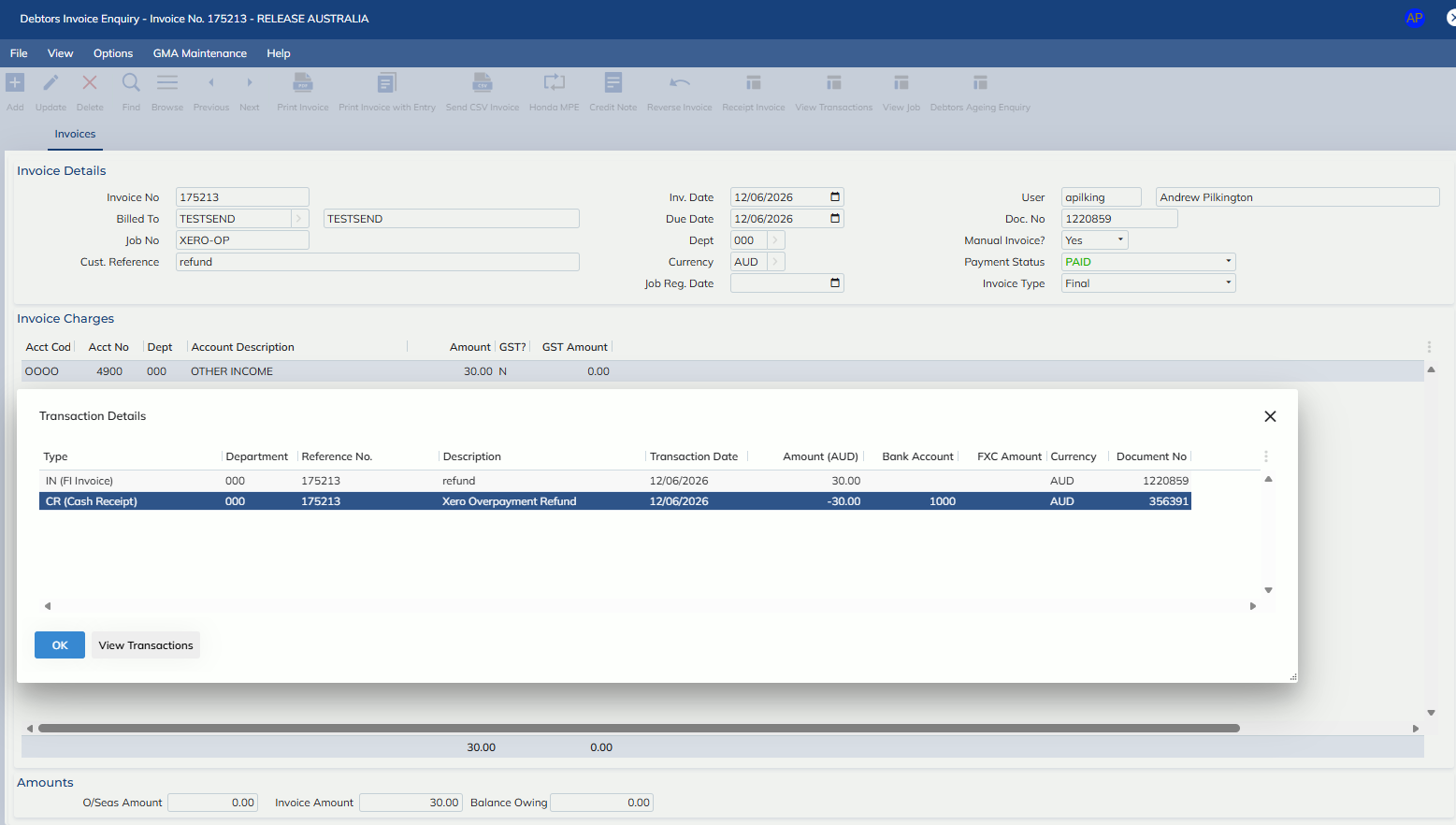
If the credit note is refunded in Xero
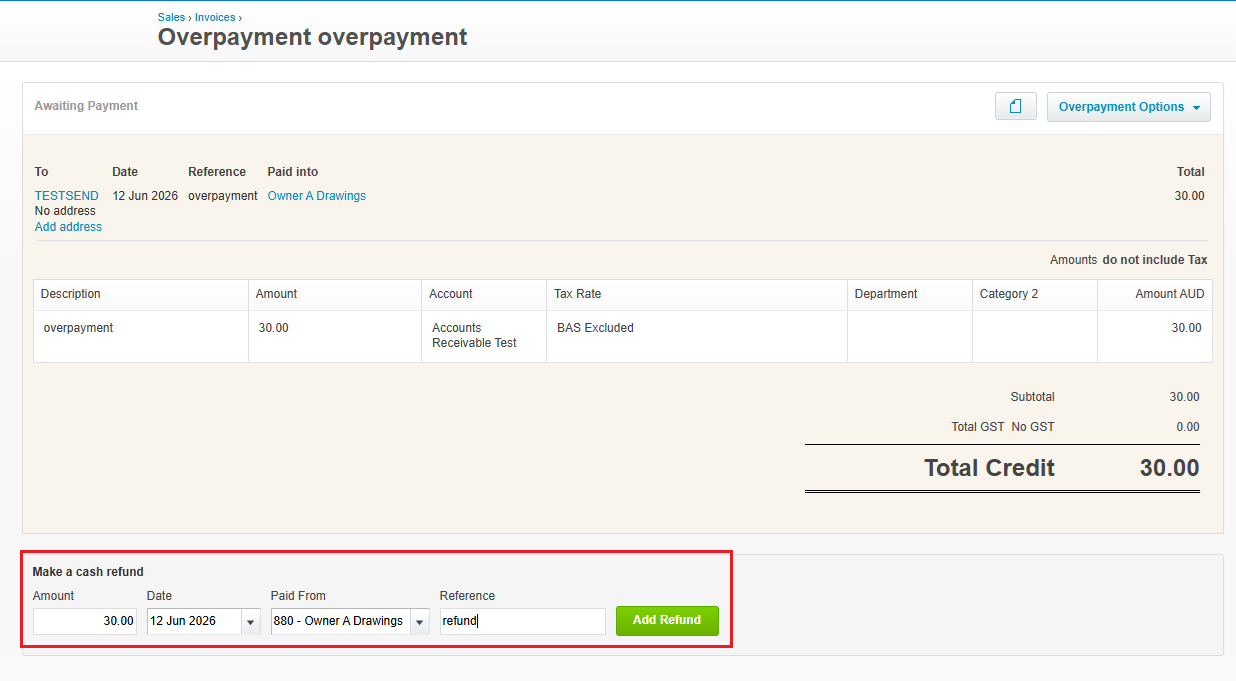
The corresponding credit note in Expedient will be reversed
- This is the account that will be used for credit notes made as the result of an overpayment in Xero
- Send Exchange Rate
- Reversals of payments and receipts in Xero will now send inbound from Xero -> Expedient
- Example:
- If a payment is reversed in Xero via the ‘Remove and Redo’ option
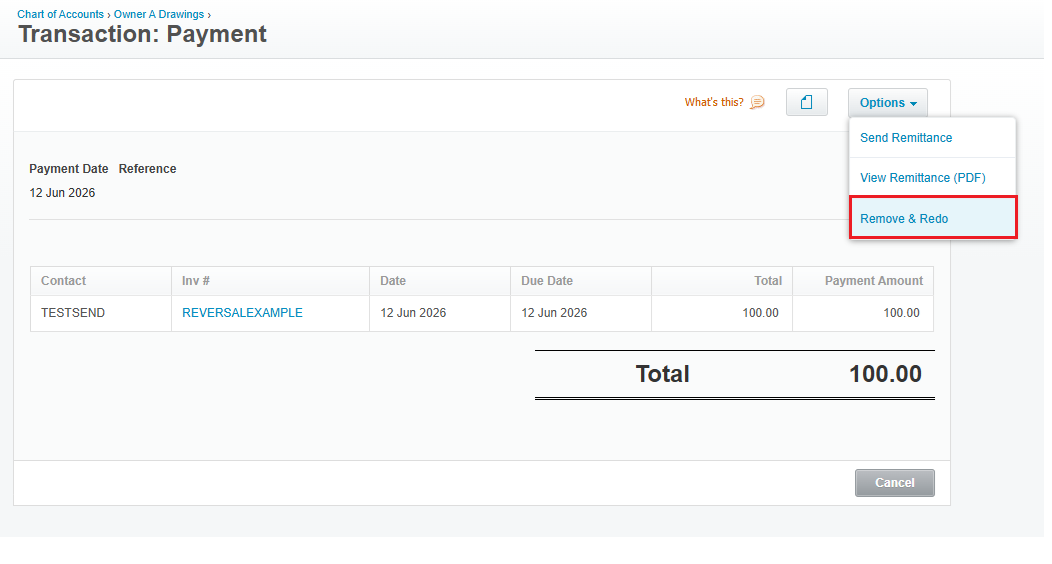
A corresponding inverse value payment will be sent inbound to Xero to represent the ‘Remove’ and a second payment to represent the ‘Redo’
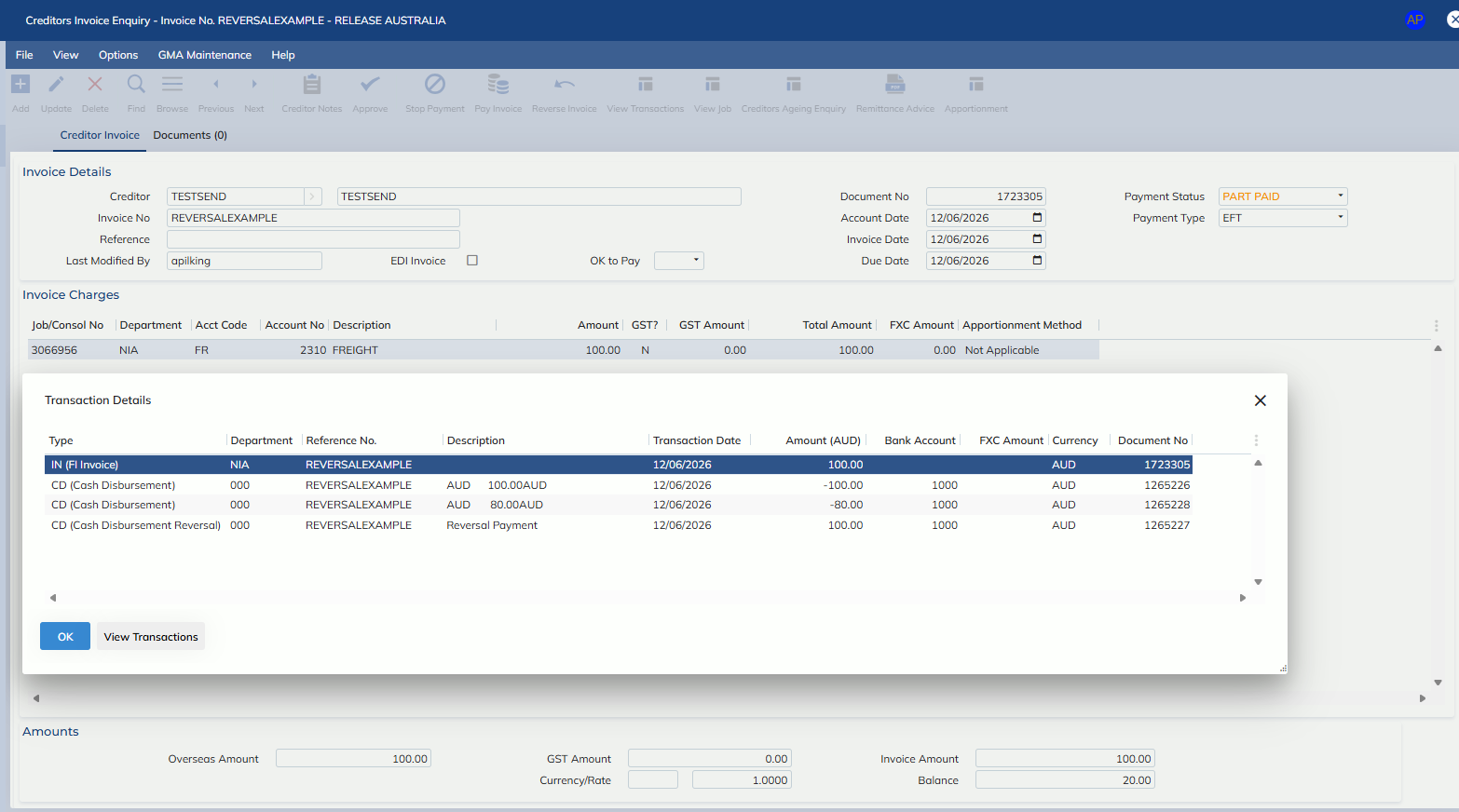
- If a payment is reversed in Xero via the ‘Remove and Redo’ option
- Example:
- Sending Department at the line level:
- Functionality has been added, so that if a Tracking Category exists in Xero (under Accounting Settings), with Tracking Category Name = Department and Category options that are 1:1 matches with Expedient departments e.g. VIS, VIA, etc
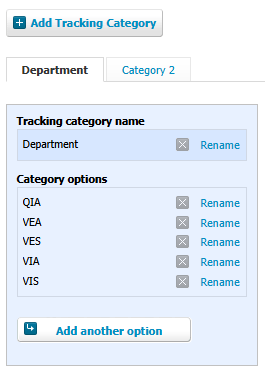
When invoices are sent outbound to Xero, the line level department will be populated in the Department tracking category column on the invoice
E.g.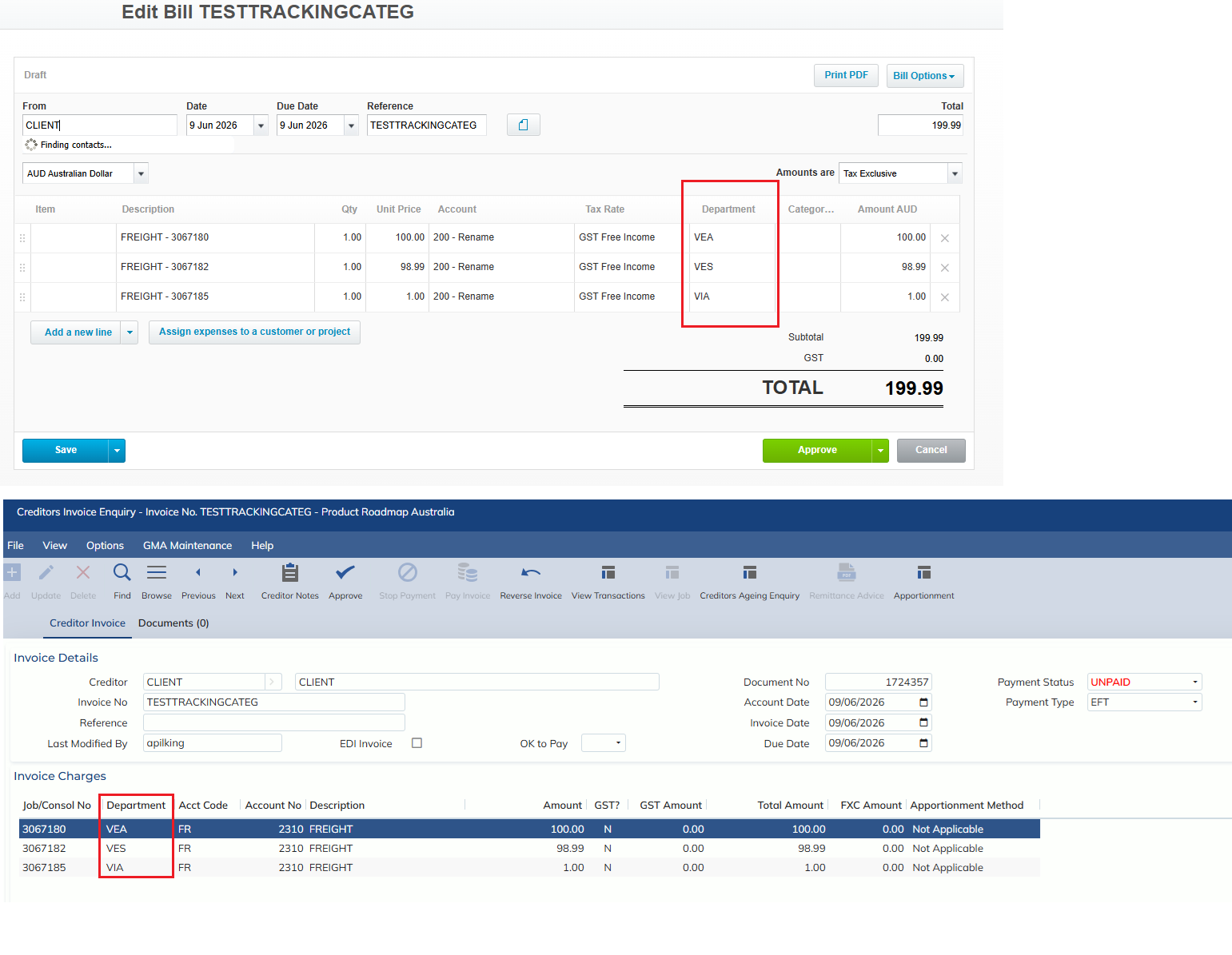
- Functionality has been added, so that if a Tracking Category exists in Xero (under Accounting Settings), with Tracking Category Name = Department and Category options that are 1:1 matches with Expedient departments e.g. VIS, VIA, etc