In this release, the Service Level column on the following screens:
– Company Tariff Rates
– Customer Rates
– Cost Tariff
– Global Update – Company Tariff Rates
– Global Update – Customer Rates
– Global Update – Cost Tariff
– Customer Quotes
Has been re-labelled to ‘Carrier Service’
We have added a new screen, accessible via the following navigation path:
Administration -> Masterfile Management -> Service Level Configuration
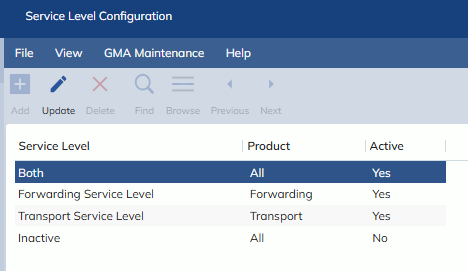
This screen is used to set-up options that can be selected on the following new fields:
– Forwarding Service Level (Import Job Registration -> Various Information tab)
- Forwarding Service Level (Import Job Registration -> Various Information tab)
- Populates with Active Service Levels with Product = Forwarding OR All
- Transport Service Level (Import Job Registration -> Delivery tab)
- Populates with Active Service Levels with Product = Transport OR All
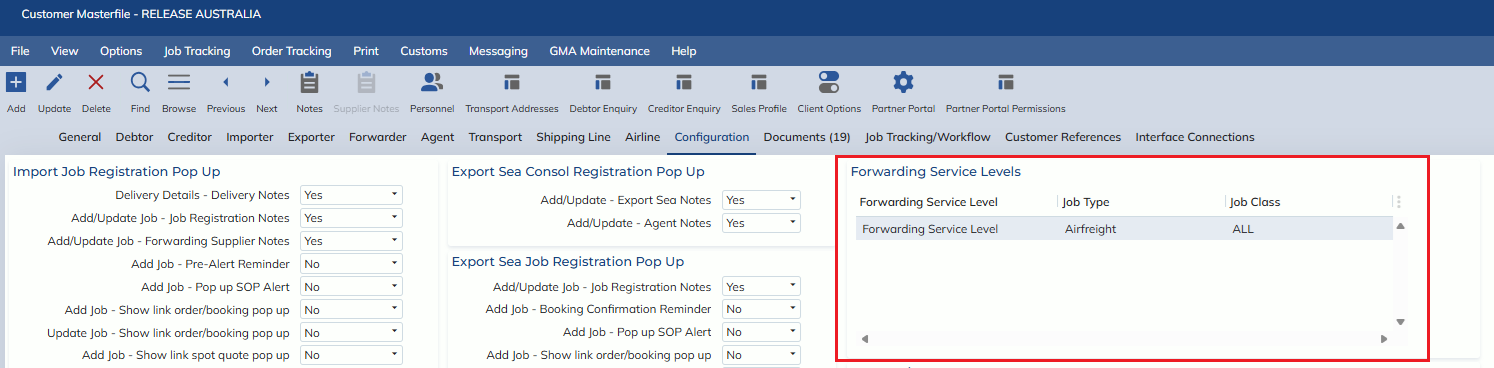
- Forwarding Service Level (Customer Masterfile -> Configuration tab -> Forwarding Service Levels table)
- Populates with Active Service Levels with Product = Forwarding OR All
- Service Levels set-up under the customer will default the Forwarding Service Level field on the job when the customer is input
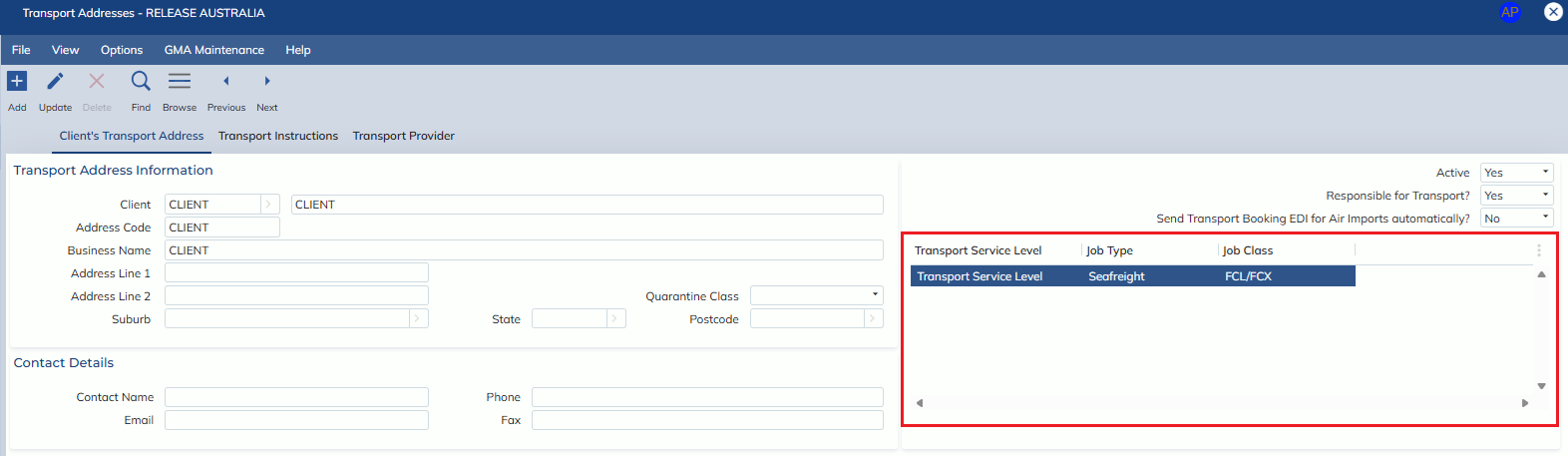
- Transport Service Level (Transport Address screen)
- Populates with Active Service Levels with Product = Transport OR All
- Service Levels set-up under the Transport Address will default the Transport Service Level field on the job when the Deliver To is input
Active service levels that fall under forwarding, will be available for selection on the Service Level column on the following tabs in the auto-rating screens:
- Origin
- Air Freight
- FCL Freight
- LCL Freight/Bulk
- Destination Local
- Destination Customs
Active service levels that fall under transport, will be available for selection on the Service Level column on the following tabs in the auto-rating screens:
- Transport