In this release, the Document EDI linking process has been updated to follow a clearer, more predictable flow when attaching documents to Jobs and Consols.
The updated logic ensures that each Document is attached to at most one Job and at most one Consol, even when it is configured to appear at multiple levels.
Step 1 — Document Mapping check
When a Document EDI file is loaded, the process first checks whether the incoming Document Code exists in the Document Mapping table. If a match is found, the document is attached to all levels configured in the mapping, subject to the rules below.
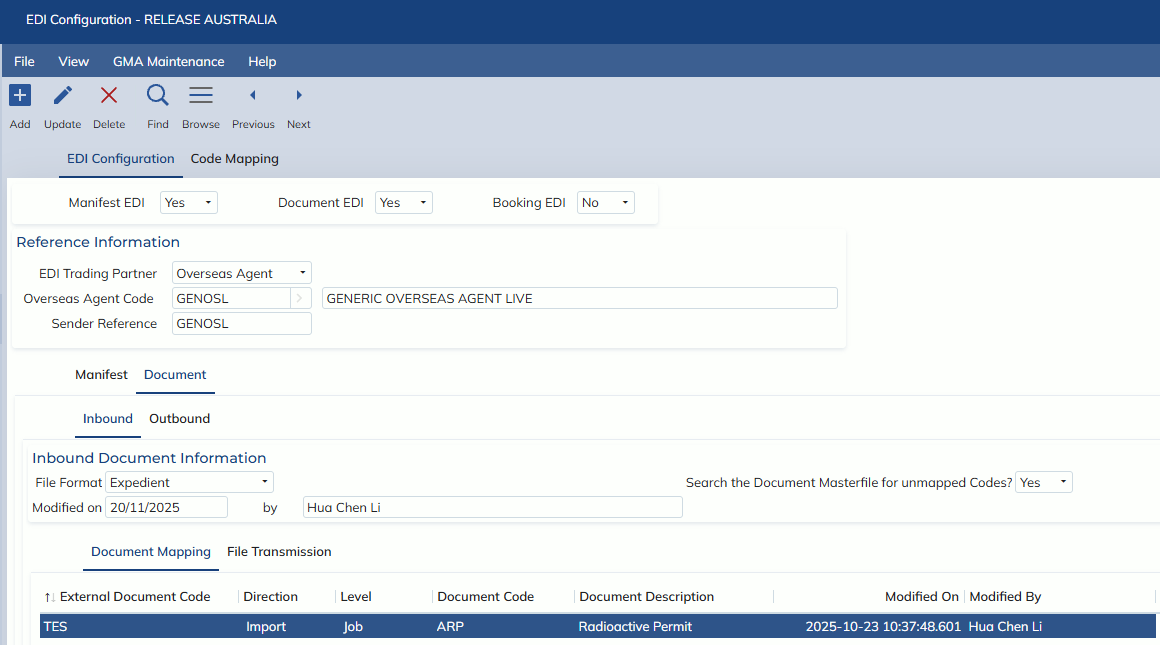
Step 2 — Document Masterfile check
If the Document Code is not found in Document Mapping, and the system configuration is set to search the Document Masterfile, the process will use the levels configured there instead.
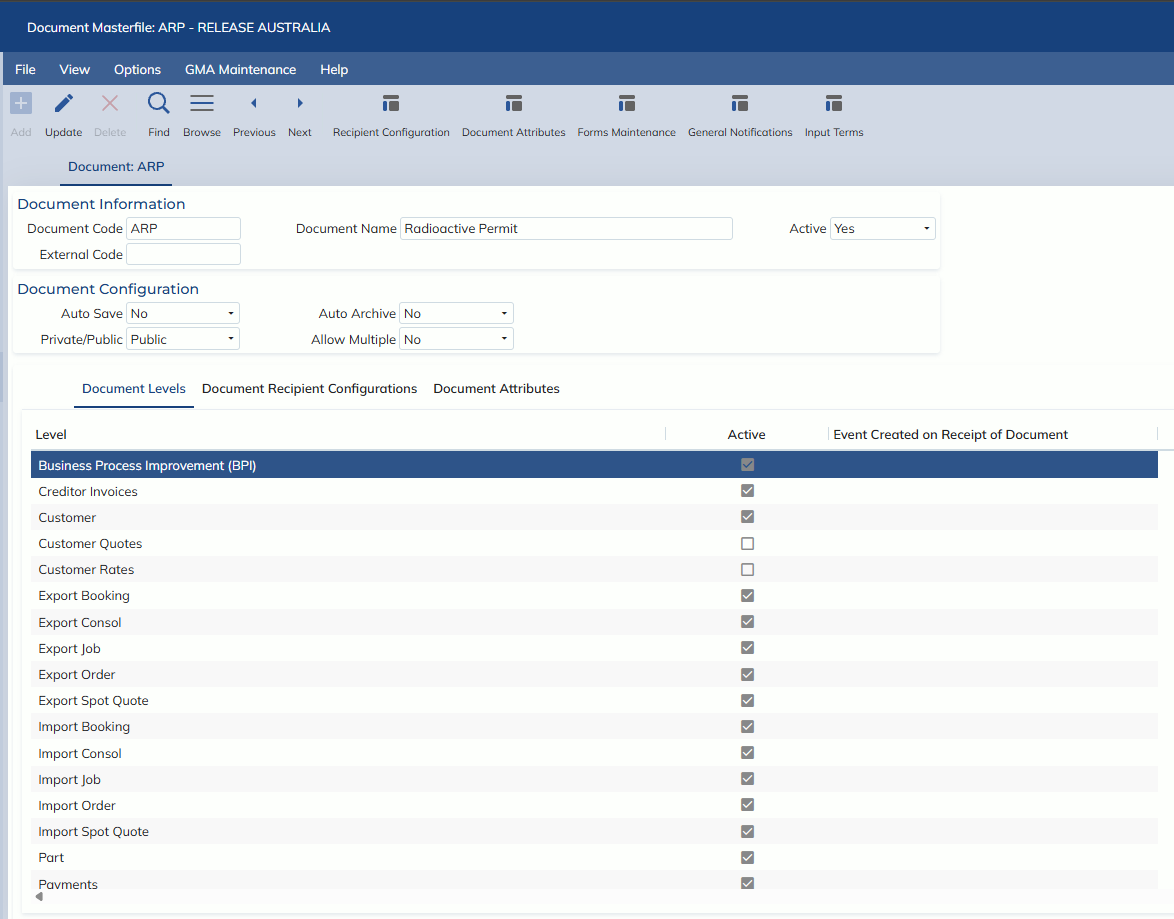
Step 3 — Unmatched documents
If neither a Document Mapping nor a Document Masterfile entry is found, the previous linking behaviour is preserved — the process attempts to link to a Job or Consol as it did before.
Linking rules by level
Job-level documents
If the Document XML file matches onto a Consol, but the Document is configured at a Job level, the process will check the Consol for exactly one linked Job. If there is only one Job, then the document is attached to that Job.
If no matching Job is found, or more than one Job matches, the document is placed in the Forwarding -> Inbound EDI -> Document EDI holding screen.
Consol-level documents
If the Document XML file matches onto a Job, but the Document is configured for the Consol level, the process will check the Job for a linked Consol. If the Job is linked to a Consol, then the document is attached to that Consol.
If no linked Consol exists, the document is placed in the Forwarding -> Inbound EDI -> Document EDI holding screen.
Job and Consol level documents
If a document is configured for both levels:
- If a matching Job is found and it has a linked Consol, the document is attached to both the Job and the Consol.
- If a matching Consol is found and it has exactly one linked Job, the document is attached to both the Consol and the Job.