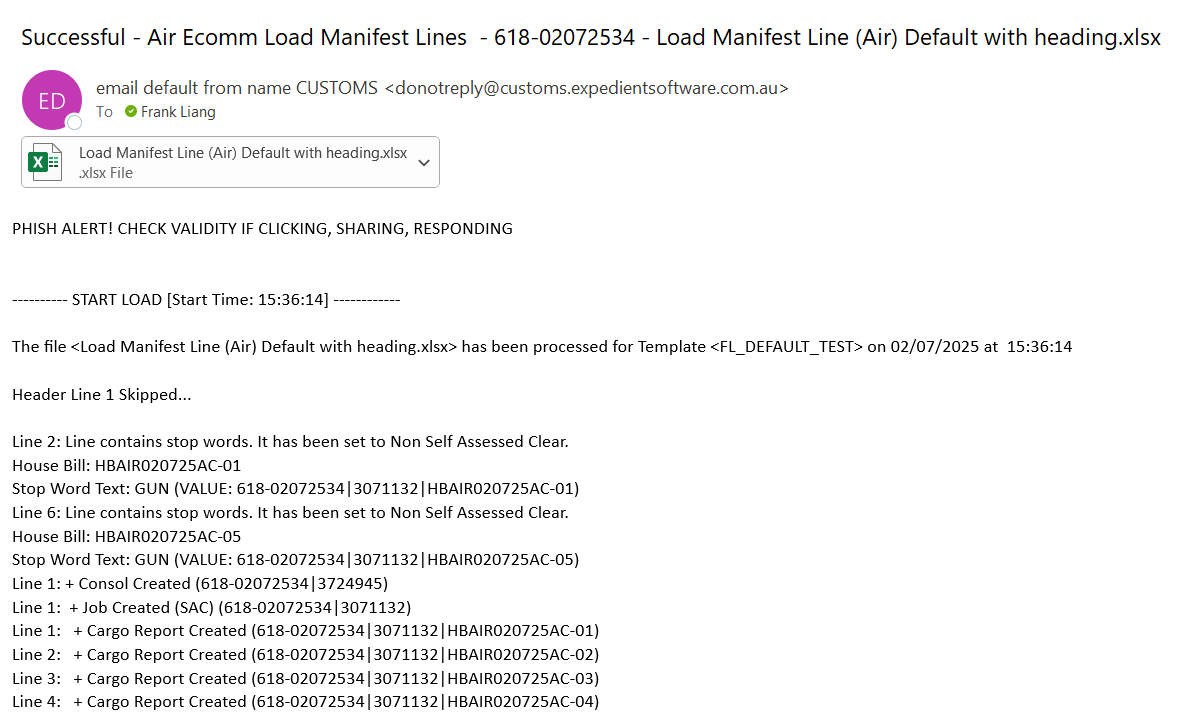
In this release, Expedient will allow users to set up EDI interfacing by themselves to load the eCommerce manifest file into Expedient by email or SFTP. Users are allowed to select any Load manifest Line air/sea load template to set up EDI Configuration.
- Location:
- Forwarding -> eCommerce -> Import -> Load Manifest Lines (Air)
- Forwarding -> eCommerce -> Import -> Load Manifest Lines (Sea)
- The file format can be csv, xls or xlsx
- Users can download the template file (csv) by clicking “Download Template File”.
-

How to set up EDI configuration?
1. The user should be authorised to update the downloaded supplier invoice EDI Configuration. If you would like anyone to enable to set up EDI configuration, please go to Administration -> Corporate -> Users Masterfile -> User Options and tick the user option “DLD_ECOM_INT”.
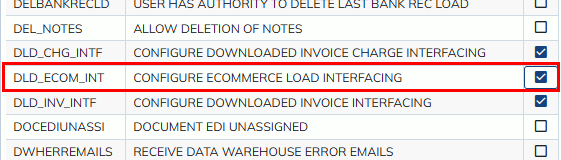
2. After the user option “DLD_ECOM_INT” is ticked, the user is able to see “EDI Configuration” button on
- Forwarding -> eCommerce -> Import -> Load Manifest Lines (Air/Sea)
.

3. When “EDI Configuration” button is clicked, you will see the window below. (You can have different EDI configurations for different templates)

- Email Notification: It allows you to enter internal or External email addresses. When the file is processed, the load result will be sent to the nominated users.
-
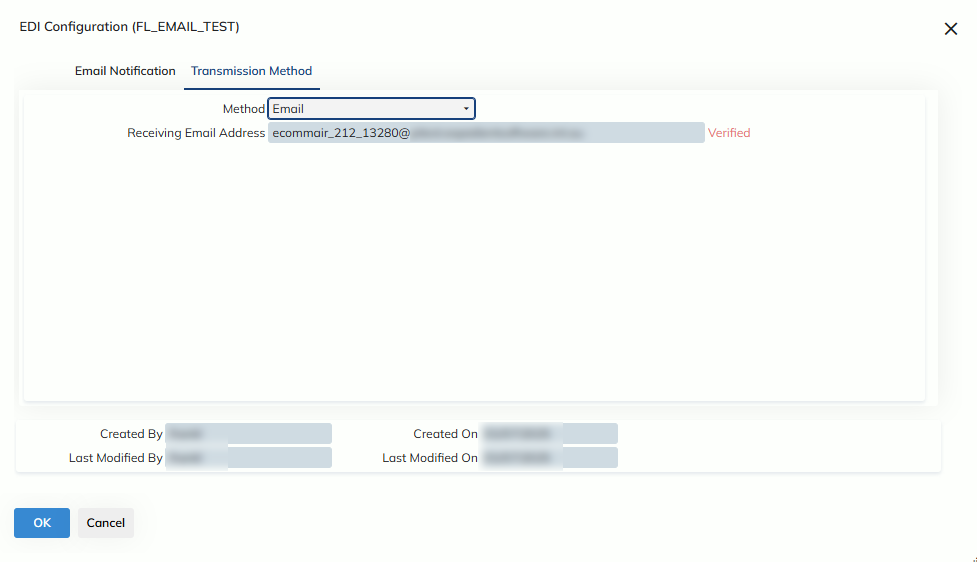
- Transmission Method: It allows users to select email or SFTP.
-
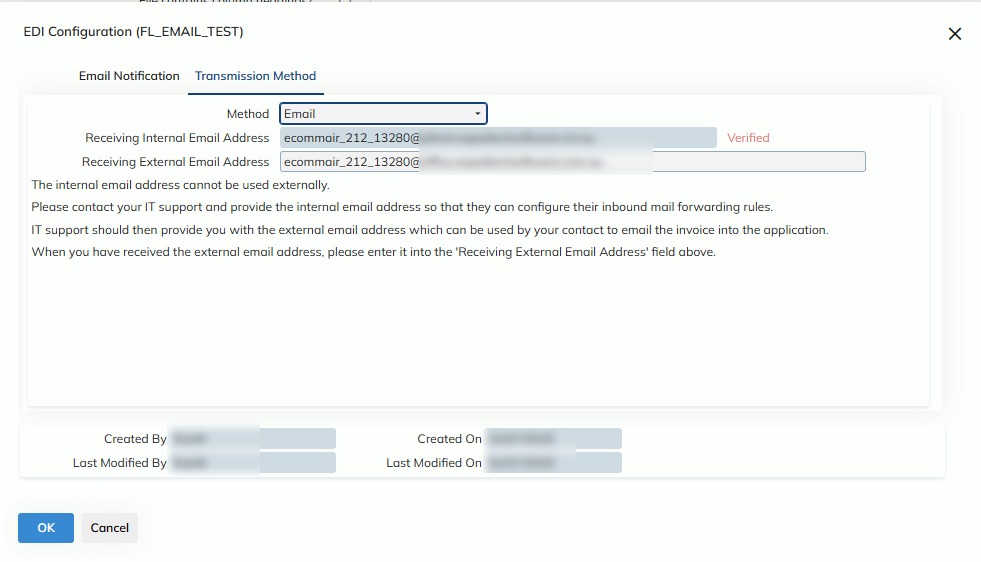
Email:
- For Expedient-owned server, a “Receiving Email Address” will be generated automatically. You can send a supplier invoice file to the “Receiving Email Address”. When the file is processed, it will be updated to Forwarding -> eCommerce -> Import -> Load Manifest Lines (Air/Sea).
-
- For non-Expedient-owned server, a “Receiving Internal Email Address” will be generated automatically. You have to ask your IT Support to create an “External Email Address” and configure inbound mail forwarding rules to “Internal Email Address”. You can register “External Email Address” to EDI Configuration and send a supplier invoice file to the “External Email Address”. When the file is processed, it will be updated to Forwarding -> eCommerce -> Import -> Load Manifest Lines (Air/Sea).
-
- For Expedient-owned server, a “Receiving Email Address” will be generated automatically. You can send a supplier invoice file to the “Receiving Email Address”. When the file is processed, it will be updated to Forwarding -> eCommerce -> Import -> Load Manifest Lines (Air/Sea).
- SFTP:
- You can transmit the supplier invoice file via SFTP. The process will pick up the file from the SFTP location specified. When the file is processed, it will be updated to Forwarding -> eCommerce -> Import -> Load Manifest Lines (Air/Sea).
-

-