In this release, we have updated the existing Creditor Apportionment process to allow for more apportionment options.
Currently Process
The system only splits values for Volume and Charge Weight, with restrictions on FCL Jobs.
Updated Process
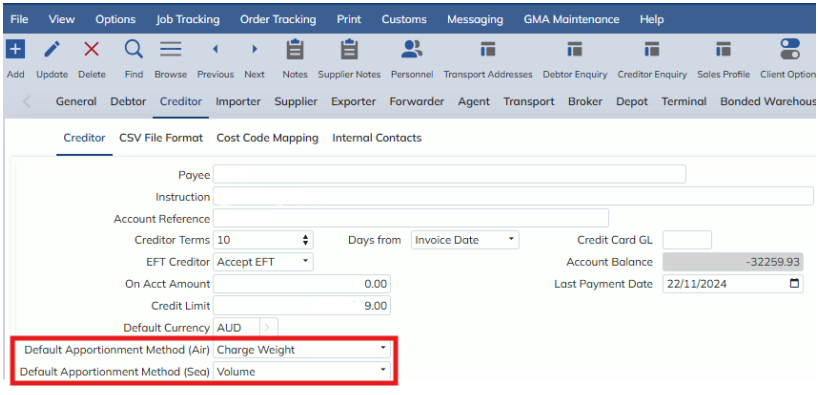
Users can now set up default Apportionment Methods in the Customer Masterfile against the Creditor, and choose from the following options:
- Actual Weight
- Charge Weight
- Volume
- Container Count
- 20’ Container Count
- 40’ Container Count
- TEU
- Job Count
- Job Pieces
- Manually applied apportionment
A separate selection for Air and Sea must be applied, as there are some options that are not compatible for both (e.g. Container counts only apply to SEA).
NOTE: if you have Creditor EDI set to Automatically Post invoices, you cannot have the default Apportionment Methods set to Manual, as the Manual setting requires user adjustment.
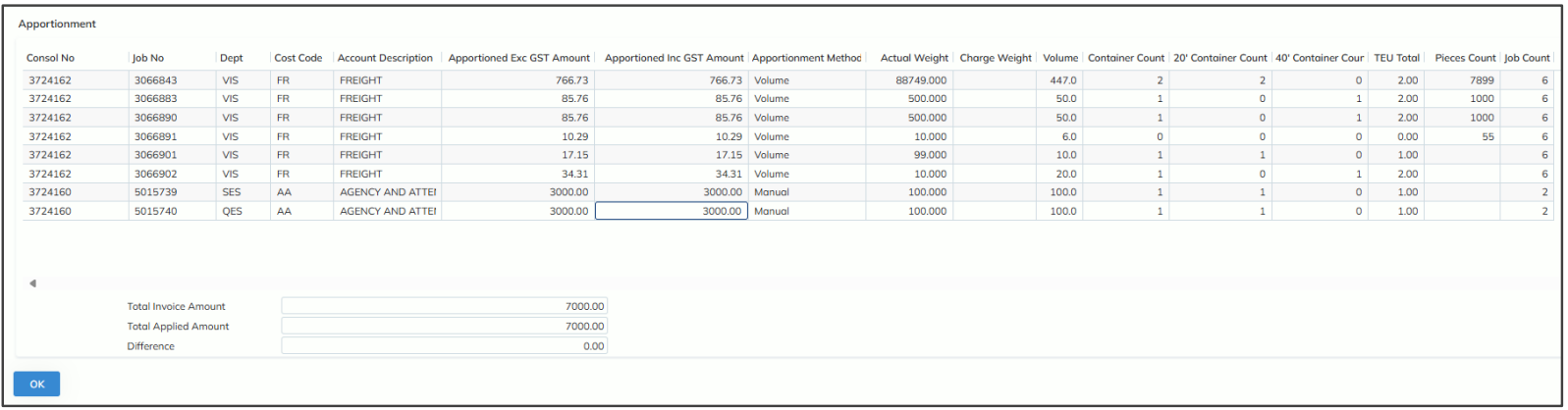
Once a Consol is being apportioned across its Jobs, this apportionment can be seen from the Apportionment modal, accessed from the button in the toolbar. Note: Apportionment amounts can only be adjusted when the method is Manual, otherwise the system will not allow users to change these numbers.
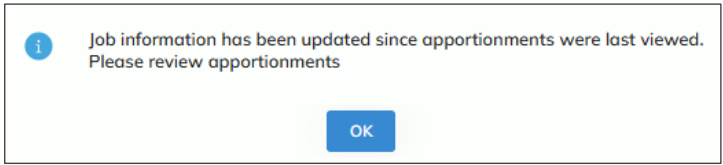
When entering UPDATE mode or posting the invoice, you may receive popups and warnings for Job details that have been changed since your last review of the appointment. This is important because the system will always have the most accurate calculation of apportionment, and being aware of changes means you will ensure you have can review such changes before posting the invoice.
Once an invoice is posted, the Job details will be saved within the Apportionment modal, so uses can check how their invoice was apportioned even if Job details are updated later. (i.e. these details will be static).
NOTE: this apportionment enhancement is also applicable for Creditor EDI and Job Disbursement Payments.