In this release, we have created a new reversal process that will allow users to reverse the reconciliation of an Expedient transaction with a Statement line.
In the Bank Reconciliation screen, users tag Expedient transactions against loaded Statement Lines to reconcile real-world transactions and Expedient transactions. This enhancement will allow users to ‘undo’ this reconciliation for users to re-reconcile or even reverse the transaction.
How it works
Like other reversal processes, users can grant specific user permissions to allow access to this function in the User Masterfile (Administration -> Corporate -> Users Masterfile), under User Options. Simply tick the code: UNRECONCILE for each user you would like to give permission to.
Once you have permission, you can unreconcile either a single payment or receipt that has been reconciled or an entire statement line’s tagged and reconciled transactions.
How to Unreconcile a Single Payment or Receipt
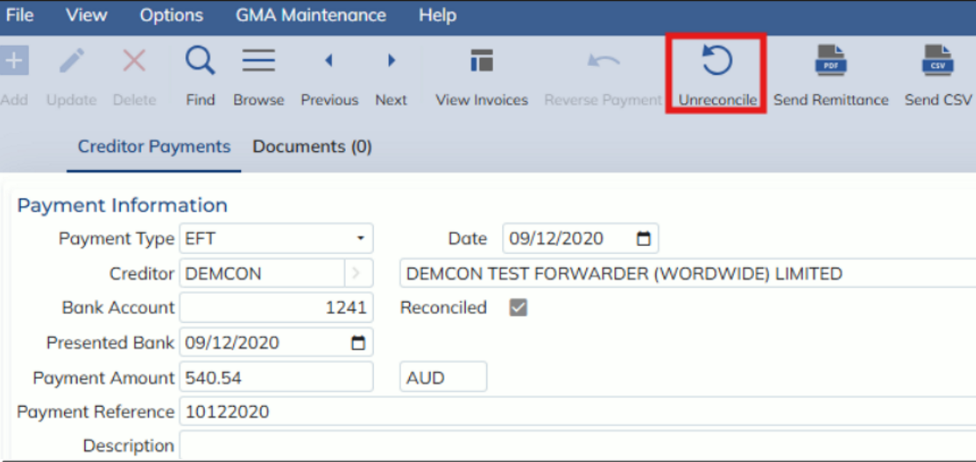
- Go to the Payment or Receipt Enquiry screen (Finance -> Banking -> Enquiry -> Payments & Receipts Enquiry)
- Enter FIND mode and search for the reconciled transaction
- These transactions will have the Reconciled flag ticked
- Select the Unreconcile button in the toolbar
- If this button is greyed out and disabled, hover your mouse cursor over it to see the reason it is disabled
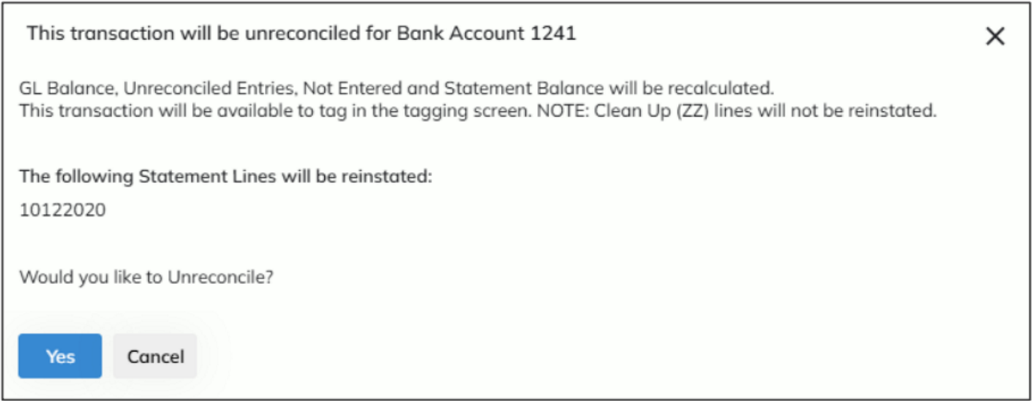
- Select the YES button to confirm and unreconcile
How to Unreconcile all transactions against a statement line
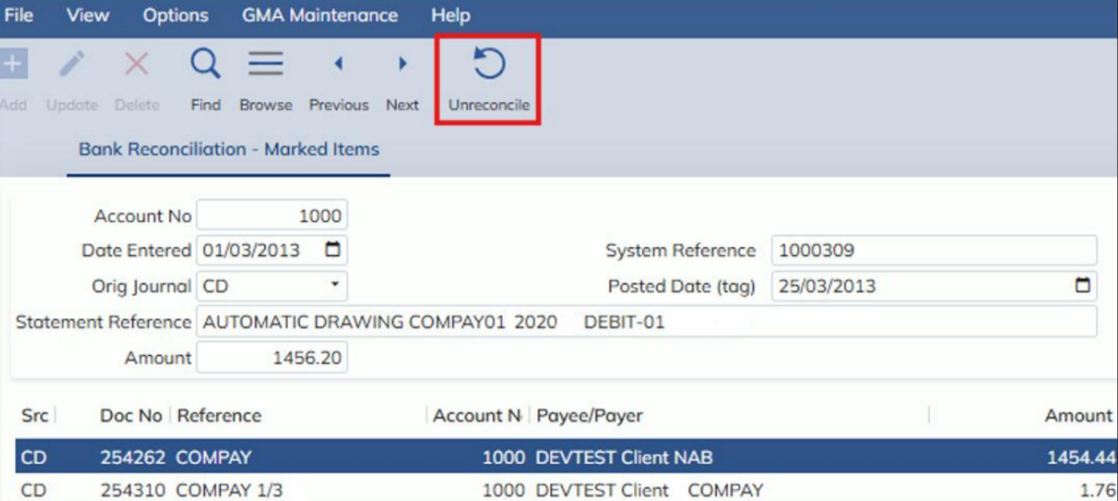
- Go to the Query Posted Items screen
- Enter FIND mode and search for the reconciled statement
- Select the Unreconcile button in the toolbar
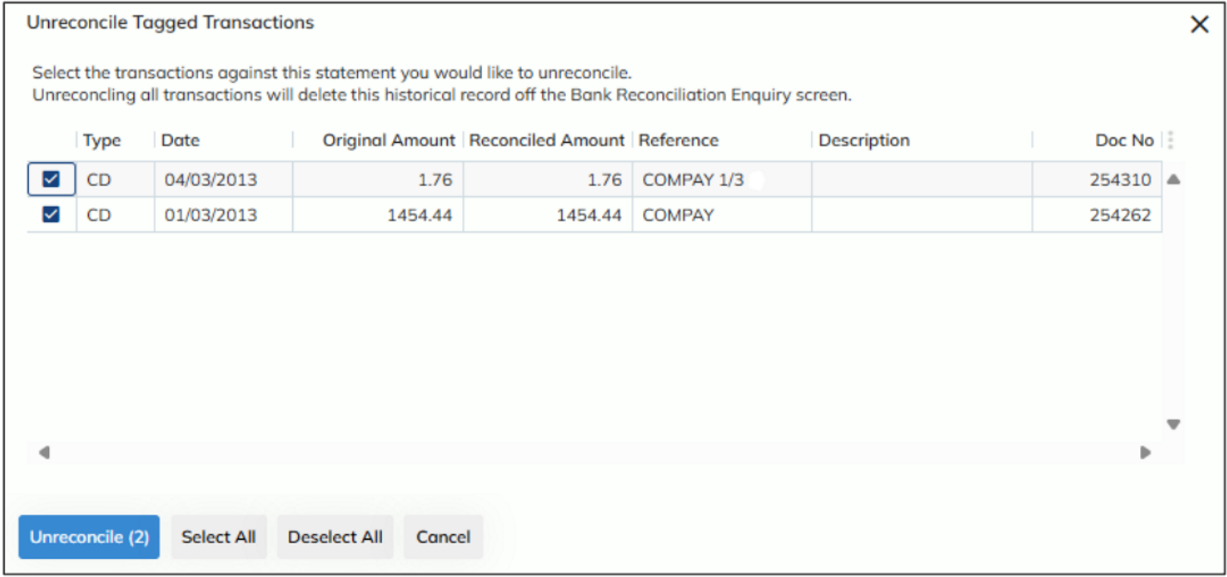
- This will open a modal allowing you to choose which transaction against the statement to unreconcile
- Ensure all the transactions you would like unreconciled are ticked
- Select the ‘Unreconcile’ button
What happens when a transaction is unreconciled?
When a transaction is unreconciled, the following happens:
- The ‘Reconciled’ flag found in the Payments or Receipts Enquiry screen becomes unticked
- The Bank Reconciliation screen’s ‘Unreconciled Amount’ and ‘Not Entered’ Amount is recalculated
- The statement line of the transaction is reinstated
- Note: if there were more than one transaction against the statement and not all are unreconciled, only the amounts unreconciled will affect the reinstated statement line