In this release, we have added configuration capabilities for documents on the Partner Portal at the customer and personnel levels.
At the customer level configuration (accessed via the Partner Portal toolbar button on the Administration -> Masterfile Management -> Customer Masterfile screen
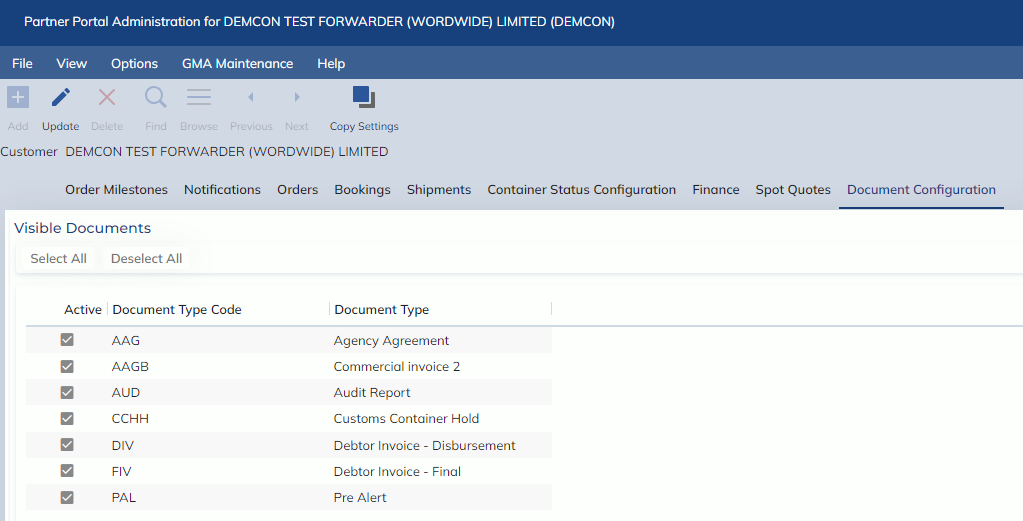
On the new Document Configuration tab, users will see all Documents that are both Public and Active and in the Administration -> Document Management -> Document ID Masterfile.
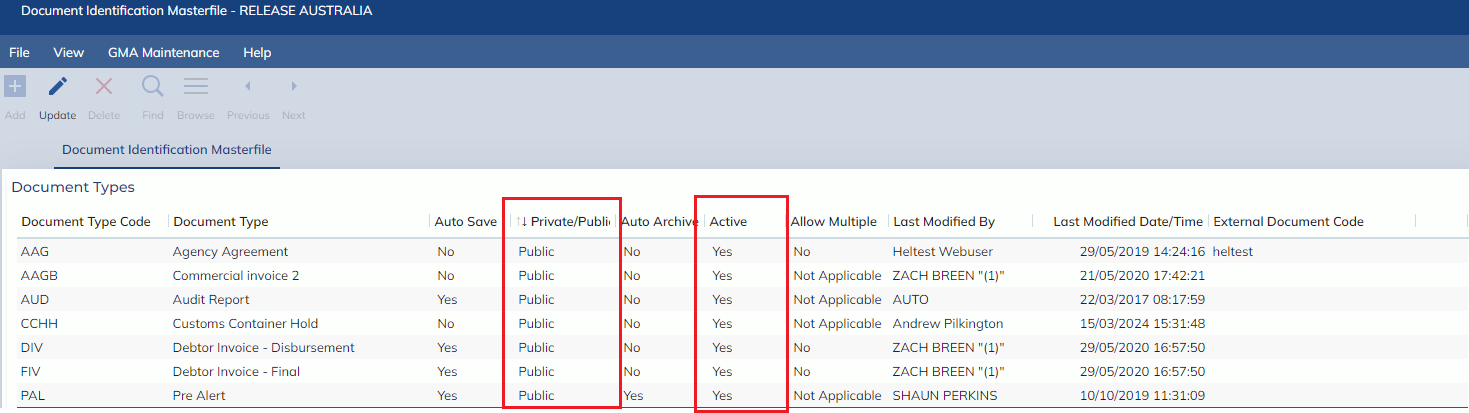
Users may set these documents as Active/Inactive in the Partner Portal Document Configuration, determining if they will be available on the Partner Portal for the customer.
Furthermore, this configuration has also been added to the Administration -> Masterfile Management -> Customer Personnel -> Partner Portal Configuration. The document configuration at this level shows all documents set to active at the customer level.
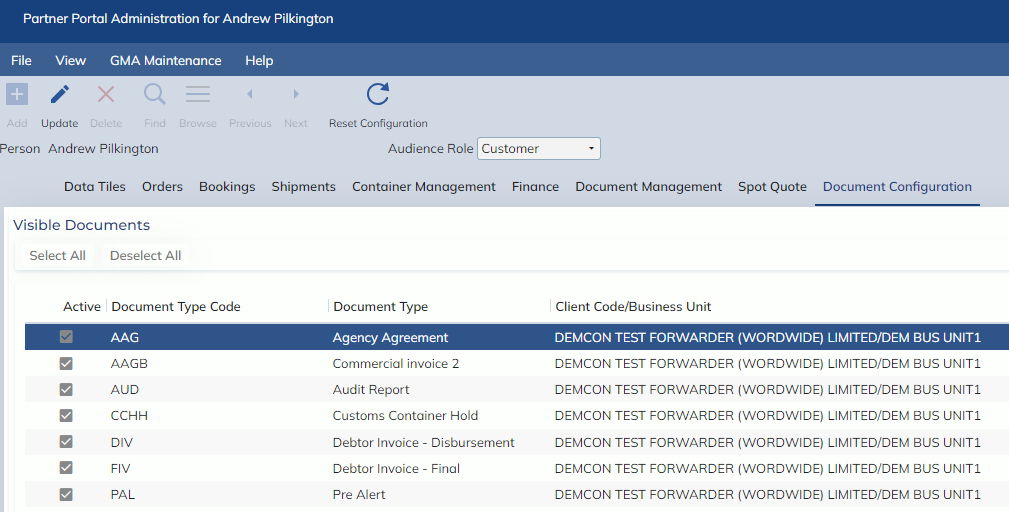
Where users can continue to restrict document access at a personnel & audience role level