In this release, we have updated our printed Debtor Invoices, to now display the Terms’ Due Date Type.
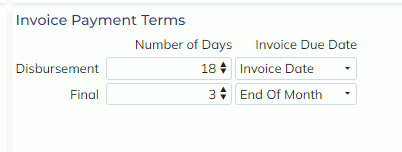
This ‘Due Date Type’ is configured in the Customer Masterfile->Debtor tab->Invoice Payment Terms.
Currently, users can enter the Number of Days a Disbursement or Final Invoice is due, and the Due Date Type from either the Invoice Date or End on Month. Now when Terms are displayed on an invoice, the Due Date Type (‘from Invoice date’ or ‘from EOM’) will also be displayed.
Terms will be displayed as presented below:
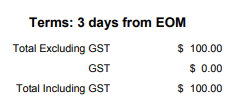
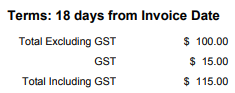
NOTE: Terms may be displayed slightly differently depending on the Invoice format used, however all Terms will have the new Due Date Type displayed.