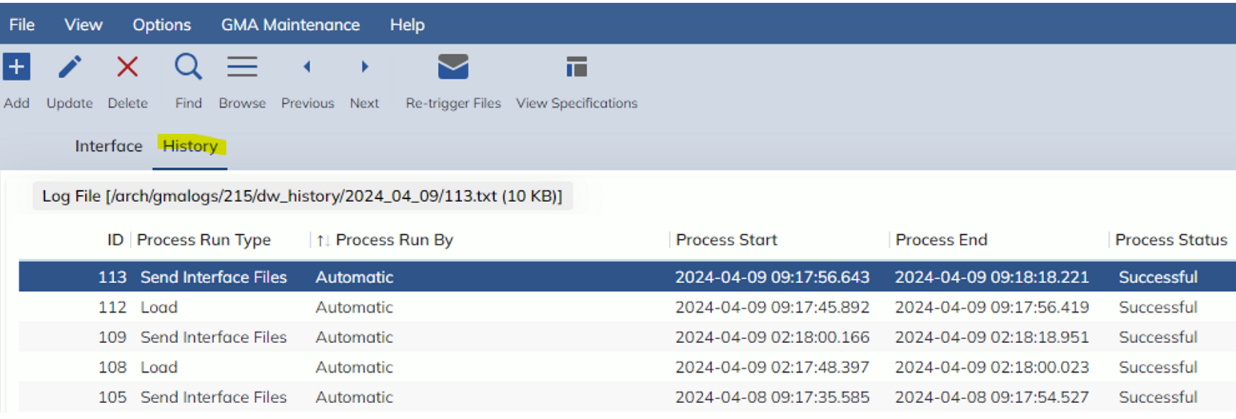
In this release, we are enhancing the new Data Warehouse Interface screen with a ‘History’ tab.
This tab will show the history creating/loading Data Warehouse tables, as opposed to the first tab, which shows sending these tables to a configured location.
Users are able to select a line to see the Log File of the load for more specific details.
The Process Run Type column has 2 results:
- Load: This auto process of creating the data warehouse tables and making files
- Send Interface Files: this process takes the tables created above and moves them to a new location, ready for users to select a location to send them
The ‘Process Run By’ can either be:
- Automatic: this is the system running the process
- User generated – will display the user’s name: this is triggered by the user selected ‘Re-trigger Files’