This release includes an update to the following screen
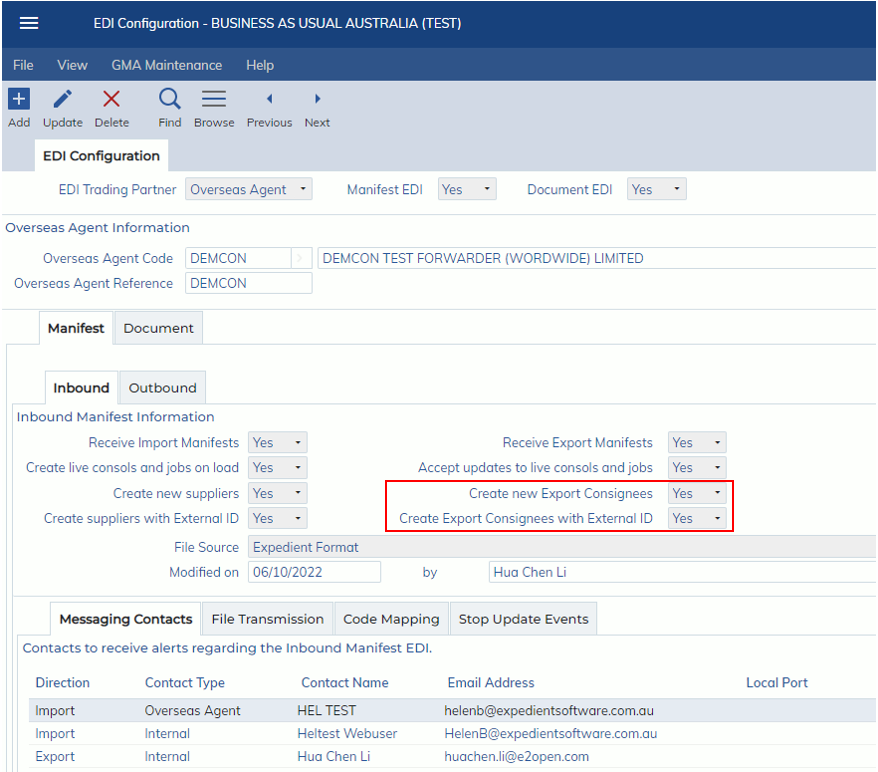
- Administration -> Interface -> EDI Configuration -> EDI Configuration
The EDI Configuration screen will now show the ‘Create new Export Consignees’ combo box.
Where Yes is selected, the screen will display another combo box ‘Create Export Consignees with External ID’.
Update to the Manifest EDI load process
Creating Export Consignees without External ID
For Export jobs, where the ‘Create new Export Consignees’ is marked as Yes and the ‘Create Export Consignees with External ID’ is marked as No, and the <Code> under the <Consignee> parent tag in the XML does not have a record within Expedient, then a new Export Consignee is created. The new Export Consignee is populated with the tags in the XML. The tags <Code>, <PartyName> and <CountryCode> are mandatory for creating an Export Consignee.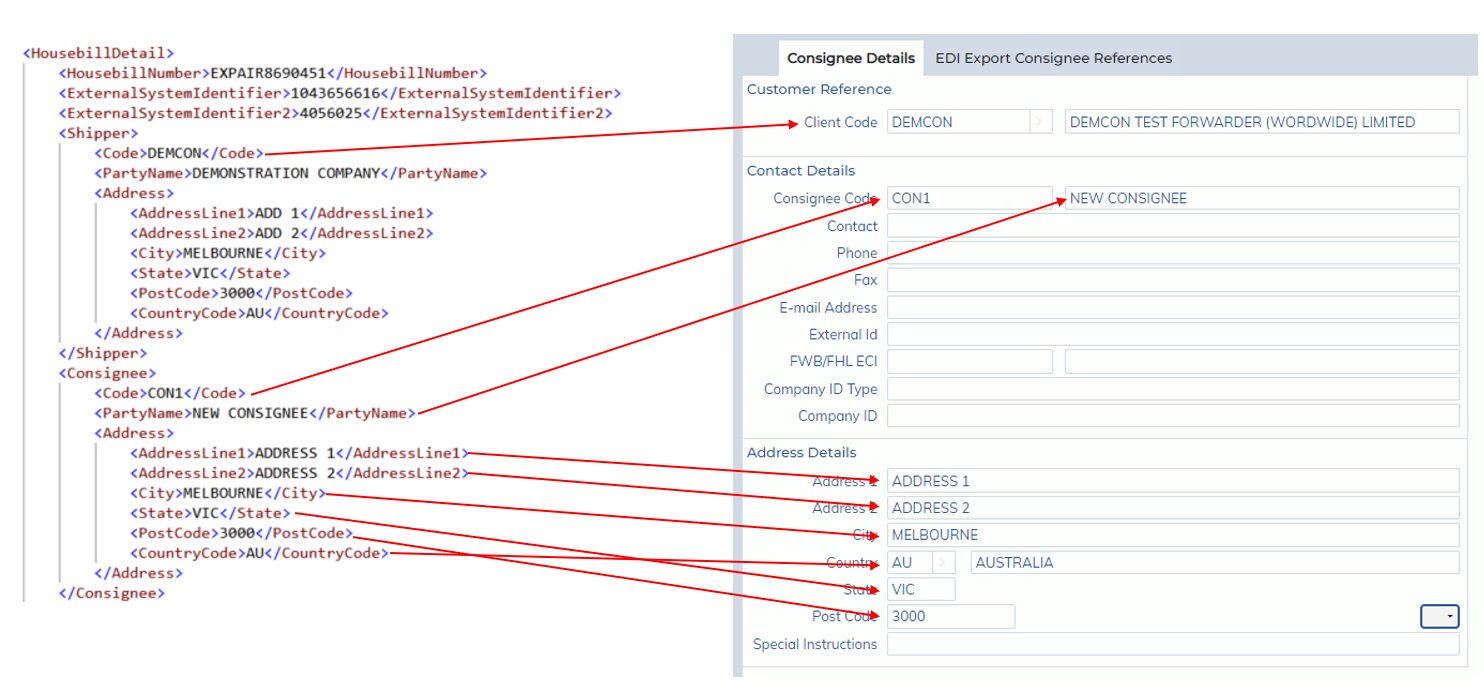
Additionally, a Code Mapping line is created in the EDI Configuration screen.

Creating Export Consignees without External ID
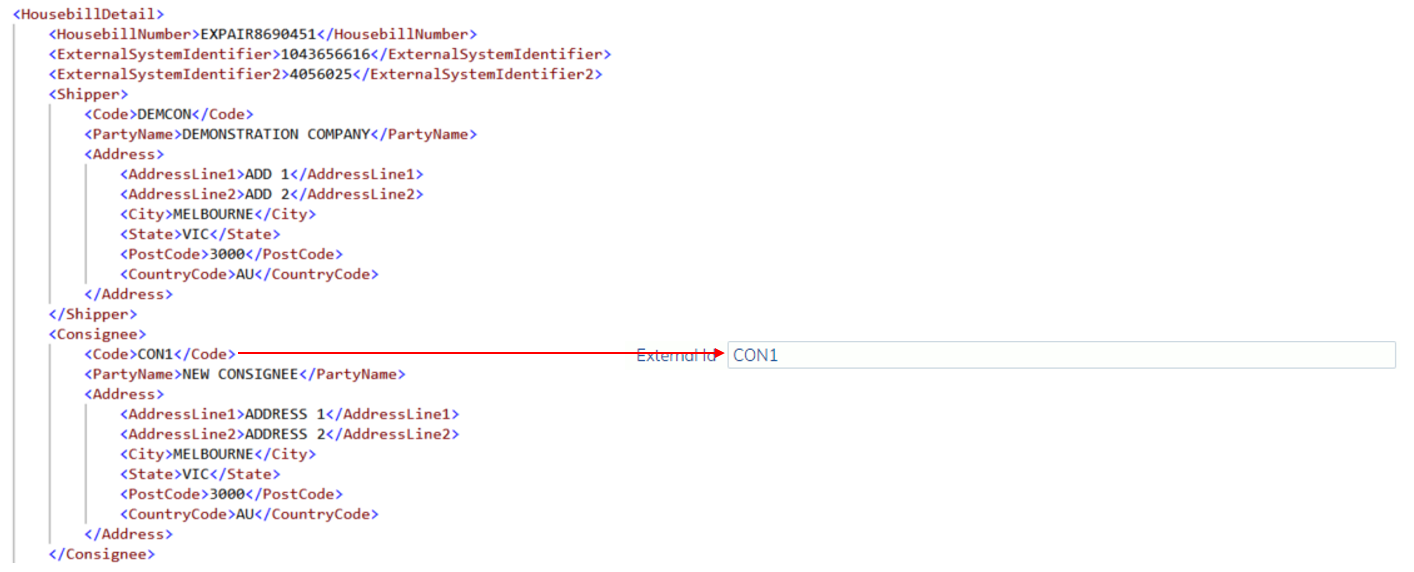
Where the ‘Create Export Consignees with External ID’ is marked as Yes, then the External Id for the created Export Consignee is also populated and the Code Mapping line is not created on the EDI Configuration screen.