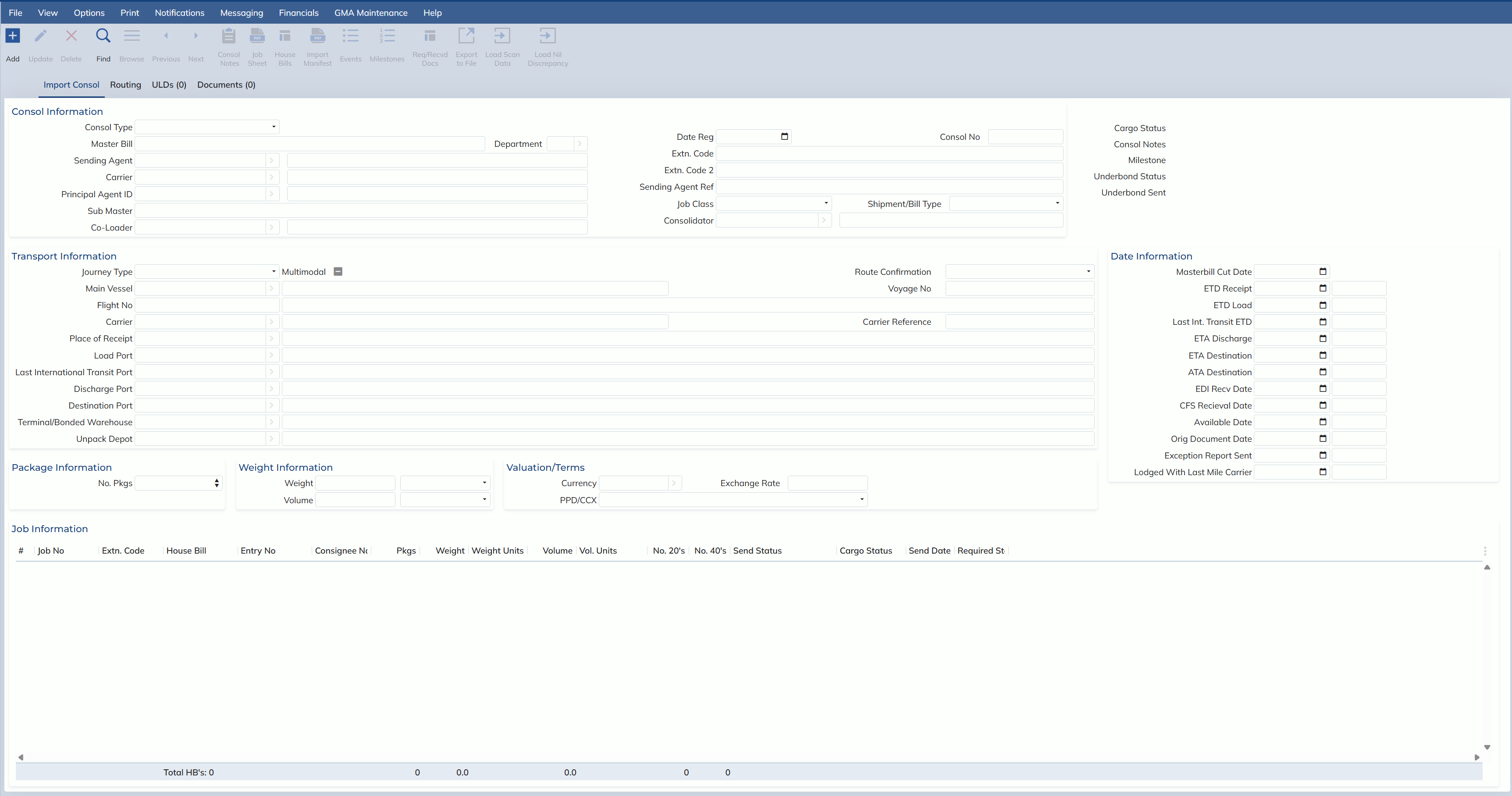
In this release, Expedient has combined both the import air and import sea consol screens into a single consol screen.
Most importantly, a new field at the top of the screen labeled “Consol Type” is the field which will indicate whether a record is Air or Sea. It will also adjust the rest of the screen to display or hide all relevant fields depending on the consol type chosen.
Now that screens are combined, users can change the consol’s transport type live on the same screen without having to close and remake the consol on another screen. Users can also now search for Sea, Air or both Sea and Air consols at the same time via the combo box options in this field.
Please also note that users can still access the Consol Registration screen by clicking either Import Air or Import Sea folders from the main menu then clicking onto the Consol Registration link, but Expedient will take you to the same screen with Air and Sea combined.
For the most part, all other aspects of the Import Air or Sea consol screens have been kept the same other than the small adjustments below:
- New Consol Type field to indicate whether the record is Air or Sea
- For Sea Consols, the Acceptance of Liability print button has been moved from Notifications -> Transport to Notifications -> General
Below is a screenshot of the new Import Consol screen.