In this release, we are updating the Ops Finance – Management Dashboard to allow users to filter and clear WIPs for specific GL Codes.
This will be specifically useful for clients who are tracking specific codes.
How it works
- Go to the Ops Finance – Management screen (Management -> Finance -> Ops Fin – Management Dashboard)
- Select Filters
- In the Criteria list, select the new option ‘WIP Account Number’ and enter the GL Account Code
- Note: only enter the Disb. Liability account here – accounts within the range 2300-2799
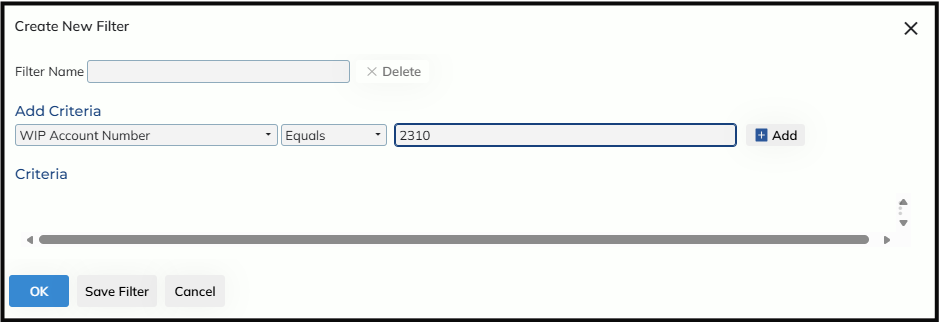
- Select ‘Add’
- When you run a search, the results will only include Jobs with a WIP for the account entered above
- When clearing the WIP
- Selecting the ‘Post Profit’ or ‘Bulk Post’ button will give the following confirmation popup:
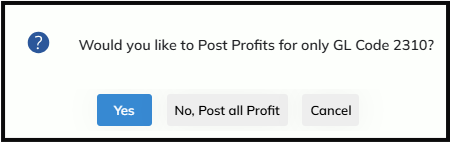
- If users select ‘Yes’: users will only clear the WIP for the entered GL Account Code
- If users select ‘No, Post all Profit’: users will be able to clear all WIPs against the Job, as normal
- Selecting the ‘Post Profit’ or ‘Bulk Post’ button will give the following confirmation popup: