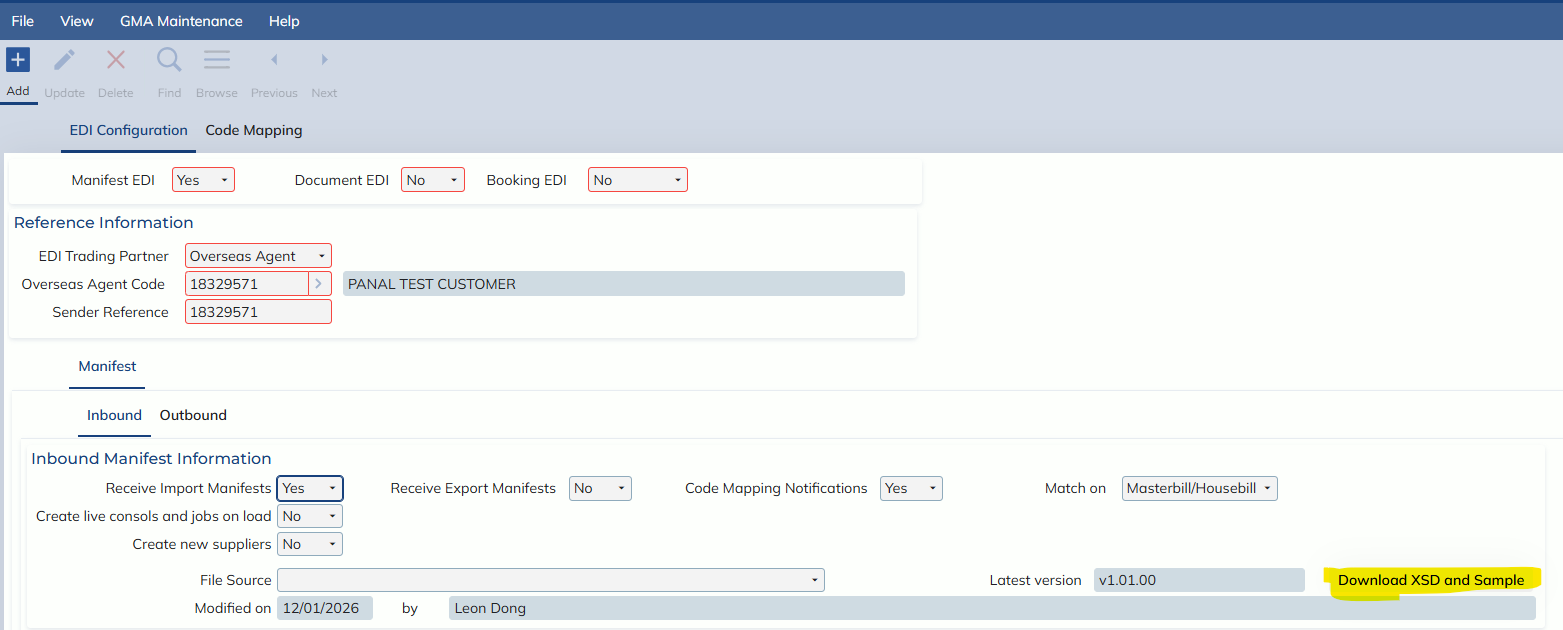
In this release, users can now download the Latest version of Manifest EDI’s XSD as well as a sample file.
To download these, go into the EDI Configuration screen (Administration -> Interface -> EDI Configuration -> EDI Configuration) and find a record that has Manifest EDI set to Yes as well as Receive Import Manifests set to Yes. Then go to the Manifest -> Inbound tab and click on the “Download XSD and Sample” button.