This release includes an update to the following screens:
- Forwarding -> Export Air -> Consol Registration
- Forwarding -> Export Air -> Job Registration
For the Export Air Job Registration screen, the Shipments tab will be removed and replaced with the new ULD tab. The Export Air Consol screen will also have a ULD tab.
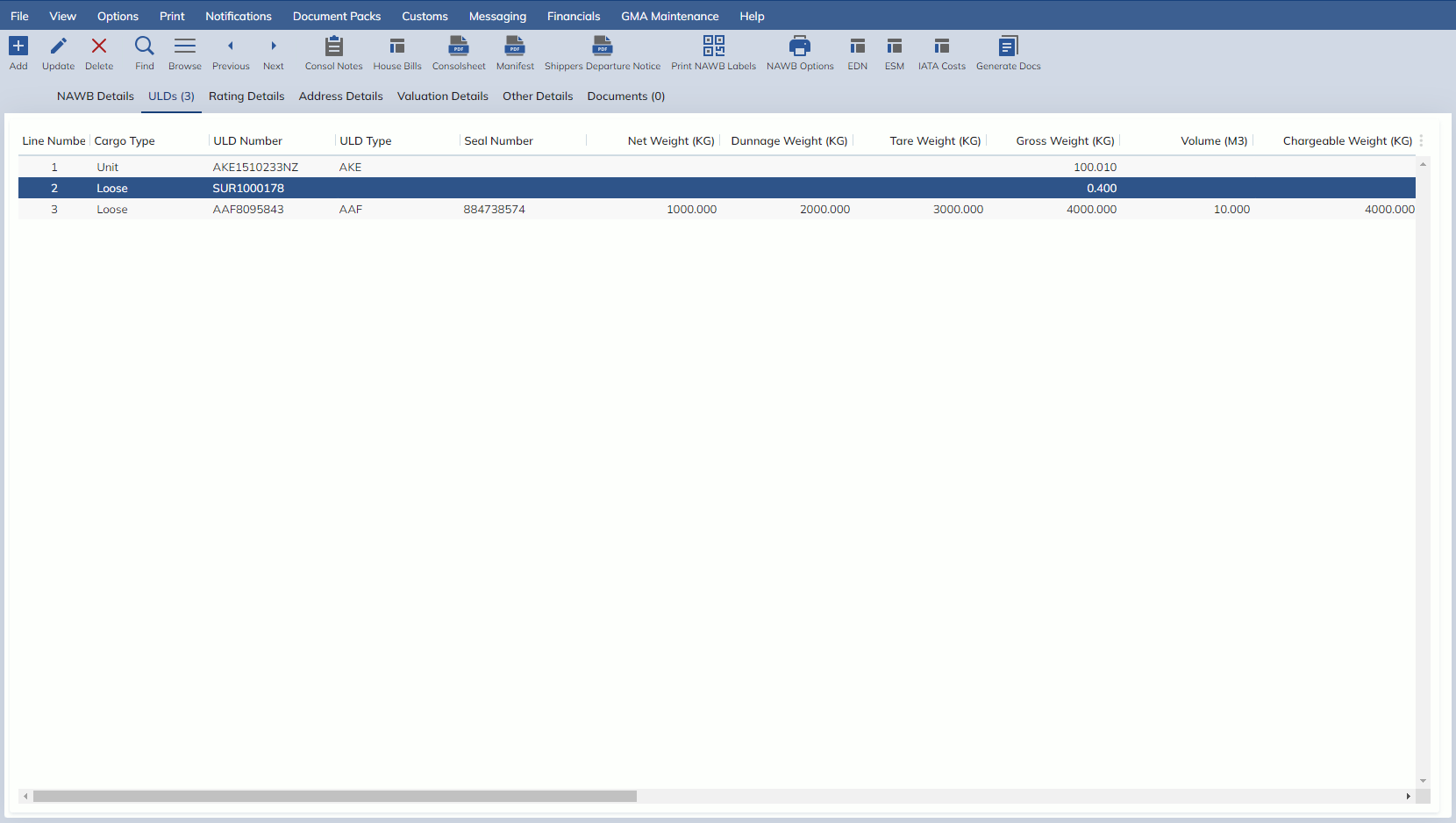
The behaviour of each Column in the ULD tabs is as follows:
- Line Number is defaulted when a new row is added
- Cargo Type is a combo box with options Unit or Loose
- ULD Number is a free text field on the Consol.
- On the Job, the ULD Number is a Zoom which grabs the ULDs from the Consol. When a ULD is selected, it will grab the Cargo Type, ULD Number, ULD Type and Seal Number from the ULD on the Consol
- ULD Type is a zoom. If the ULD Number is entered with a valid ULD Type at the start, this field will be auto-populated
- Seal Number is a free text field
- Net Weight (KG) can input numbers
- Dunnage Weight (KG) can input numbers
- Tare Weight (KG) can input numbers
- Gross Weight (KG) can input numbers
- Volume (M3) can input numbers
- Chargeable Weight (KG) can input numbers. In Update Mode, there is a calculator icon that can be clicked to calculate the Chargeable Weight based on the Gross Weight and the Volume
- Number of Pieces can input integers
- Spare Field 1 is a free text field
- Spare Field 2 is a free text field
- Spare Field 3 is a free text field
- Spare Date 1 is a date field
- Spare Time 1 is a time field
- Spare Date 2 is a date field
- Spare Time 2 is a time field
- Spare Date 3 is date field
- Spare Time 3 is a time field
- Spare Date 4 is a date field
- Spare Time 4 is a time field