In this release, we have created a new way for users to quickly and easily make Credit Notes.
Credit Notes can now be automatically created on the Job’s Charges tabs (Import, Export Air/Sea) as well as within the Debtor Invoice Enquiry screen using the new ‘Credit Note’ button.
Once the Entry is Posted, the Credit Note will be like any other manually entered invoice.
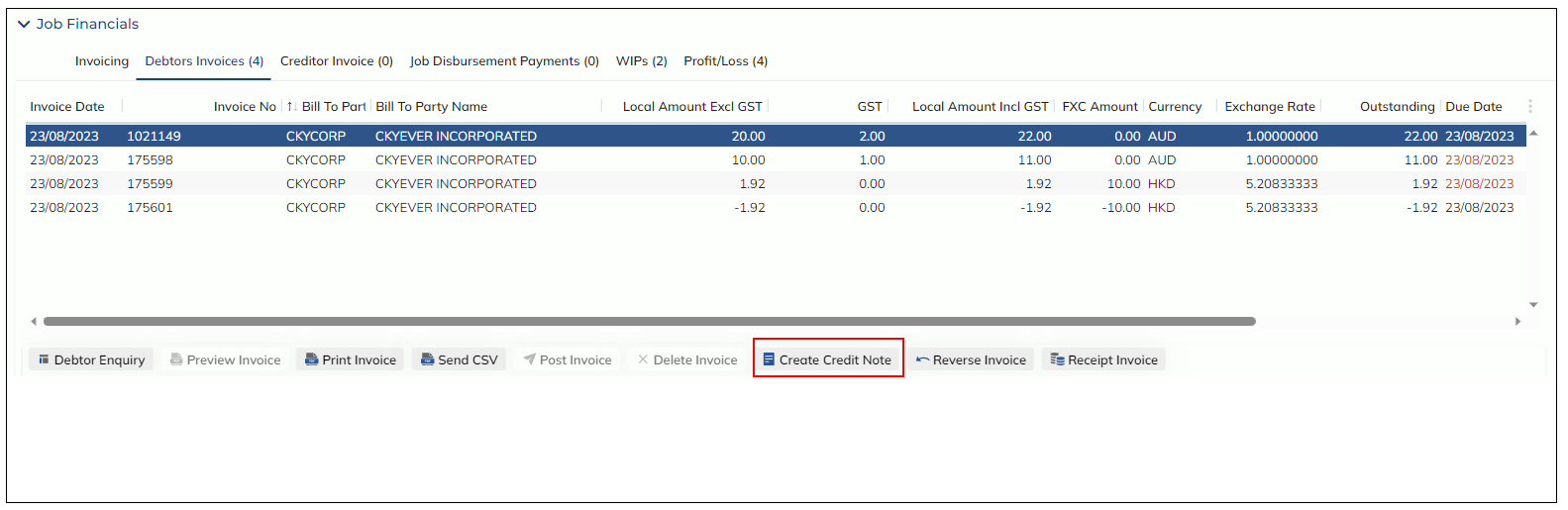
Rules:
Credit Notes cannot be created from:
- Unposted Invoices
- Other Credit Note records
- Reversed Invoices (invoices that have been reversed)
- Reversal Invoice (invoices with the suffix ‘-REV’ that were created as a result of reversing an invoice)
To complete a Credit Note, users must enter a ‘Reason’. This is a mandatory field.
The notes and reason entered here can be tracked to the following areas:
- Job Event Notes
- When a Credit Note is created an Event Note will be added against the invoice created event found in the Events modal
- Job Notes
- The entered reason and notes will be available in the Job Notes->Accounting tab
- Invoice Enquiry
- If the Credit Note is not against a job, the notes will still be available against the invoice in the Debtor Invoice Enquiry screen under ‘Notes’