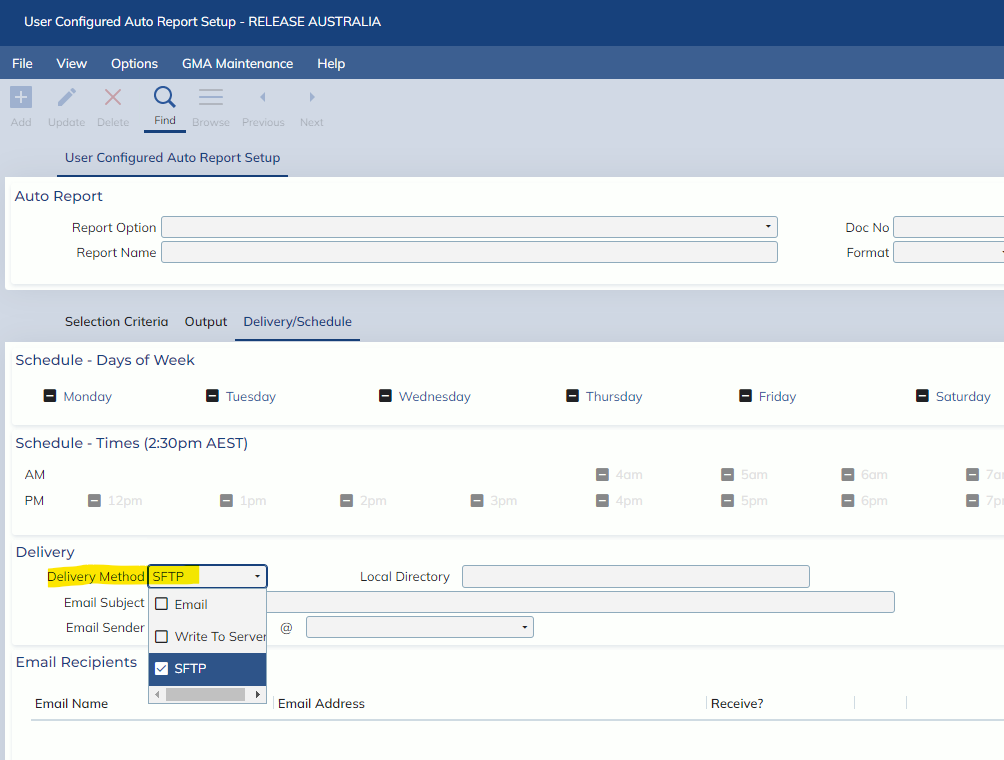
In this Release, users will be able to select a SFTP Delivery Method for all Automatic Reports. Users will also note that the previous FTP Delivery Method has been renamed to “Write To Server”. This is only a label change and no functions of the fields have been changed.
In order to use the SFTP Delivery Method, users must go to the Automatic Report screen, navigate to the Delivery/Schedule tab then select the SFTP option in the Delivery Method field. After selecting the SFTP option from the combo box, a new tab will appear beside the Delivery/Schedule tab called SFTP Configuration. Enter this tab and users will be able to fill in the details of their SFTP connection. At the bottom of the screen, users will also be able to use the “Test Connection” button to see if the details entered in the SFTP configuration fields are valid.
Image demonstrating where to select the SFTP Delivery Method option: