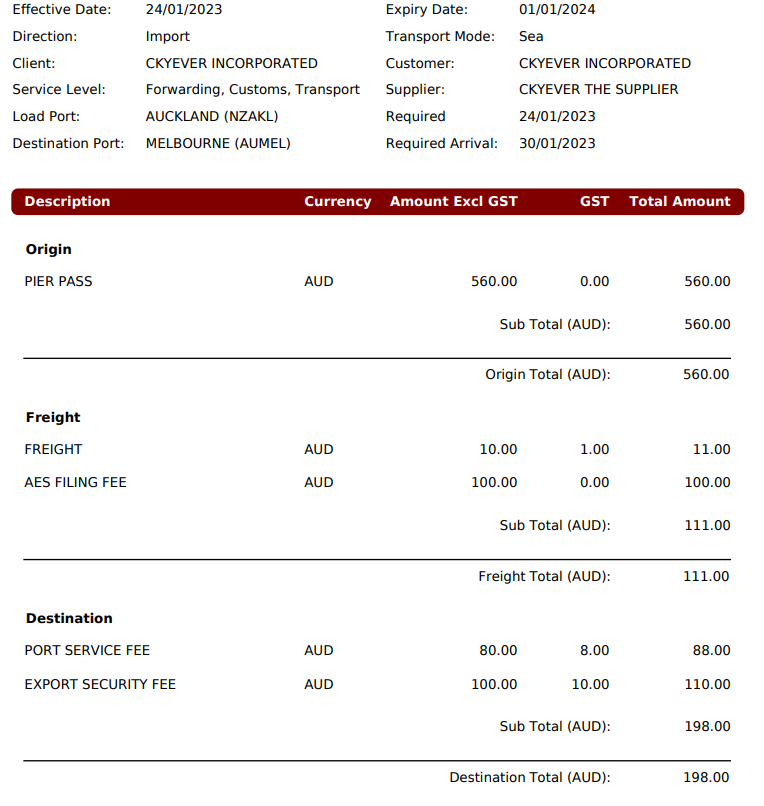
In this release, we have update the Spot Quote screen’s (Rates -> Spot Quote) functionality to allow users to print the quote in new formats with new additions. Users can access these Printing Options by selecting either the ‘Print Draft Quote’ button or ‘Print Final Quote’ button at the top of the Spot Quote screen.
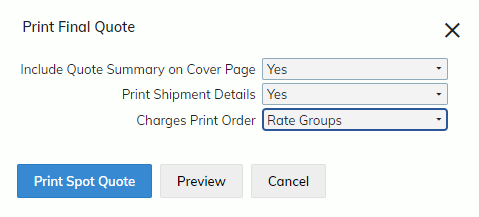
- Include Quote Summary on Cover Page
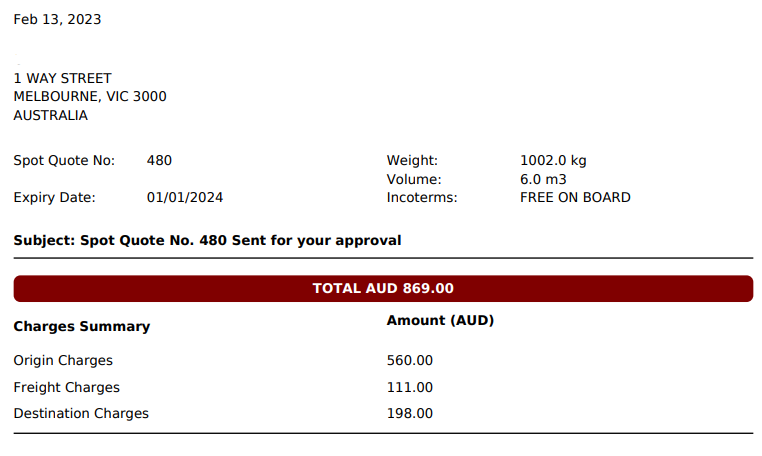
This new option allows users to include a summary table of the quote’s charges, grouped by their ‘Rate Group’ (Origin, Freight, Destination’).
It is only available when there is already existing data inside the Cover Page. This summary includes the following fields at the top of the quote:
- Spot Quote No
- Expiry Date
- Weight
- Volume
- Inco Terms
- Users can now print their Spot Quote using the ‘Rate Group’ Printing Order
When users select this ‘Charges Print Order’, their Spot Quote will be grouped and ordered by Rate Group (Origin, Freight, Destination).