This release includes and an update to the following screen
- Administration -> Masterfile Management -> Delivery Addresses
The screen has been renamed to Transport Addresses and the new navigation path is
- Administration -> Masterfile Management -> Transport Addresses
The Transport Addresses screen will also now show the Transport Instructions tab and the Transport Provider tab, and the Address Configurations tab has been removed.
Client’s Transport Address tab
The Transport Addresses screen will now show the ‘Default Address Configurations’ table, which has replaced the old ‘Default Address?’ checkbox. The ‘Responsible for Transport?’ combo box as well as the ‘Exclude the below Transport Modes:’ table have been moved to the ‘Client’s Transport Address’ tab.
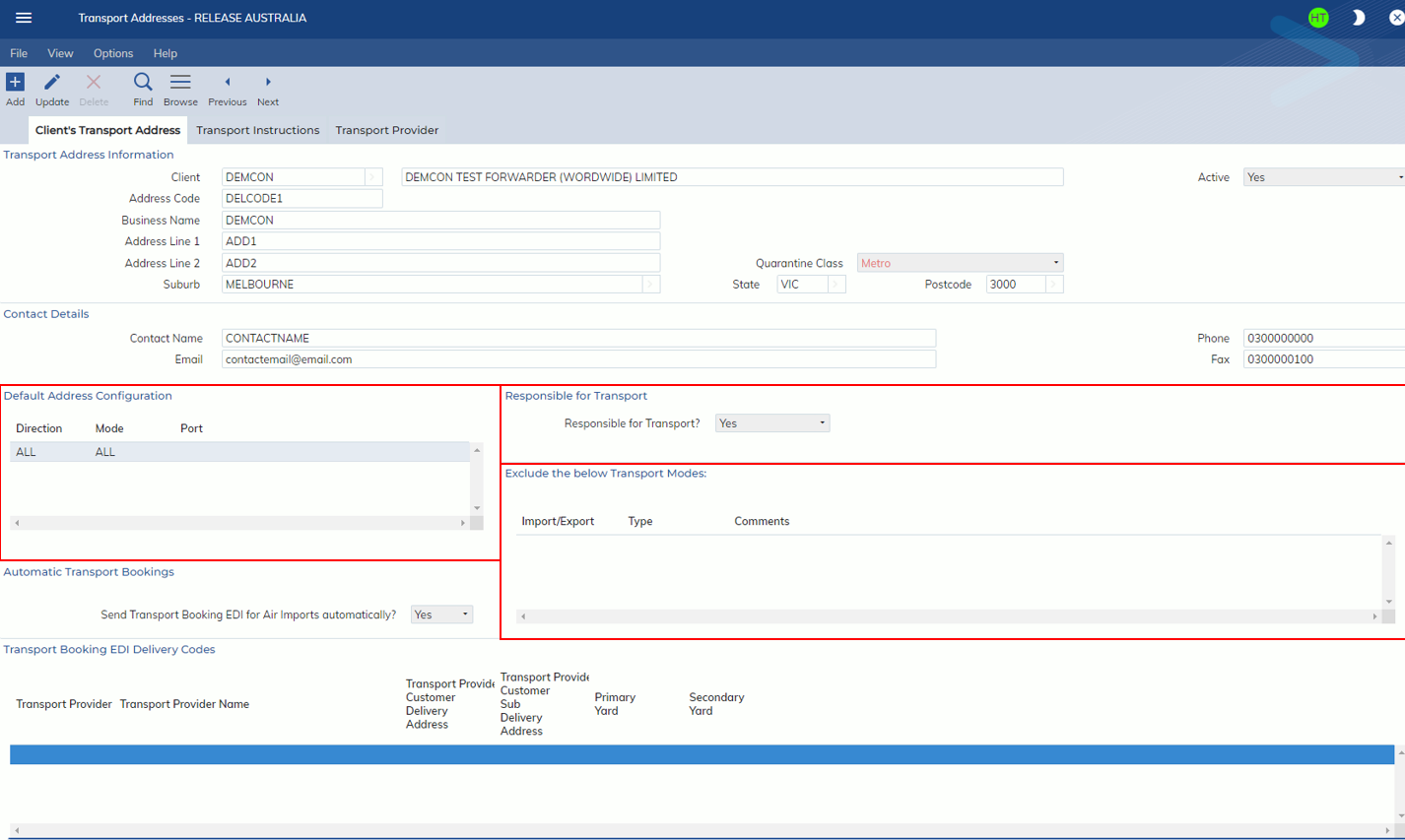
Where a Job for the Client matches the Direction, Mode and Port of a Default Address Configuration line – the Address Code and the details will be defaulted on the Job.
Transport Instructions tab
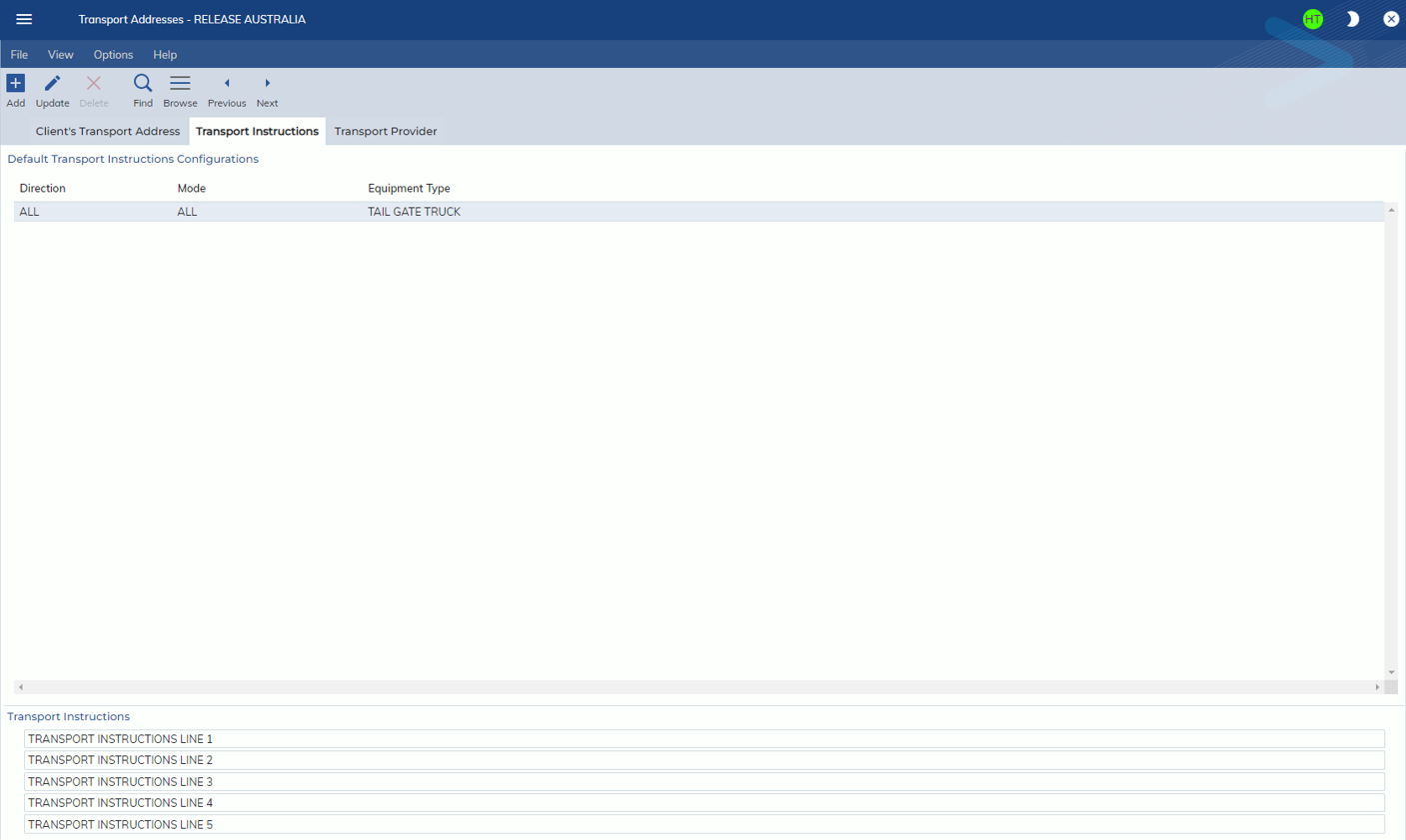
The new Transport Instructions tab will allow users to set up default Transport Instructions and Equipment Types for their clients. These Transport Instructions and Equipment Types will be defaulted on the Job registration screens when the Client Code, Address Code, Direction and Mode all match. The Transport Instructions tab has the ‘Default Transport Instructions Configurations’ with the following columns:
- Direction
- Mode
- Equipment Type
When a line is selected, a new set of Transport Instructions will appear.
Transport Provider tab
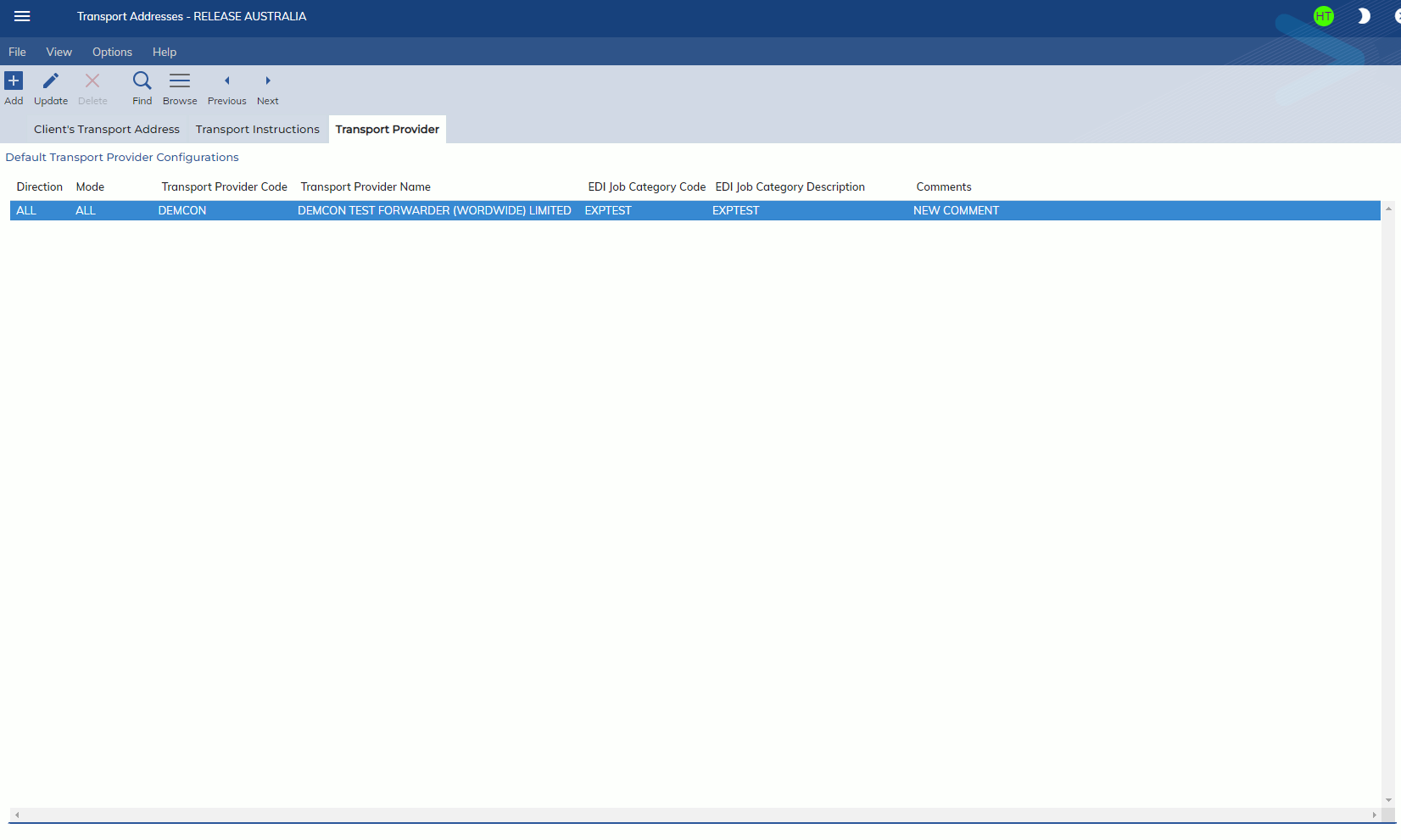
The new Transport Provider tab will allow users to set up default Transport Providers and EDI Job Categories if the Transport EDI module is enabled. The Transport Provider and the EDI Job Category will be defaulted when the Client Code, Address Code, Direction and Mode all match. The Transport Provider tab has the ‘Default Transport Provider Configurations’ table with the following columns:
- Direction
- Mode
- Transport Provider Code
- Transport Provider Name
- EDI Job Category Code (only shows if the Transport EDI module is enabled)
- EDI Job Category Description (only shows if the Transport EDI module is enabled)
- Comments