The following enhancements have been made to the document pack function:
- The application will allow users to send document packs by SFTP to the destination directory
- It allows users to select a file name format to send the document pack by email or SFTP.
How to set up?
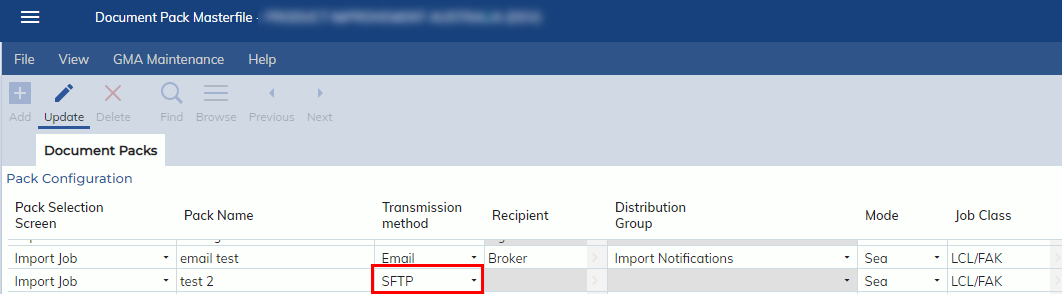
- Go to Administration -> Document Management -> Document Pack Masterfile, and select the transmission method as “SFTP”.
-
In Document Pack Masterfile, find the file name format column and select the format you prefer. By default, <Original File Name> will be used.
-
- When “SFTP” is selected as the transmission method, users will see the SFTP Configuration tab.
-
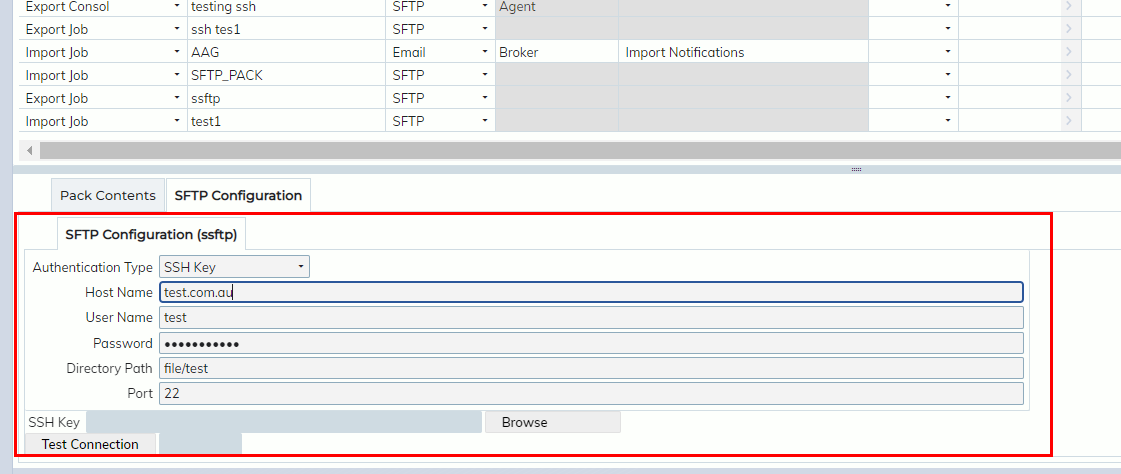
- Authentication Type:
- It allows users to use “Password” or “SSH Key”.
- If “SSH Key” is used, users should upload “SSH Key” file to the application by clicking “Browse”
- It allows users to use “Password” or “SSH Key”.
- Test Connection
- It allows users to test the connection prior to saving the SFTP details.
- Authentication Type:
-
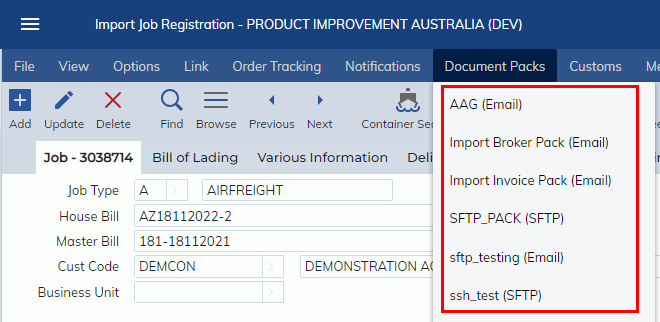
- Go to Job/Consol Screen and click SFTP Document pack options.
-
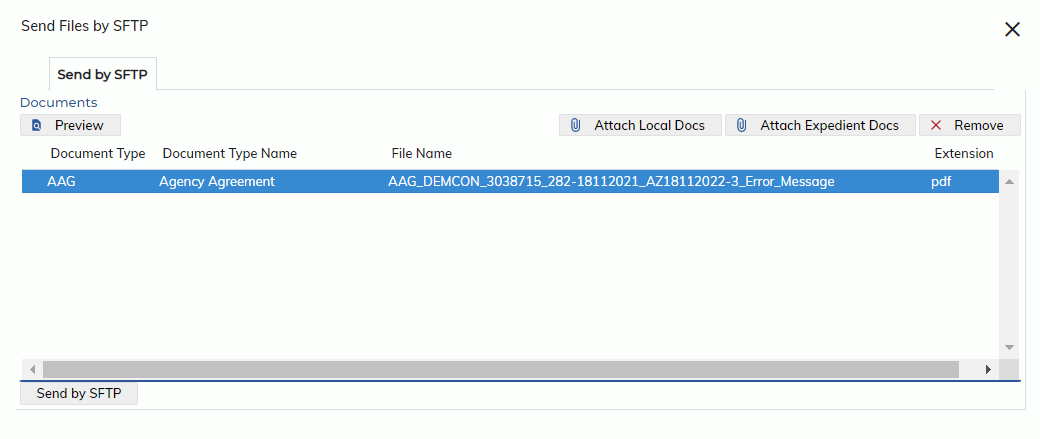
- When the document pack is clicked on the job/consol, the “Send files by SFTP” screen as below will display.
-
- Click “Send by SFTP” button, the file will be sent to the destination direction.
- a “SFTP” event will be added to Job/consol event.
-

-