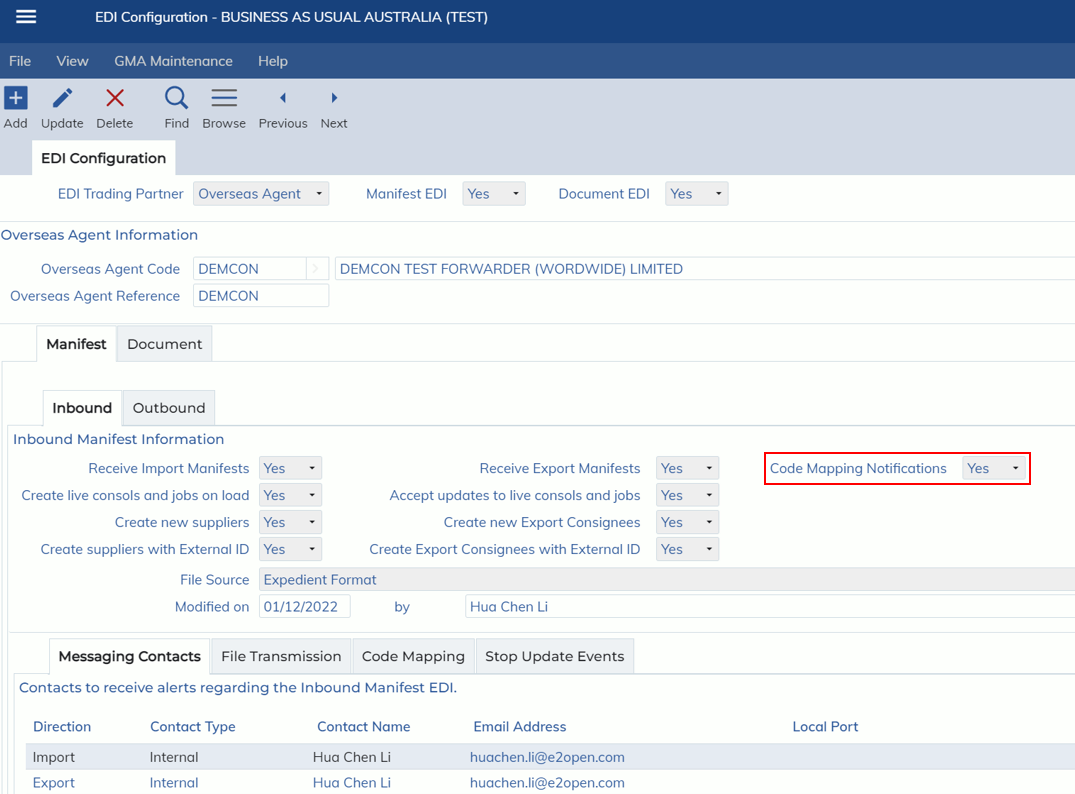
This release includes an update to the following screen
- Administration -> Interface -> EDI Configuration -> EDI Configuration
The EDI Configuration screen will now show the ‘Code Mapping Notifications’ combo box.
Update to the Manifest EDI load process
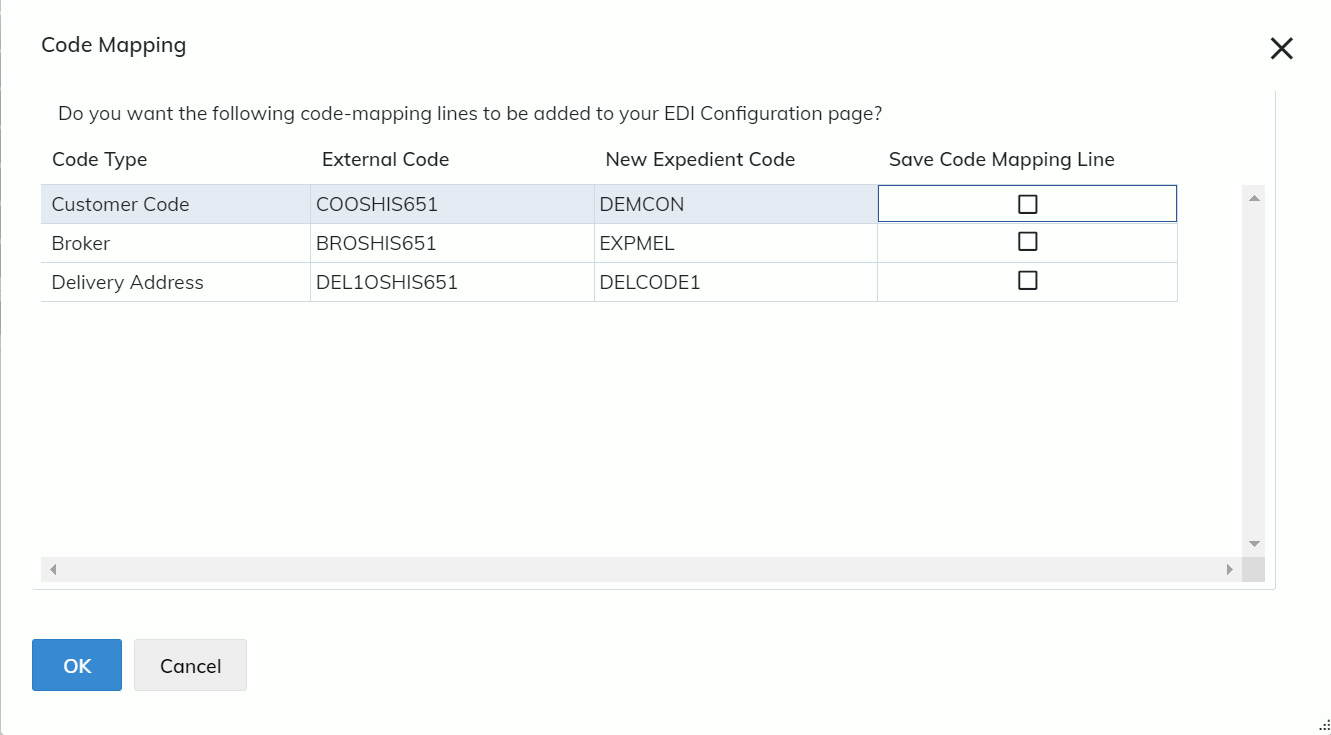
When the “Code Mapping Notifications” is Yes, all Manifest EDI jobs will be prompted by the Code Mapping modal before saving (see below screenshot of this modal). This modal will appear when the codes in the XML file are not pre-mapped in the system, and the field is updated.
When the “Code Mapping Notifications” is No, all Manifest EDI jobs will NOT be prompted by the Code Mapping modal. Instead, when a field is not pre-mapped in the system, the Code Mapping line will automatically be created.
Screenshot of Code Mapping modal:
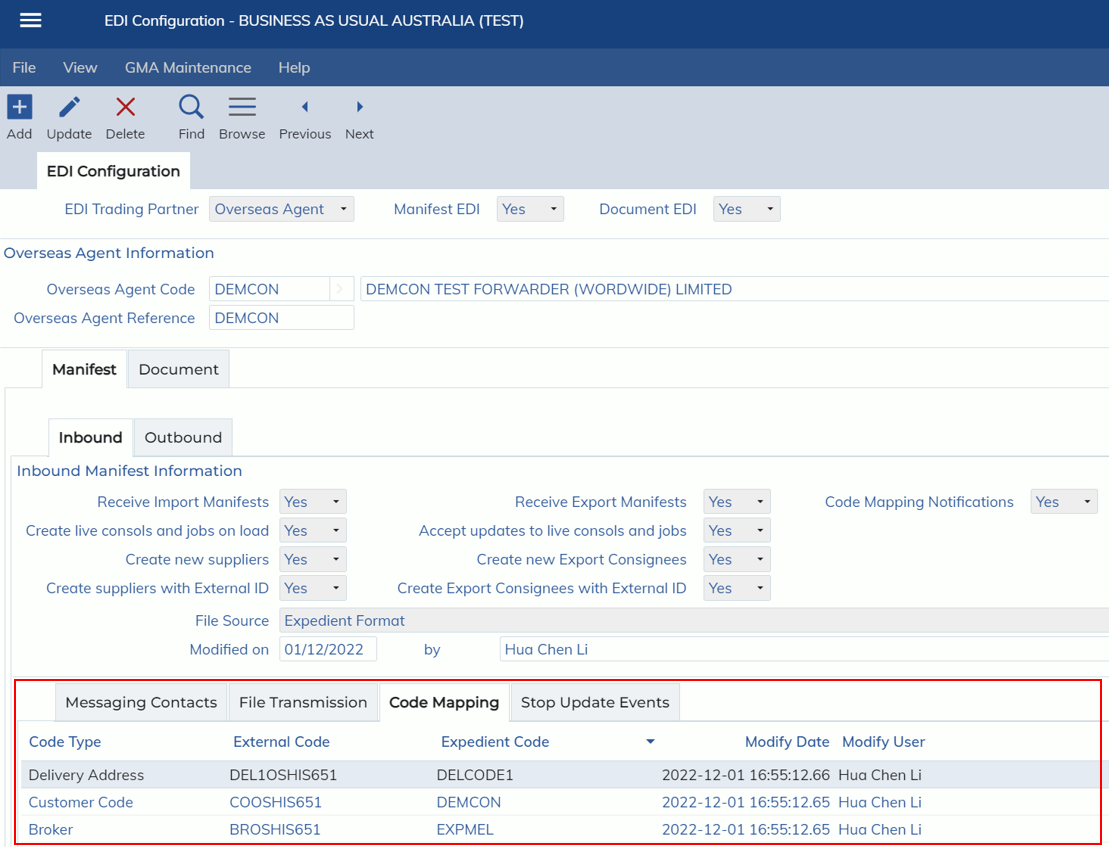
The code mappings are created in the Code Mapping subtab in the EDI Configuration screen:
Import Job registration
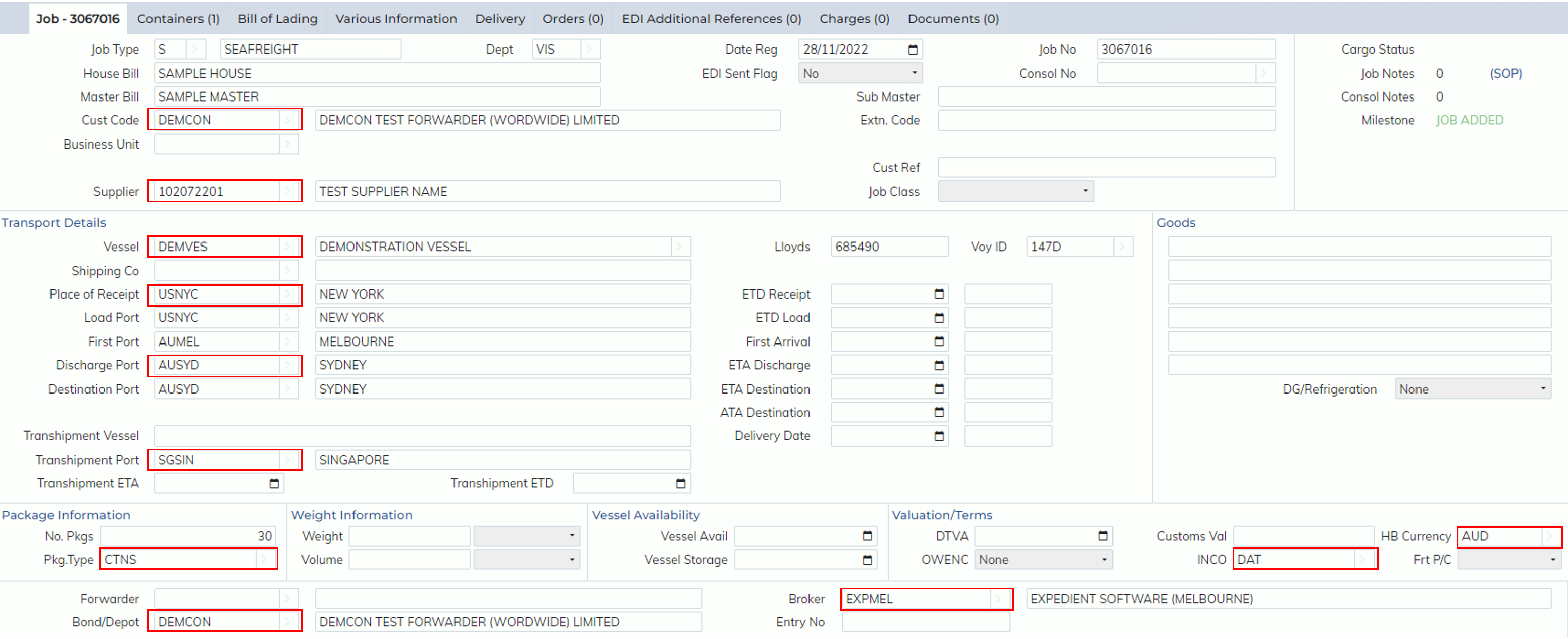
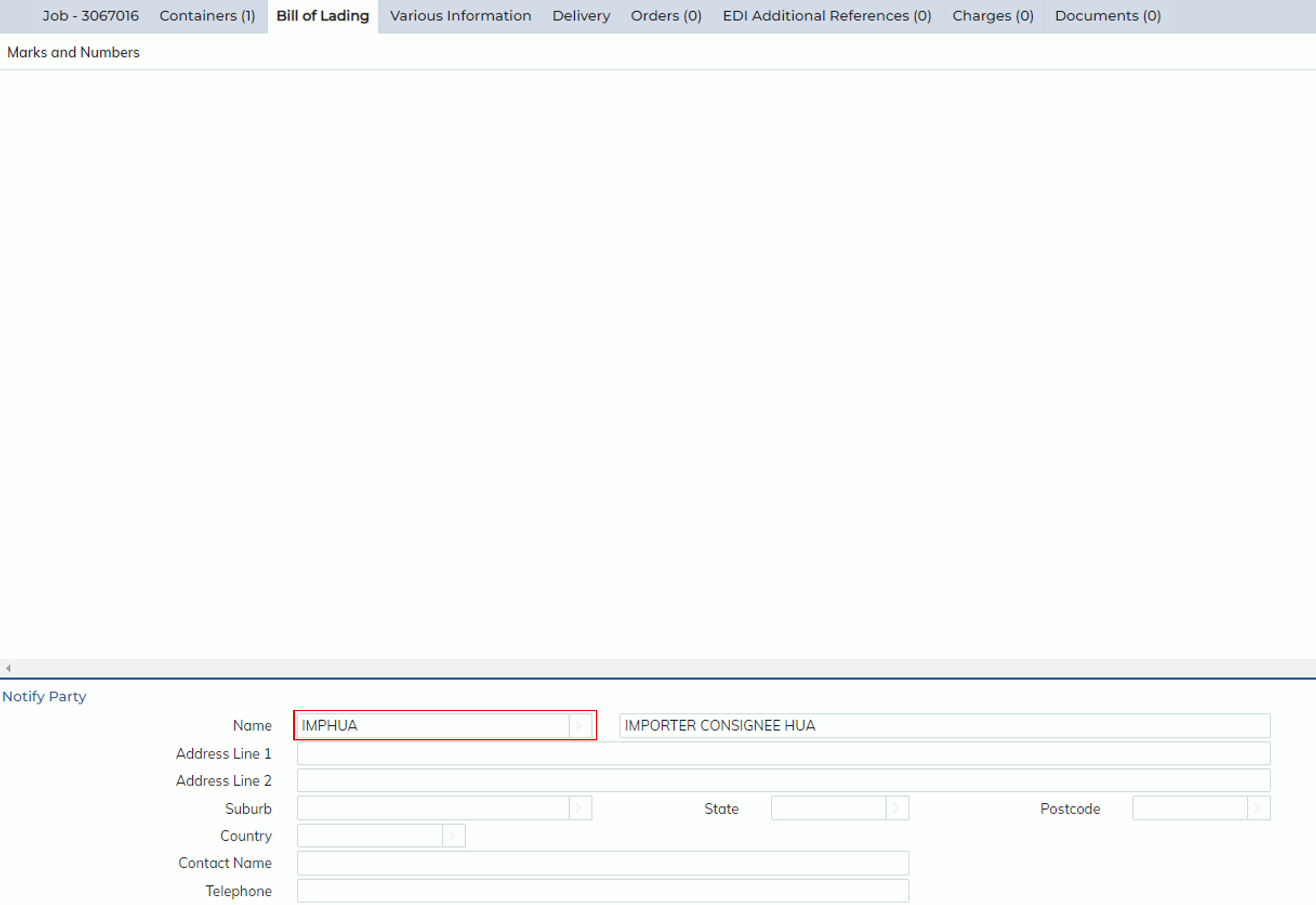
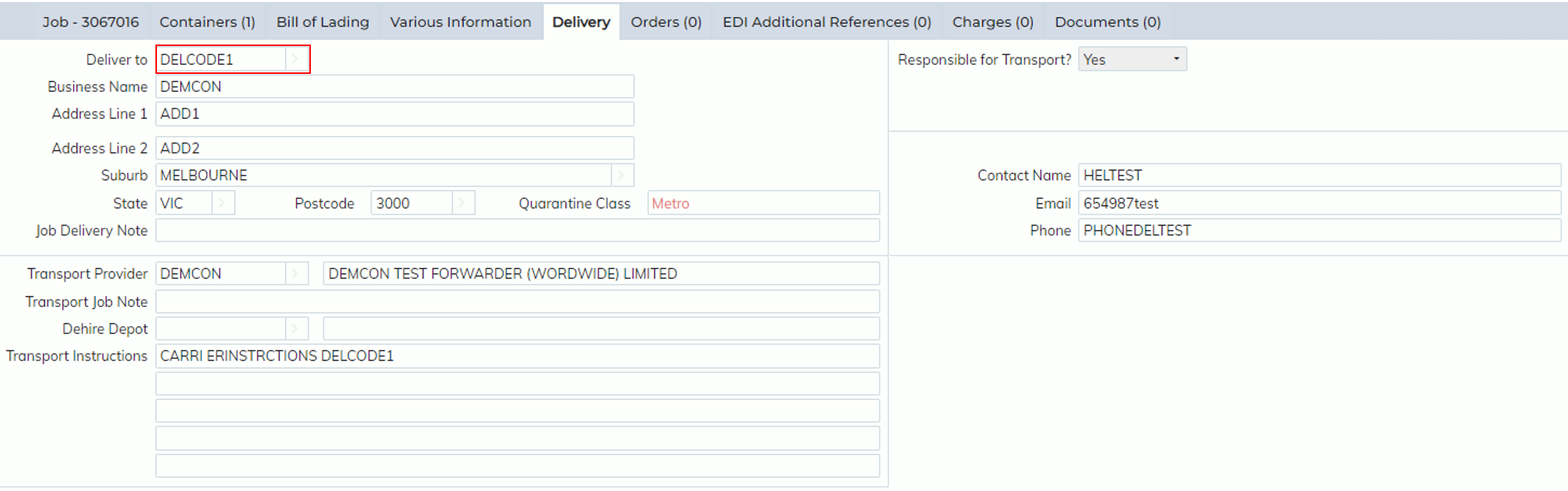
The fields that can be code mapped on the Import Job registration screen are shown below:
Job tab:
Bill of Lading tab:
Delivery tab:
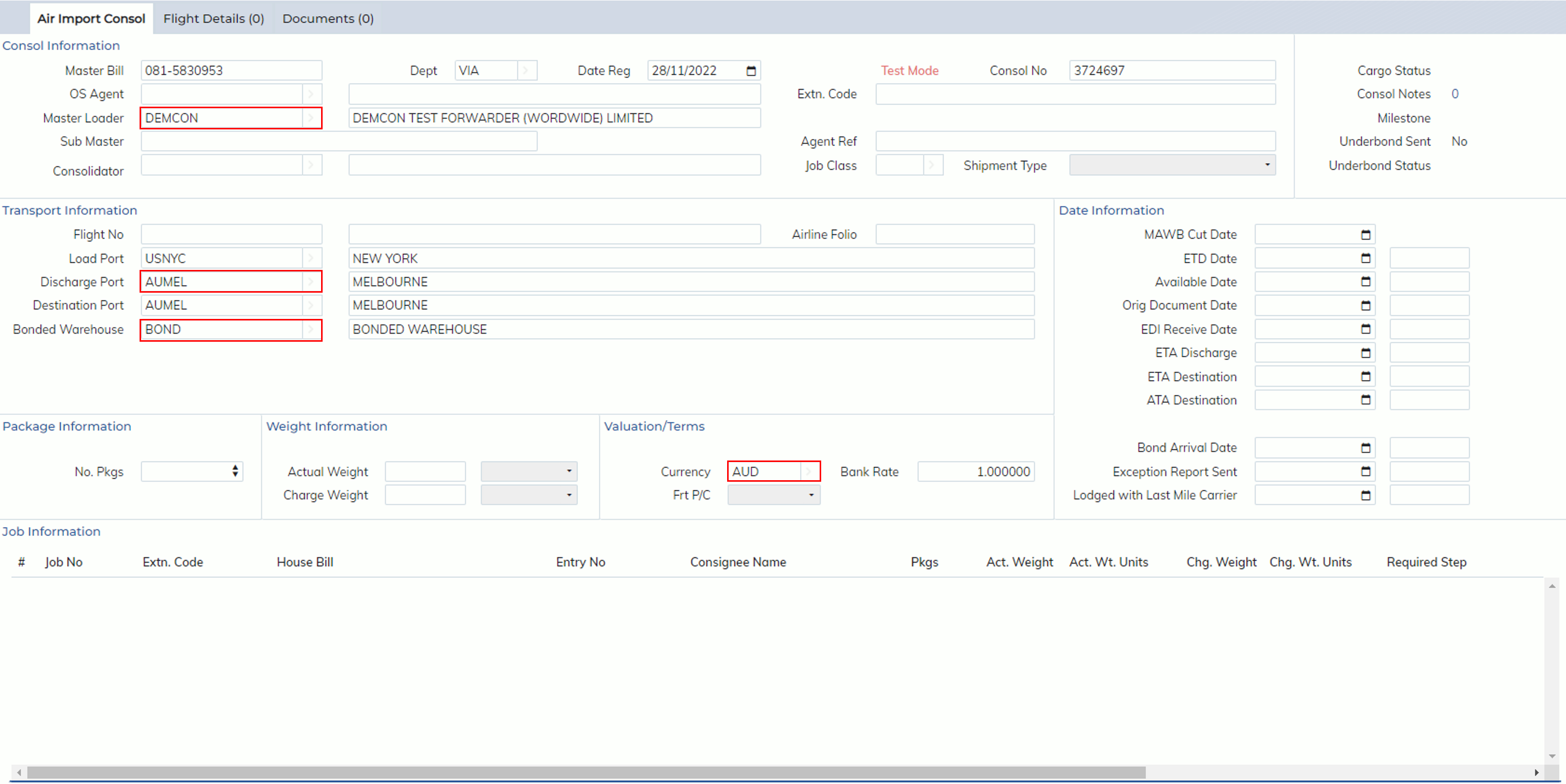
Import Air Consol
The fields that can be code mapped on the Air Import Consol registration screen are:
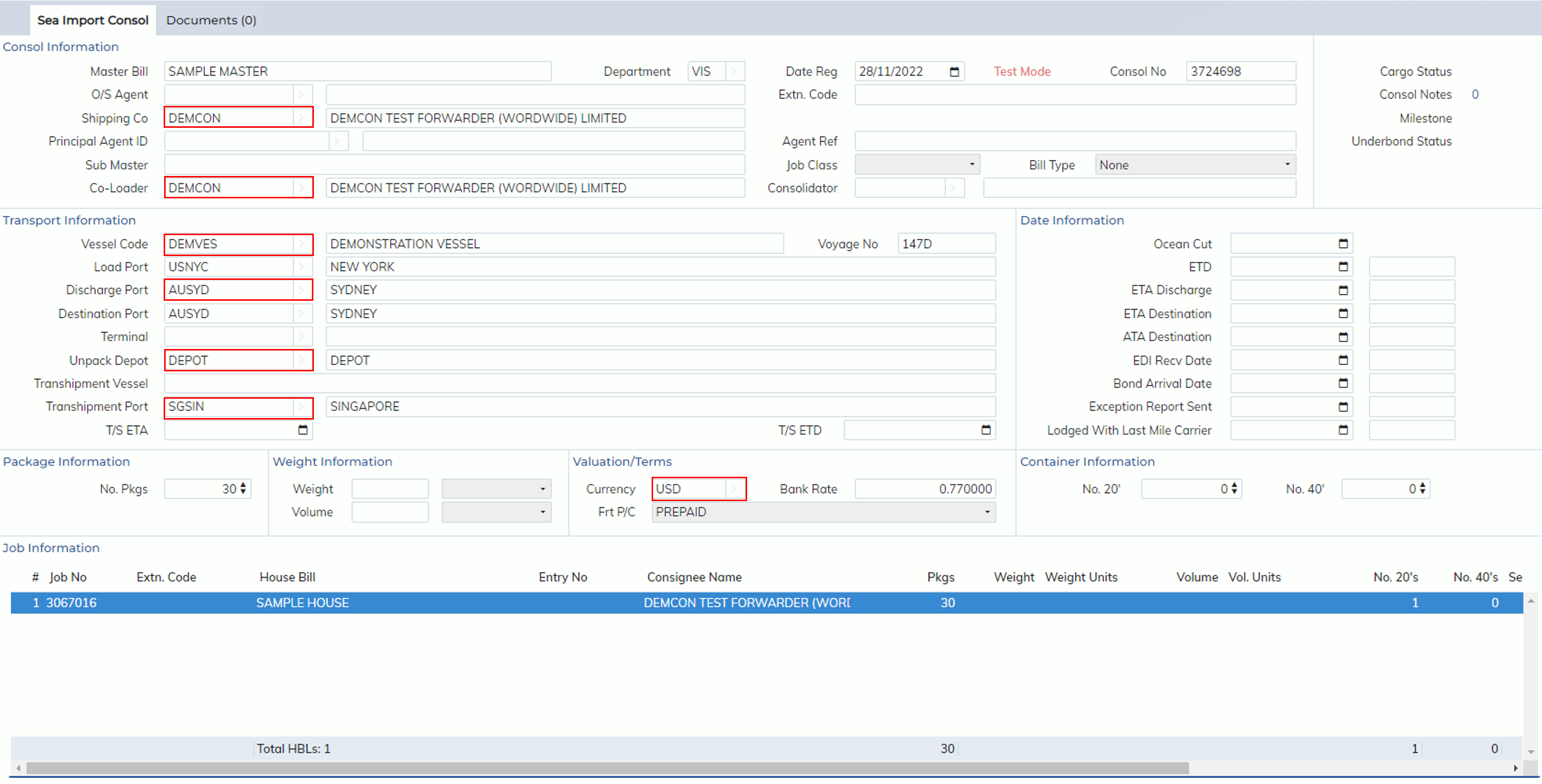
Import Sea Consol
The fields that can be code mapped on the Sea Import Consol registration screen are:
Export Air Job registration screen
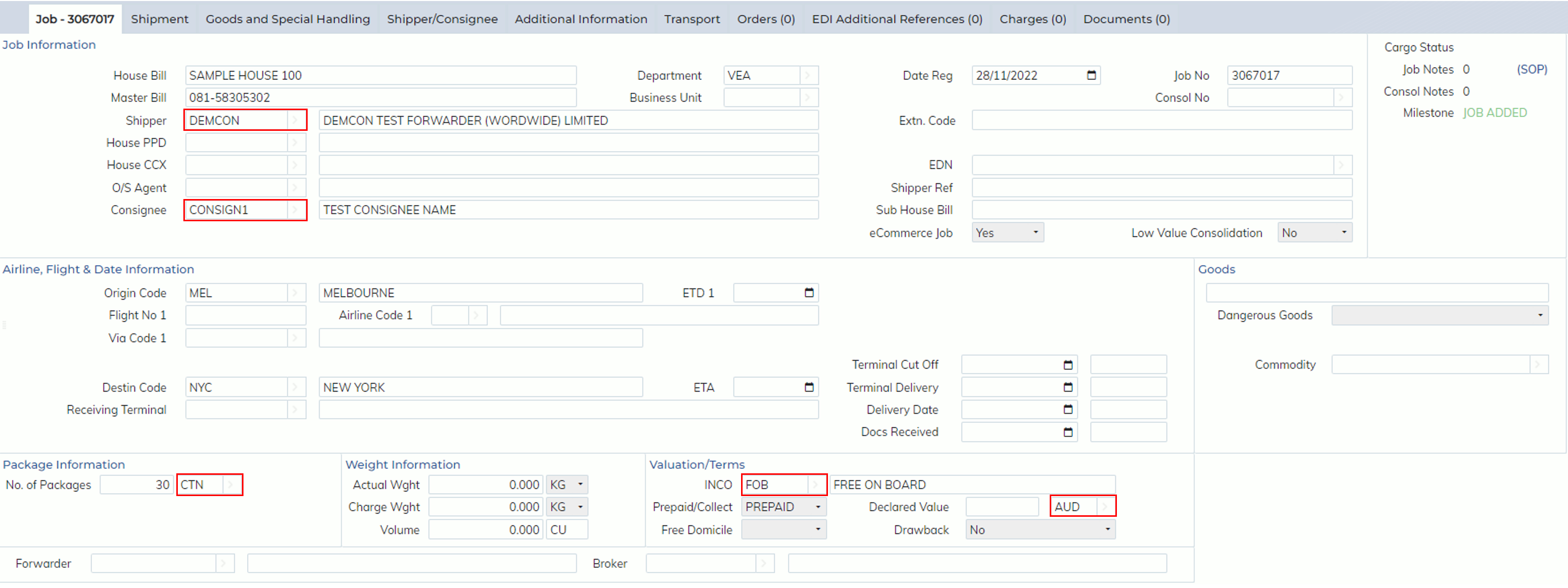
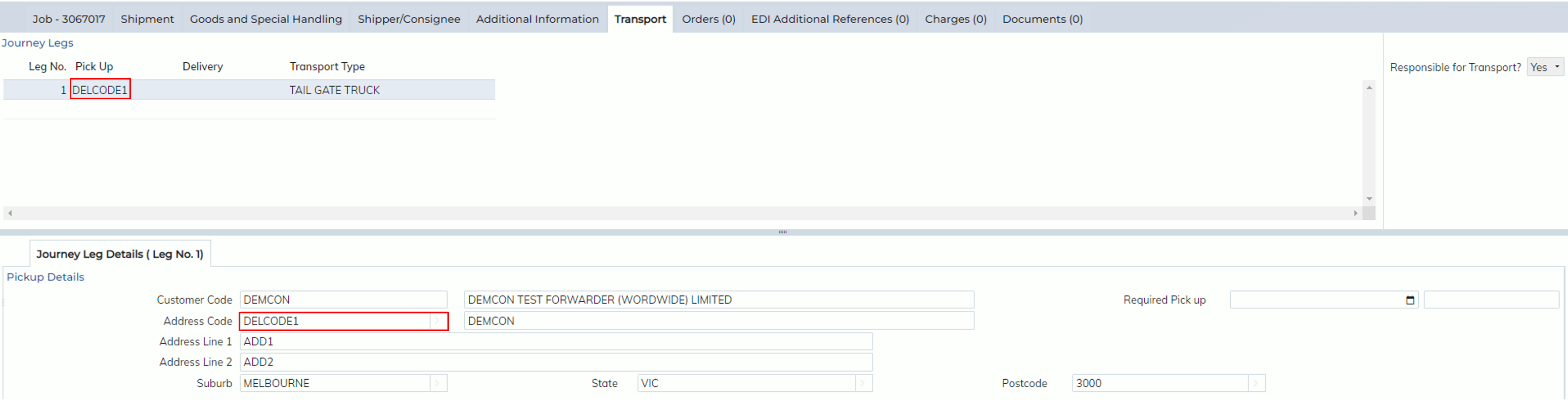
The fields that can be code mapped on the Export Air Job registration screen are:
Job tab:
Transport tab:
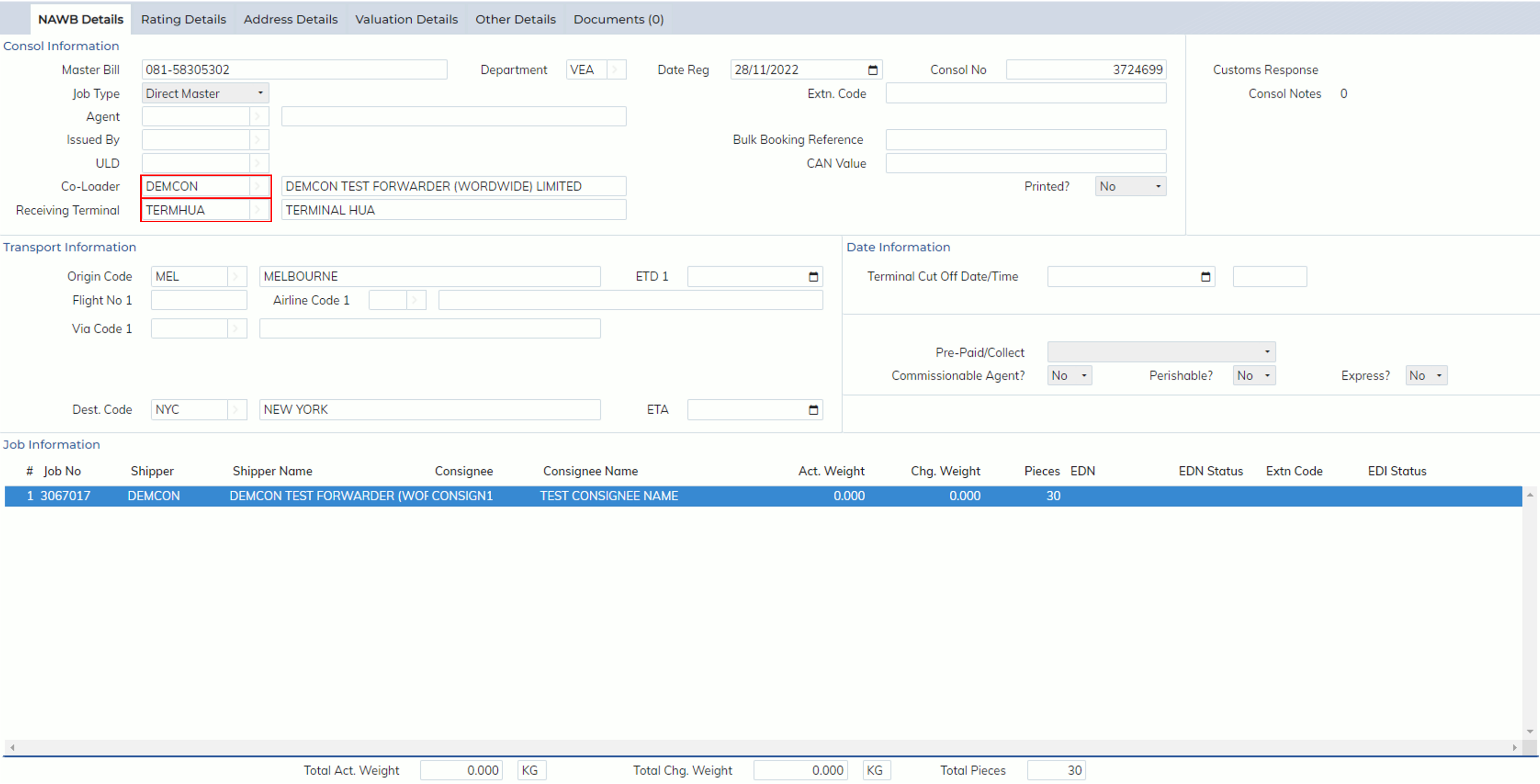
Export Air Consol
The fields that can be code mapped on the Export Air Consol registration screen are shown below:
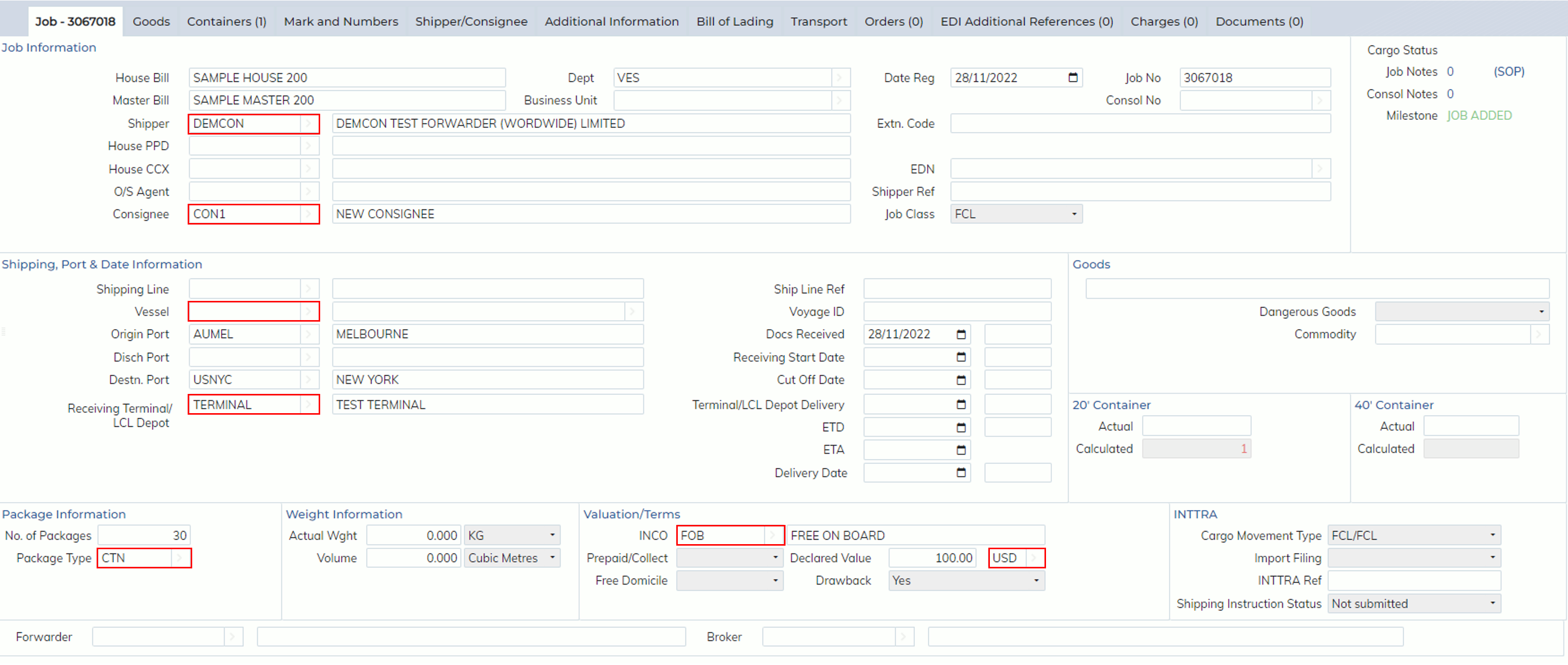
Export Sea Job registration
The fields that can be code mapped on the Export Sea Job registration screen are:
Export Sea Consol
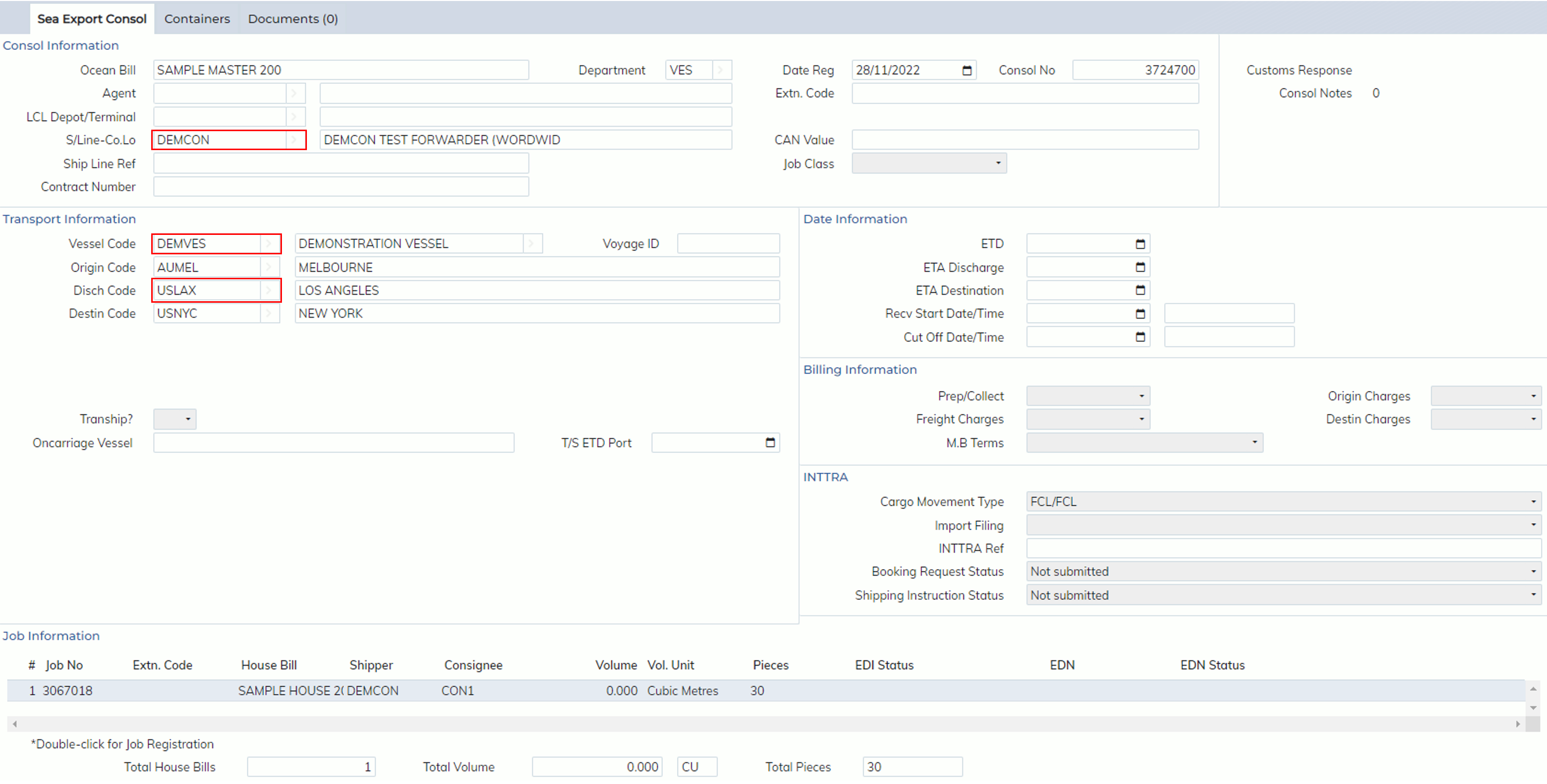
The fields that can be code mapped on the Sea Export Consol registration screen are shown below: