25/03/2026 – Rates – Multiple Company Tariffs
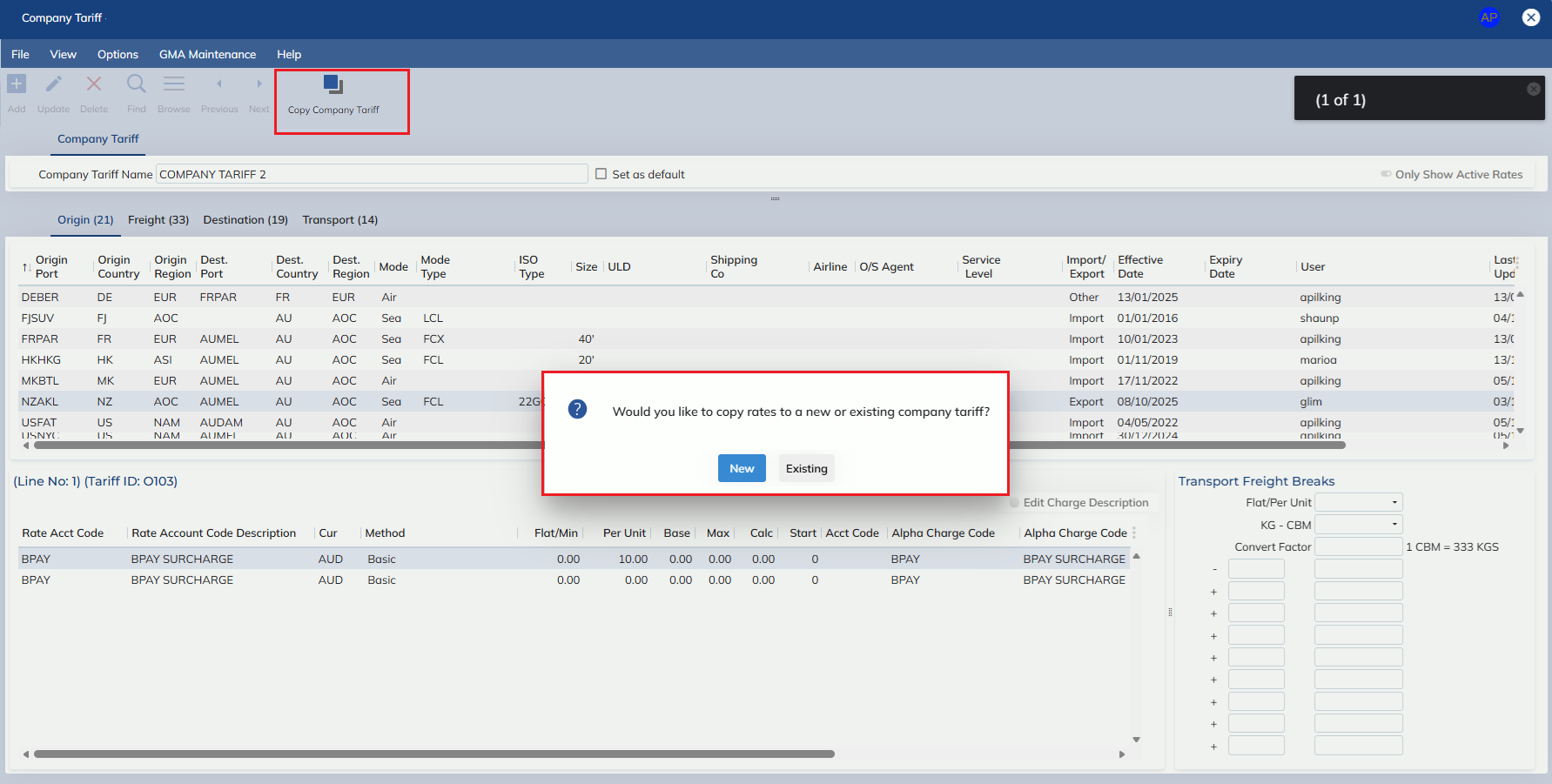
In this release, we have enhanced the Company Tariff Rates screen to allow multiple records.
User’s will note that Add mode now allows new records to be created, and the Company Tariff Name is now editable.
In addition to enabling add mode on the Company Tariff Rates screen, we have added a default flag (see section XX for how this affects auto-rating functionality).
The default flag may only be applied to one record, and is not mandatory to have specified.
In the Customer Masterfile screen, on the Configuration tab, we have added a new group ‘Auto-Rating’
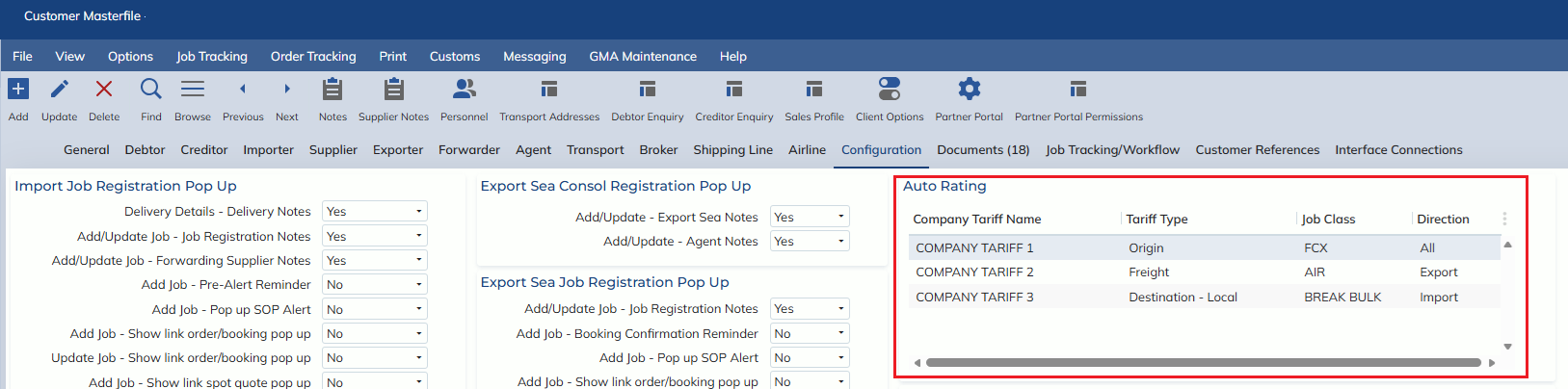
The group contains a table where users can specify which part of a company tariff will apply to a customer.
E.g. If the customer only wants to auto-rate origin charges at a tier 2 tariff, while the freight rates are to come from the tier 1 tariff
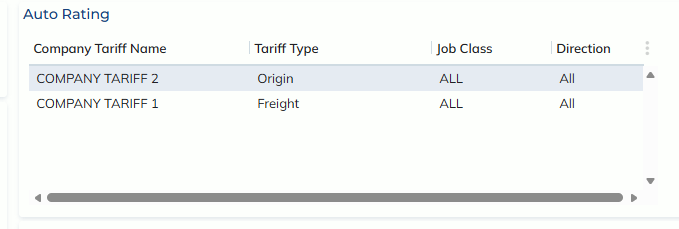
When a company tariff name that exists on customer Masterfile configuration records is updated, the user will be prompted with three options:

Yes
- All customer Masterfile records with the old name, are updated to contain the new name
No
- The Company Tariff Name is updated, without updating the Customer Masterfile records
Cancel
- The name of the company tariff and the connected customer Masterfile records are not updated, the modal is closed and the user remains in update mode
How to the new functionality will be applied:
- If a job is auto-rated and the client has customer rates but only some rates apply:
- The remaining rates will be taken from the company tariff that is applied in the customer Masterfile
- if no configuration has been set, the company tariff that has the default flag = YES will be used
- If no default has been set or no company tariff exists, the user will be advised that no rates can be found
- If a job is auto-rated and the client does not have customer rates,
- The auto-rating process will look up the Customer Masterfile record in the Configuration tab tab, if the job matches a configuration set-up the company tariff listed in the configuration will be used
- If there are more than one configuration that matches for the same job and lists different tariff types it will grab the rates that are applicable for each tariff type against the indicated company tariff for that line.
See the below hierarchy for how configurations with overlapping criteria will be prioritised
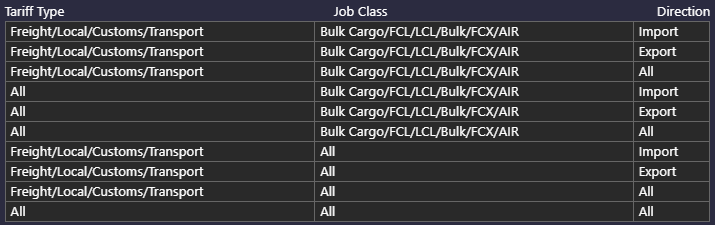
- If there are more than one configuration that matches for the same job and lists different tariff types it will grab the rates that are applicable for each tariff type against the indicated company tariff for that line.
- If no configuration is set up, the company tariff that has the default flag = YES will be used
- If no default has been set or no company tariff exists, the user will be advised that no rates can be found
- The auto-rating process will look up the Customer Masterfile record in the Configuration tab tab, if the job matches a configuration set-up the company tariff listed in the configuration will be used
- The ‘Retrieve Rate’ functionality, on the following screens:
- Customer Rates
- Customer Quotes
- Has been updated to now check against multiple company tariffs:
- If there is an allocated company tariff for the client in the customer masterfile, the process will use this tariff
- If there is not an allocated company tariff in the customer Masterfile, AND if the site only has 1 company tariff, the process will use the 1 company tariff
- If there is no allocated company tariff in the customer Masterfile, and the site has more than 1 company tariff, the user will be asked if they would like to use the default company tariff
- If the user says no, they will be prompted with a pop-up of all existing company tariffs
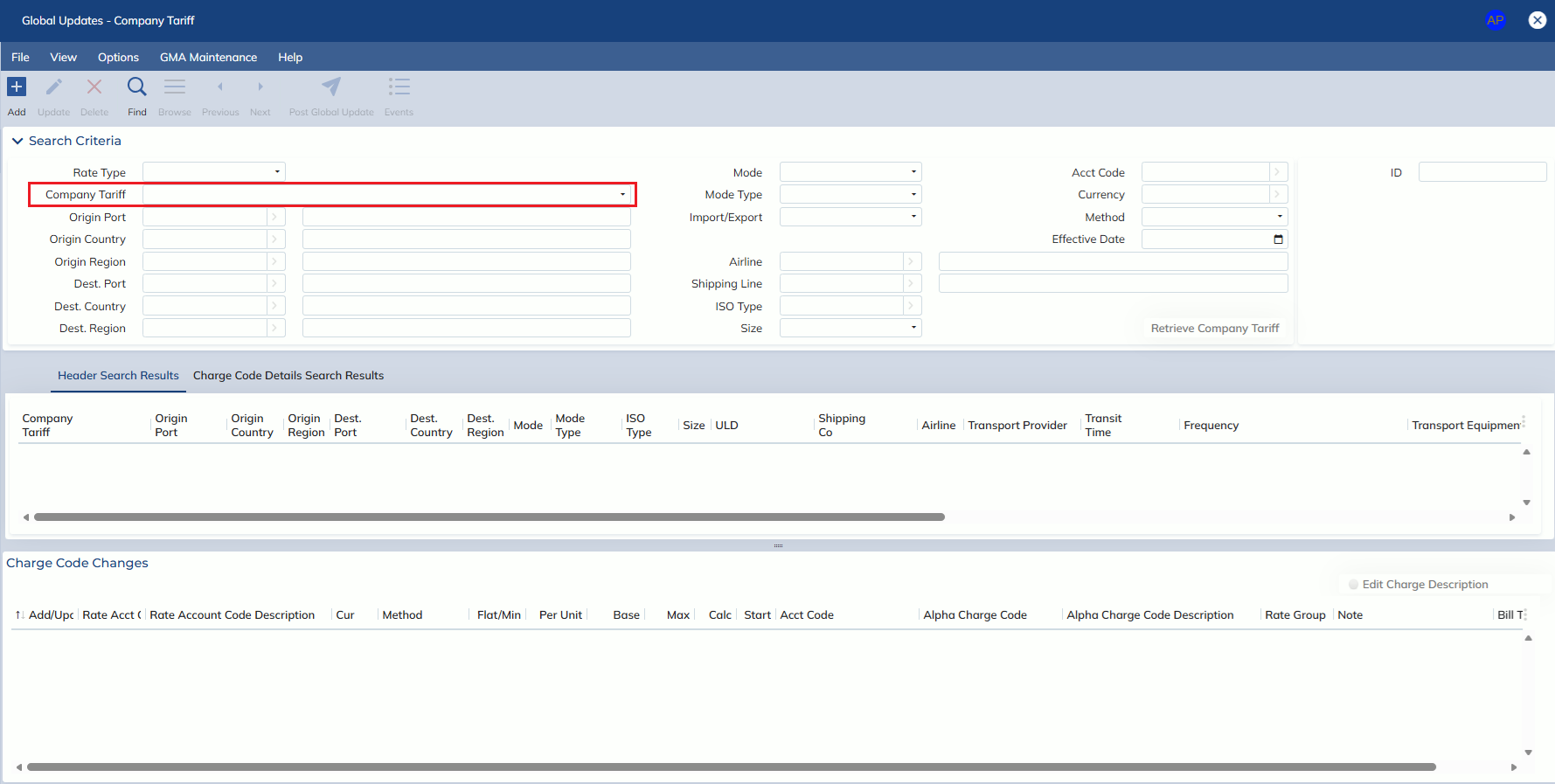
- The Rates -> Tools -> Global Update – Company Tariff Rates screen has been updated to include a ‘Company Tariff’ field, so users can select which Company Tariff records to apply updates to
- Copy function
- A Copy Company Tariff button has been added to the Company Tariff screen
- Users may copy rates to a new or existing company tariff, and can breakdown the copying by tab, as well as set new effective dates