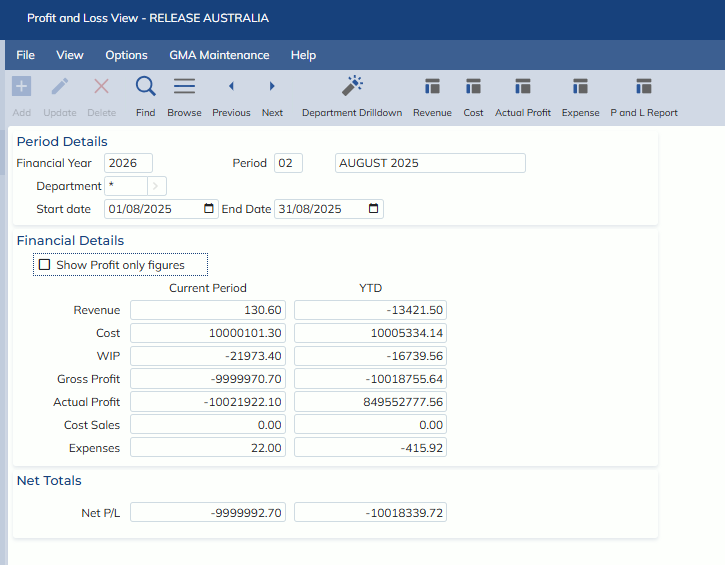
In this release, we have updated the Finance -> General Ledger -> View Profit & Loss screen
- New fields have been added:
- Revenue
- Cost
- WIP
- Gross Profit
- Income has been re-labelled to Actual Profit
- A toggle check-box has been added called ‘Show profit only figures’
- When this checkbox is ticked, the following fields are shown:
- Revenue
- Cost
- WIP
- Actual Profit
- Expenses
And Net P/L = Actual Profit minus Expenses
- When this checkbox is unticked, the following fields are shown:
- Revenue
- Cost
- WIP
- Gross Profit
- Actual Profit
- Cost Sales
- Expenses
And Net P/L = Gross Profit minus Expenses
- New toolbar buttons have been added:
- P and L Report
- Opens the Finance -> Reports -> General Ledger -> Profit & Loss report
- Revenue
- Shows a breakdown of the Revenue field by GL Code, Period and Year
- Cost
- Shows a breakdown of the Cost field by GL Code, Period and Year
- P and L Report
- When this checkbox is ticked, the following fields are shown: