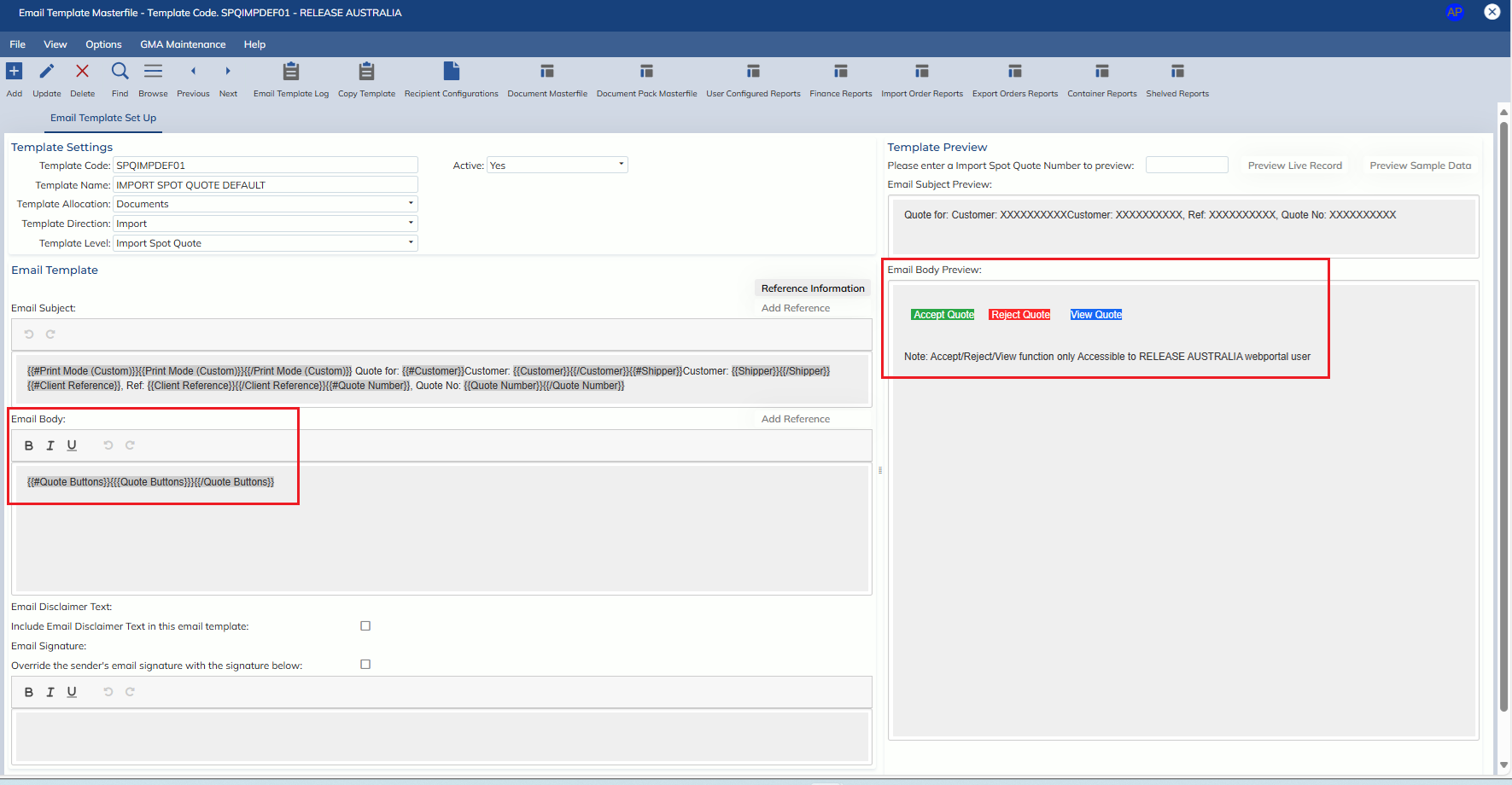
In this release, we have updated the final Spot Quote email templates in the Administration -> Corporate -> Email Templates -> Email Template Masterfile screen to include the option to add buttons
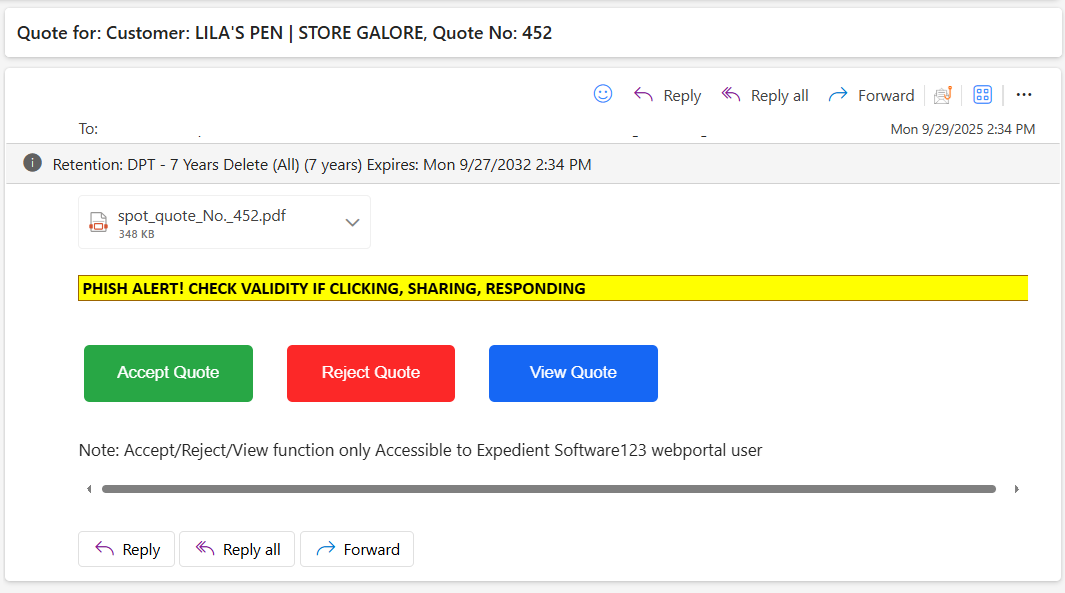
The below buttons are only valid if at least one recipient is a partner portal user for the client
- Accept Quote
- The spot quote is accepted
- Reject Quote
- The user is taken to the Partner Portal with the ‘Reject Quote’ modal open
- View Quote
- The user is taken to the charges tab of the Partner Portal Spot Quote record that the email pertains to
Additionally, when a partner portal user now accepts a spot quote, they will receive an email notification