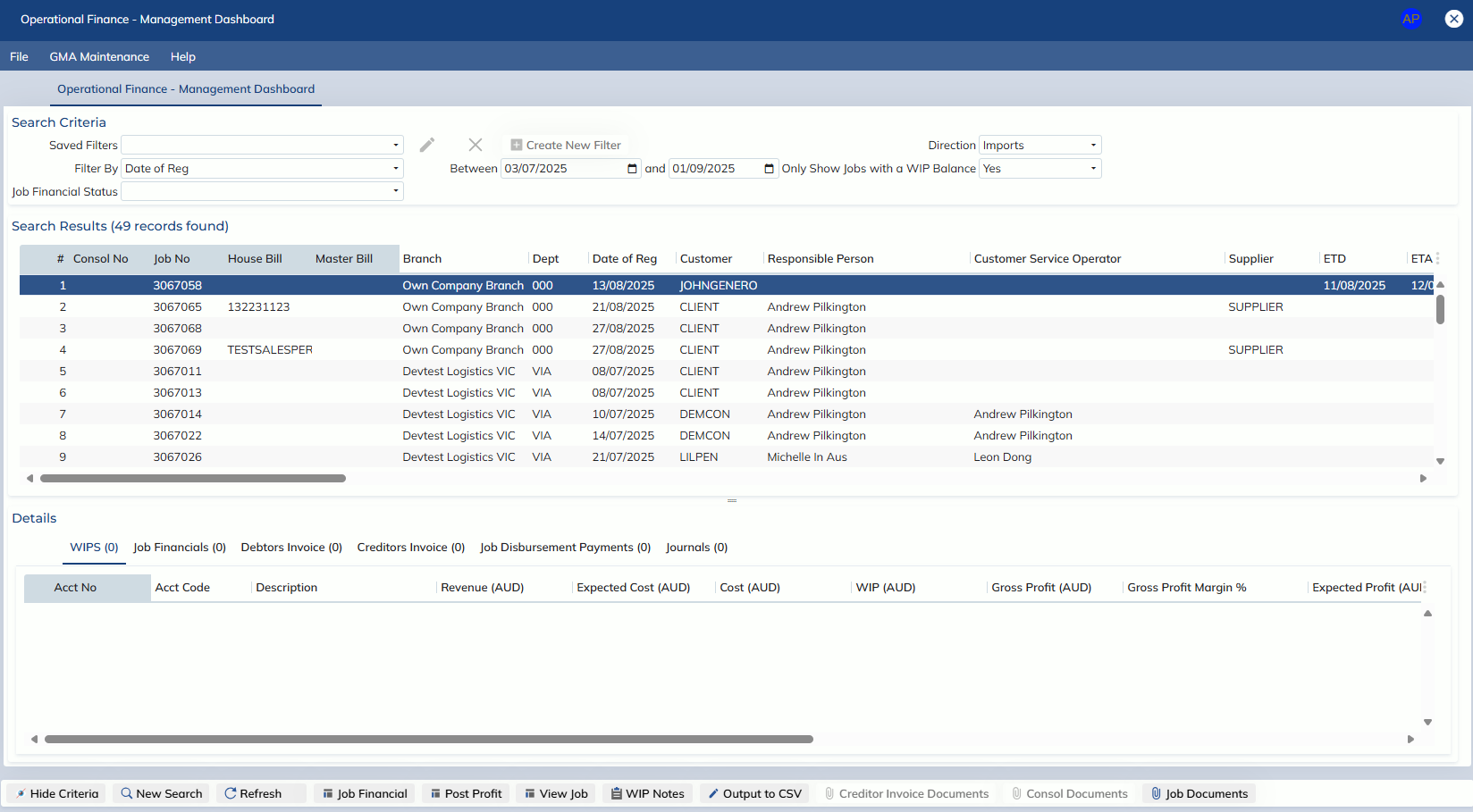
In this release, we have made significant enhancements to the WIP – Management Dashboard screen.
- The screen has been renamed to Management -> Finance -> Ops Fin – Management Dashboard
- New columns have been added:
- Job Type
- Branch
- Forwarder Name
- Responsible Person
- Customer Service Operator
- Broker Name
- Discharge Port
- Currency
- Gross Profit
- Reimbursement Cost
- Reimbursement Revenue
- Expected Cost
- Gross Profit Margin %
- Existing columns have been updated:
- Billed has been renamed to Revenue
- Paid Out has been renamed to Cost
- Total Amount has been renamed to Total Inc. GST
- Unbilled Amount has been renamed to Unposted Revenue
- Estimated Profit has been renamed to Expected Profit
- The following columns have been removed:
- Local Amount
- WIP + Profit
- The filter functionality has been updated to be include the following:
- Filter By
- Job Financial Status
- Direction
- Now includes a ‘Consolidated’ option, so imports and exports can be searched at the same time
- Only Show Jobs with a WIP Balance
- WIPs sub-tab
- Paid has been renamed to Cost
- Billed has been renamed to Revenue
- Journal has been renamed to Actual Profit
- New columns added:
- Gross Profit
- Expected Cost
- Gross Profit Margin %
- Job Financial sub-tab
- Paid has been renamed to Cost
- Billed has been renamed to Revenue
- Balance has been renamed to WIP
- Journal has been renamed to Actual Profit
- New columns added:
- Gross Profit
- Expected Cost
- Gross Profit Margin %
- Expected Profit
- The Job – Profit Analysis report has been renamed and moved to the legacy folder in the menu:
- Management -> Finance -> Legacy Screens -> Legacy Job – Profit Analysis