In this release, the user can hide “Deleted” or “To be Deleted” entry lines in view mode in the import declaration by clicking “Hide Deleted Lines”.

Note:
- The “Hide Deleted Lines” option hides the lines with Action Code is D or X.
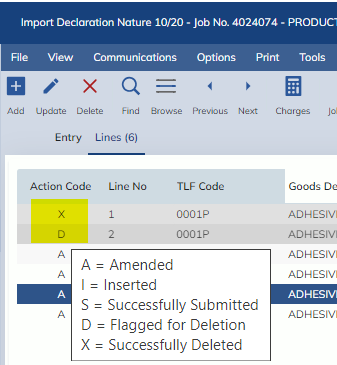
The hidden lines will display automatically when the entry is in update mode.
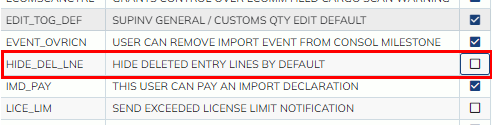
If you want to hide the deleted lines by default, go to users masterfile>Options>User Options to tick “HIDE_DEL_LNE” option.