In this release, users are able to create and update their own Transport Equipment Type to use in the Expedient Application. This function can be accessed via
- Administration -> Masterfile Management -> Transport Equipment Masterfile
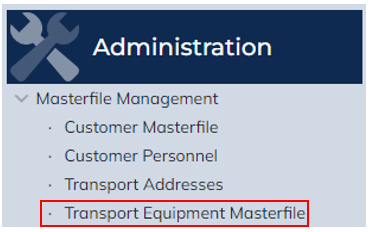
Transport Equipment Masterfile
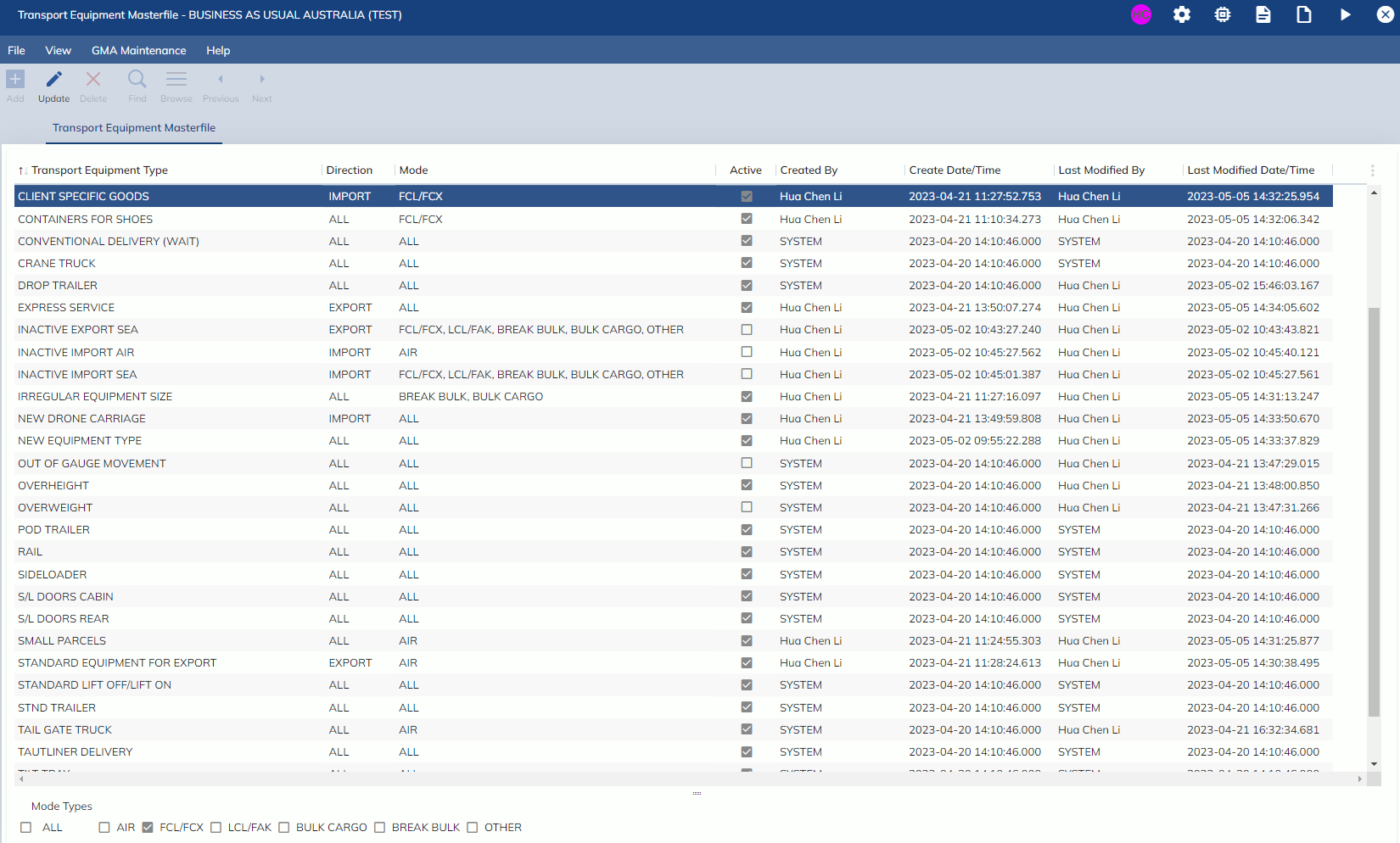
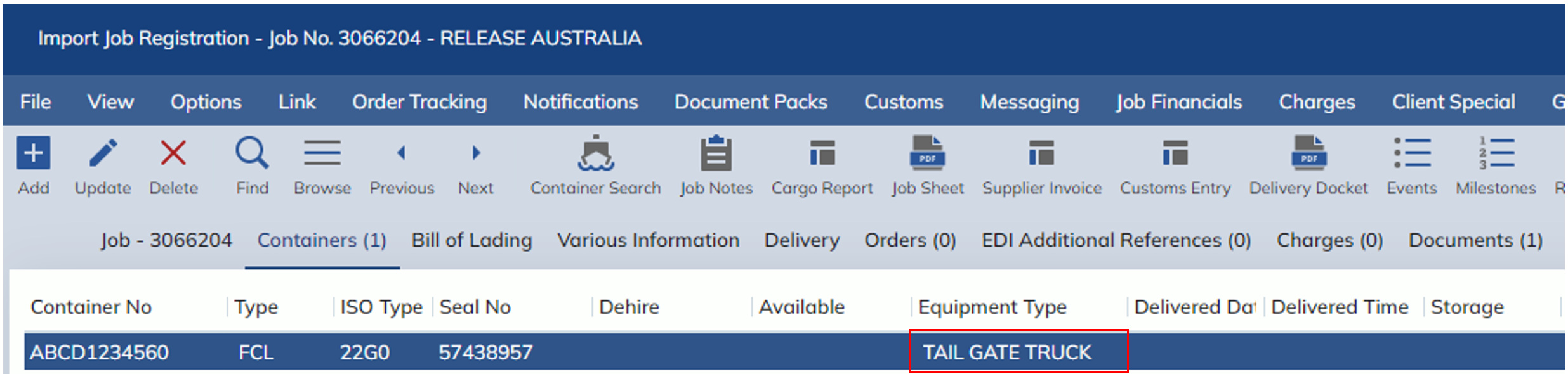
The Transport Equipment Masterfile can be used to create and update Transport Equipment Types. These Transport Equipment Types can then be populated in the Equipment Types (formerly Transport Types) combo boxes, such as on the Import Job Registration screen. The Transport Equipment Types can have restrictions set so some Transport Equipment Types can only be selected on certain Jobs. The Transport Equipment Types cannot be deleted, but they can be deactivated by unchecking the Active column.
| Field Name | Description | Validation | Default |
| Transport Equipment Type | The name of the Transport Equipment Type. The name of the Transport Equipment Type must be unique except when there are 2 Equipment Types where one has direction IMPORT and the other is EXPORT | Mandatory | Blank |
| Direction | Specifies whether the Equipment Type can be used in Import or Export Jobs | Mandatory | Blank |
| Mode | Specifies what mode types of Jobs allow the Equipment Types to be used in. Is populated from the Mode Types selection at the bottom of the screen | N/A | Blank |
| Active | Describes if the Equipment Type is currently in use | Mandatory | Blank |
| Created By | Specifies who create the Equipment Type | N/A | System Generated |
| Create Date/Time | Specifies the Date and Time the Equipment Type was created | N/A | System Generated |
| Last Modified By | Specifies who last Modified the Equipment Type | N/A | System Generated |
| Last Modified Date/Time | Specifies the Date and Time the Equipment Type was modified | N/A | System Generated |
| Mode Types | Specifies what mode types of Jobs allow the Equipment Types to be used in | N/A | System Generated |