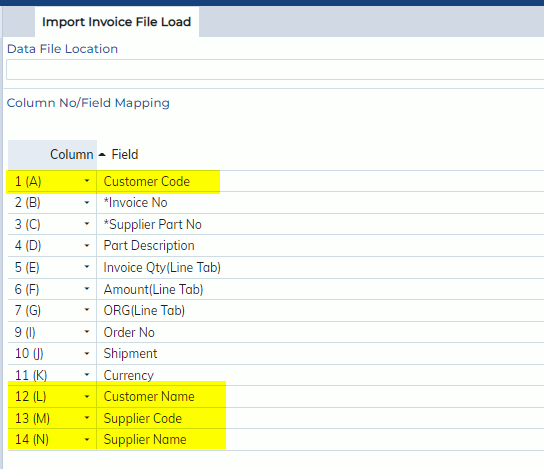
In this release, the following changes are made to the Supplier Invoice File Load process (Customs Processing -> Tools -> Supplier Invoice File Load) and Shipper Invoice Load Process (Forwarding -> Export Air -> Tools -> Load Export Invoice File)
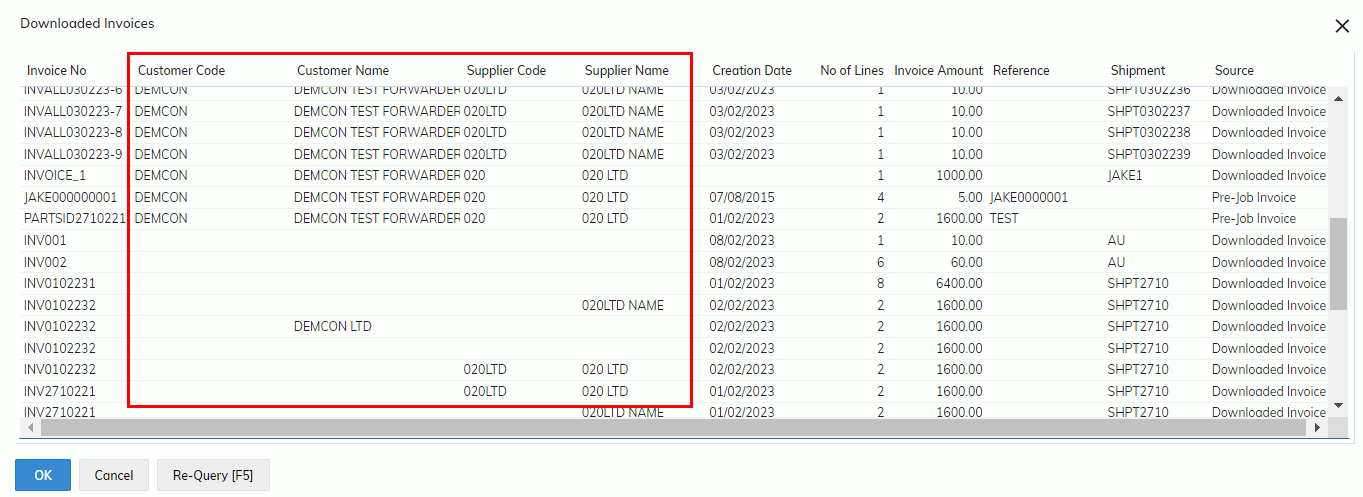
- The Customer Name and Supplier Name (Import only) are added to the load process.
- Both fields are optional fields.
- The Customer codes have been changed from mandatory to optional on load processes.
- Users are able to load “Downloaded Invoices” with or without Customer Code/Name.
-
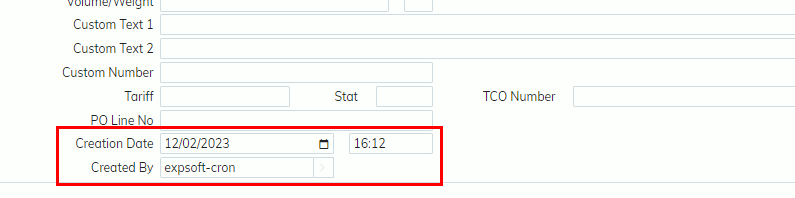
- Creation date/time and Created By are added to downloaded invoice screen. If the invoice file is loaded by a user, the user name will display.
-
- If a valid supplier code is provided on the downloaded invoice, the supplier code will be used on the supplier invoice screen.
- If invoice zoom on the Supplier/Shipper Invoice screen is clicked, it will display the downloaded invoices with matched customer code or no customer code by default.
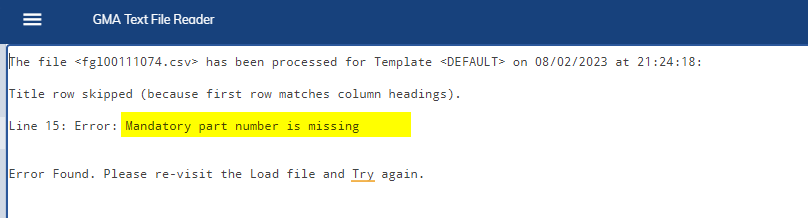
- On the invoice load process, if an error is found on any invoice line, the entire load process will be failed and users need to fix the load file and re-load it again.
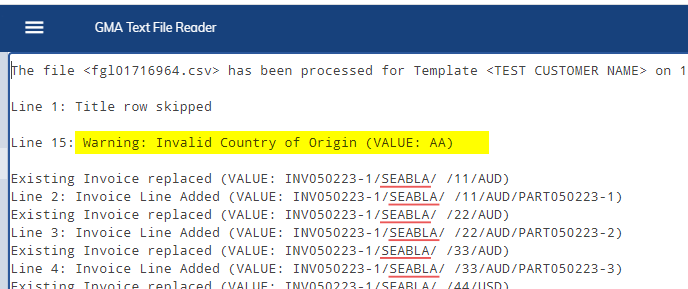
- If a warning is found, the entire invoice file will still be loaded without interruption. However, users may need to adjust the value on the supplier/shipper invoice when loaded if required.
-