In this release, we have added some new features to the Link House Bills button on the Export Consol Registration screens.
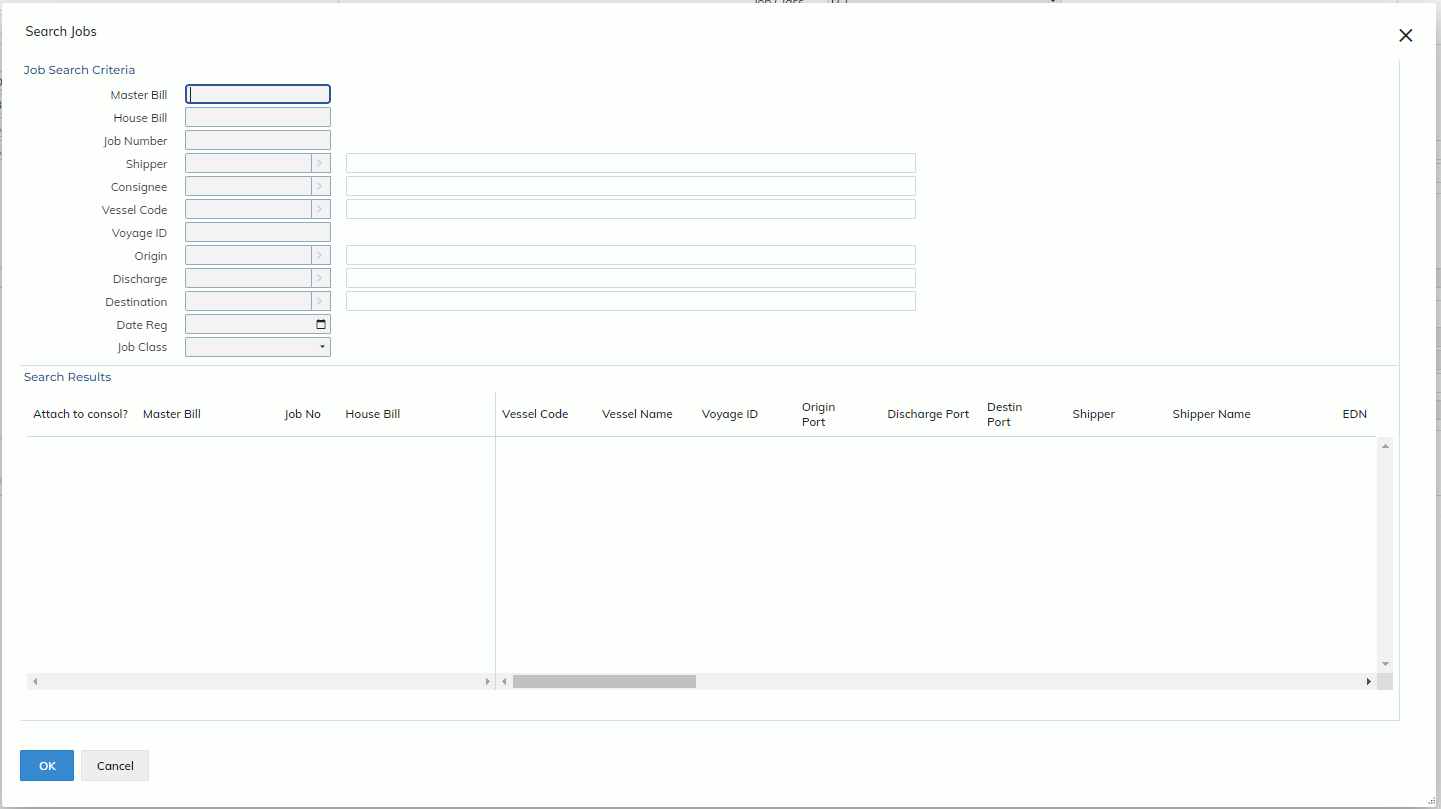
We have removed the initial Link House Bills modal which was very limited in the fields you could enter to attach a Job to a Consol by. Instead, we have added these fields to the Search Jobs modal, along some additional fields. See the screenshot below for an example of the new Export Sea Search Jobs modal, which allows users to search for jobs to attach to a Consol.
Users will now be able to enter a search criteria to filter for jobs, then attach all relevant jobs by ticking the “attach to consol?” tick box, or using the Toggle All button.
This modal will also pre-populate some relevant fields for users when it has detected that the Consol has these fields filled. These fields are:
- Master Bill
- Vessel Code/Airline Code
- Voyage ID/Flight No
- Discharge Code/Destination Code
If any “related Jobs” to the Consol are found, this modal will immediately populate the Search Results section with these jobs. Jobs which fit the criteria of being “related Jobs” must have the same Master Bill, Origin Code and Discharge Code (sea)/Destination Code (air) as the Consol.